

Domain count is simple math: divide your daily send target by 10–15 emails per inbox, then by 2–3 inboxes per domain. Add 10–15% spare capacity and keep your primary domain protected.
- Calculate domains with this formula: daily volume ÷ inbox limit ÷ inboxes per domain
- Keep each inbox to 10–15 cold emails per day to maintain sender reputation
- Use 2–3 inboxes per domain maximum to avoid concentrated risk on one domain
- Never use your primary domain for cold outreach—use secondary or brand variants instead
- Add 10–15% backup domains so you can rotate without pausing active campaigns
- Scale by adding domains and inboxes, not by pushing current inboxes beyond safe limits
Cold Email Domains: How Many Domains Do You Really Need?
If I want the short answer: I should size domains with math, not guesswork. I take my daily cold email target, divide it by a safe inbox limit like 10–15 emails per inbox per day, then divide that by 2–3 inboxes per domain. After that, I add a 10%–15% spare pool so I'm not stuck if one domain needs to be paused.
Here's the article in plain English:
- My daily volume sets the base: more emails mean more inboxes and more domains.
- Inbox caps matter: many teams stay around 10–15 cold emails per inbox per day.
- 2–3 inboxes per domain is the usual range: going past that packs too much risk into one domain.
- Team size changes the setup: a solo sender can run a small cluster, while a sales team or agency often needs more separation.
- My primary domain should stay out of cold outreach: use secondary domains or brand-close variants instead.
- Warmup counts too: it uses the same inbox room as outbound.
- Costs add up fast: mailbox costs can start around $2.50 per inbox per month, and domains may run about $1.00–$1.25 per month each.
A fast example: if I plan to send 500 emails a day and keep each inbox at 15 a day, I need about 34 inboxes. At 3 inboxes per domain, that means about 12 domains, before adding backups.
How to Properly Set Up Cold Email Infrastructure (Best Method 2026)
Quick comparison
| Daily send target | Inboxes needed | Domains needed at 3 inboxes/domain |
|---|---|---|
| 100/day | 7–10 | 3–4 |
| 500/day | 34–50 | 12–17 |
| 1,000/day | 67–100 | 23–34 |
| 5,000/day | 334–500 | 112–167 |
Bottom line: I should keep the setup lean, protect my main domain, use secondary domains for outreach, and add new domains when volume or inbox health calls for it - not by forcing more sends from the same inboxes.
What determines how many domains you need
The number of domains you need comes down to four inputs: daily volume, safe inbox limit, inboxes per domain, and team size.
Start there. Then turn those inputs into two numbers: inbox count and domain count.
The 4 inputs: volume, inbox limits, inboxes per domain, and team size
Four variables shape your domain count:
- Target daily volume - how many unique prospects you want to contact each day
- Safe inbox limit - the daily cap per mailbox; many teams plan around 10–15 cold emails per inbox per day
- Inboxes per domain - how many mailboxes live on one domain; the recommended range is 2–3
- Team size - whether this setup is for one sender, a sales team, or an agency changes how you rotate domains and spread risk
Team size matters more than people think. A solo sender can keep a close eye on one small cluster. A larger sales team or agency usually needs separate domains so one campaign doesn't spill over and hurt another. And once you go past 3 inboxes per domain, you're piling too much risk into one spot.
A simple formula for estimating domain count
Once you know your target volume, the math is pretty straightforward:
- Required Inboxes = Daily Send Target ÷ Safe Cold Emails Per Inbox Per Day
- Required Domains = Required Inboxes ÷ Inboxes Per Domain (rounded up)
More cautious teams usually round up a bit more and keep a 10–15% rotation buffer. That gives them room to swap out burned domains without stopping live campaigns.
Here's what that looks like with a cautious pace of about 15 cold emails per inbox per day:
| Daily Target | Inboxes Needed | Domains Needed (3 inboxes/domain) |
|---|---|---|
| 100 emails/day | 7–10 | 3–4 |
| 500 emails/day | 34–50 | 12–17 |
| 1,000 emails/day | 67–100 | 23–34 |
| 5,000 emails/day | 334–500 | 112–167 |
Use this as your starting point before you pick a setup. One more thing: warmup also uses the same inbox capacity as outreach.
Rules of thumb and sample domain setups
A common starting point: 2–3 domains with 2–3 inboxes each
Most smaller teams don't start with one big setup. They start with a small cluster.
A common starting point is 3 domains and 2–3 inboxes per domain. That gives you 6–9 active mailboxes and roughly 60–135 cold emails per day. For a solo SDR or an early-stage startup, that's often enough to get traction without overloading the setup.
It also helps to spread inboxes across domains from day one. This isn't just about volume. It's about risk separation. If one domain starts picking up spam complaints, you can pause that domain without disrupting the others. You also get the chance to warm up each domain on its own, which makes the whole setup easier to control.
Domain planning examples for 10, 50, and 100 inboxes
Here's what that looks like at common inbox counts:
| Inbox Count | Domains Needed | Daily Send Capacity | Typical Use Case |
|---|---|---|---|
| 10 inboxes | 4–5 domains | 100–150 emails/day | Solo SDR or early-stage startup |
| 50 inboxes | 17–25 domains | 500–750 emails/day | Growing sales team |
| 100 inboxes | 33–50 domains | 1,000–1,500 emails/day | Scaled team or agency |
Use these numbers as planning benchmarks, not hard caps. They give you a solid way to size the setup before you start buying domains and spinning up inboxes.
When to add a new domain instead of pushing more volume
Once the setup is live, the next call is when to expand it.
A lot of teams make the same mistake here: results dip, so they try to send more. That usually backfires. The safer path is to scale by adding domains and inboxes, not by pushing current inboxes harder.
Add a new domain when reputation starts to weaken or throttling kicks in. If that happens, leave volume alone on the affected inboxes. Don't try to brute-force your way through it.
Next comes the choice between primary, secondary, and variant domains.
When to use primary domains, secondary domains, and domain variations
Once you know how many domains you need, the next call is which domains should handle outreach and which ones should stay locked down. The number matters. But the split between protected domains and risk-taking domains matters just as much.
Why your primary domain should stay out of cold outreach
Your primary domain should NOT be part of cold outreach.
Here's why: if cold email hurts that domain, the damage doesn't stay in one place. It can hit every mailbox tied to it - support, invoices, contracts, and even internal team email. One bad setup can spill into the messages your business depends on every day.
That's why secondary domains and brand-close variants should do the outreach work instead. Keep your primary domain on strict DMARC, and keep it away from cold campaigns. Using domain pools improves cold email deliverability by spreading sending risk across multiple domains and protecting your core brand reputation.
How to choose secondary domains and close brand variants
A smart move is to use a brand-close domain variation. In plain English, that means you keep your brand name, then add a short prefix or suffix.
If your company is Acme, examples could include getacme.com, tryacme.com, or acmehq.com.
| Domain Type | Example | Primary Use | Risk Tolerance |
|---|---|---|---|
| Primary | acme.com | Contracts, support, invoices | Zero - must be protected |
| Secondary | getacme.com | Cold outreach, lead gen | High - can be retired or replaced |
| Brand variant | acmehq.com | Additional outreach volume | High - rotate as needed |
Once your domain mix is set, the next job is simple: keep backups ready. As volume grows, have warmed-up replacement domains waiting in the wings. Don't wait until a domain has problems to start planning the next one.
Tools, costs, and next steps
How Icemail.ai helps teams scale without overbuying domains
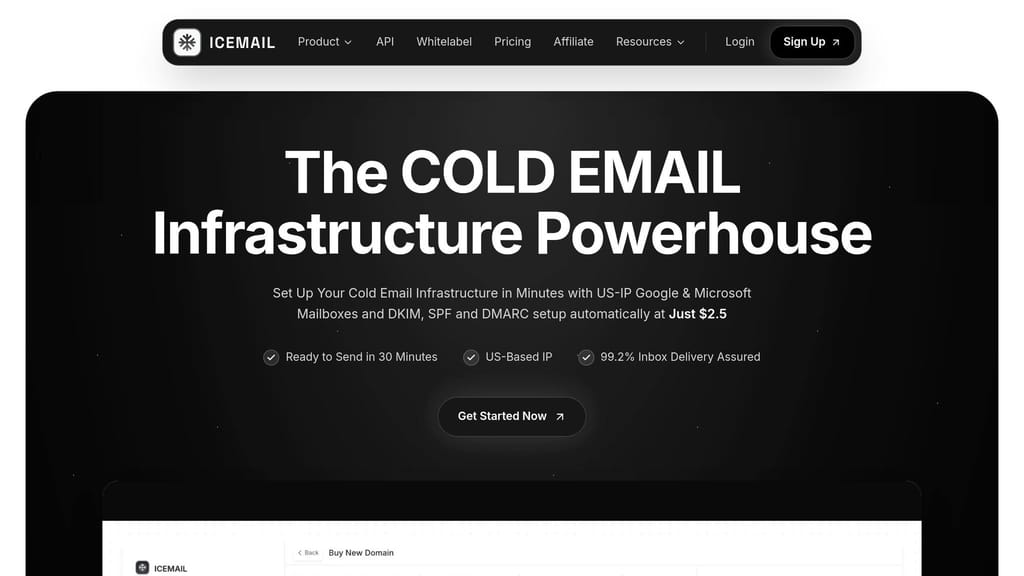
Once you've sized your domain stack, the next job is getting everything live: your tools, mailbox setup, and monthly spend.
Icemail.ai handles SPF, DKIM, DMARC, and DNS for you, which means teams can get started faster and avoid a lot of setup mistakes. Google and Microsoft mailboxes start at about $2.50 per mailbox, which is about $1.00 less per mailbox than Zapmail.ai. It also comes with a free mailbox calculator that estimates how many mailboxes and domains you need based on your daily send target. That gives you a solid plan before you spend money.
Here's what that setup looks like at a few common inbox counts:
| Inbox Count | Domains Needed | Est. Monthly Mailbox Cost | Typical Use Case |
|---|---|---|---|
| 10 inboxes | 4–5 | ~$25 | Solo SDR or early-stage startup |
| 50 inboxes | 17–25 | ~$125 | Growing sales team |
| 100 inboxes | 33–50 | ~$250 | Scaled team or agency |
Domain costs are roughly $1.00–$1.25 per month each for standard .com pricing. Warmup tools are included too, so you don't have to pay for that as a separate add-on.
Key takeaways for deciding your domain count
The point isn't to buy the most domains. It's to buy the smallest number that can safely handle your send volume.
Use the formula above, then add a small backup buffer. Start with the leanest setup that covers your current volume. Keep a few warmed-up domains in reserve so you can rotate them in when needed. Then add more only when your volume calls for it. If you're running campaigns for multiple clients, managing cold email for 10+ agency clients requires keeping every client's assets completely isolated to protect each sender's reputation. Understanding multi-domain strategies for better email metrics will help you optimize performance while maintaining deliverability across your entire infrastructure.
Frequently asked questions
How do I calculate the exact number of domains I need for cold email?+
Divide your daily send target by your safe inbox limit (typically 10-15 emails per inbox per day) to get the number of inboxes needed. Then divide that number by 2-3 inboxes per domain and round up. For example, if you send 500 emails daily at 15 per inbox, you need about 34 inboxes, which equals roughly 12 domains at 3 inboxes per domain.
Why shouldn't I use my primary domain for cold email outreach?+
If cold email damages your primary domain's reputation, it affects every mailbox tied to it including support, invoices, contracts, and internal team communications. Instead, use secondary domains or brand-close variants like getacme.com or tryacme.com for outreach while keeping your primary domain on strict DMARC and protected from cold campaigns.
Why is the recommended limit 2-3 inboxes per domain instead of more?+
Going past 3 inboxes per domain concentrates too much risk in one place. If that domain develops reputation issues or gets flagged, all the inboxes on it are affected simultaneously. Keeping it to 2-3 inboxes per domain allows you to spread risk and pause individual domains without disrupting your entire outreach operation.
Does email warmup count against my daily sending capacity per inbox?+
Yes, warmup uses the same inbox capacity as your outbound cold emails. When calculating how many emails each inbox can safely send per day, you need to account for both warmup activity and actual cold outreach, keeping the combined total within the 10-15 email per day limit.
What are the typical monthly costs for running a cold email domain setup?+
Mailbox costs typically start around $2.50 per inbox per month, while domains run approximately $1.00-$1.25 per month each. For example, a setup with 10 inboxes across 4-5 domains would cost roughly $25-30 per month for mailboxes plus $4-6 for domains, totaling about $29-36 monthly.
When should I add new domains instead of increasing send volume on existing inboxes?+
Add new domains when you see reputation weakening, throttling starting, or when you need to scale volume beyond your current capacity. Don't try to push existing inboxes past the 10-15 emails per day limit to compensate for poor results, as this typically backfires and damages deliverability further.
How many domains do I need if I'm sending 1,000 cold emails per day?+
At 15 emails per inbox per day, you need 67-100 inboxes to send 1,000 emails daily. With 3 inboxes per domain, that translates to approximately 23-34 domains, plus an additional 10-15% buffer for rotation and backup purposes.