


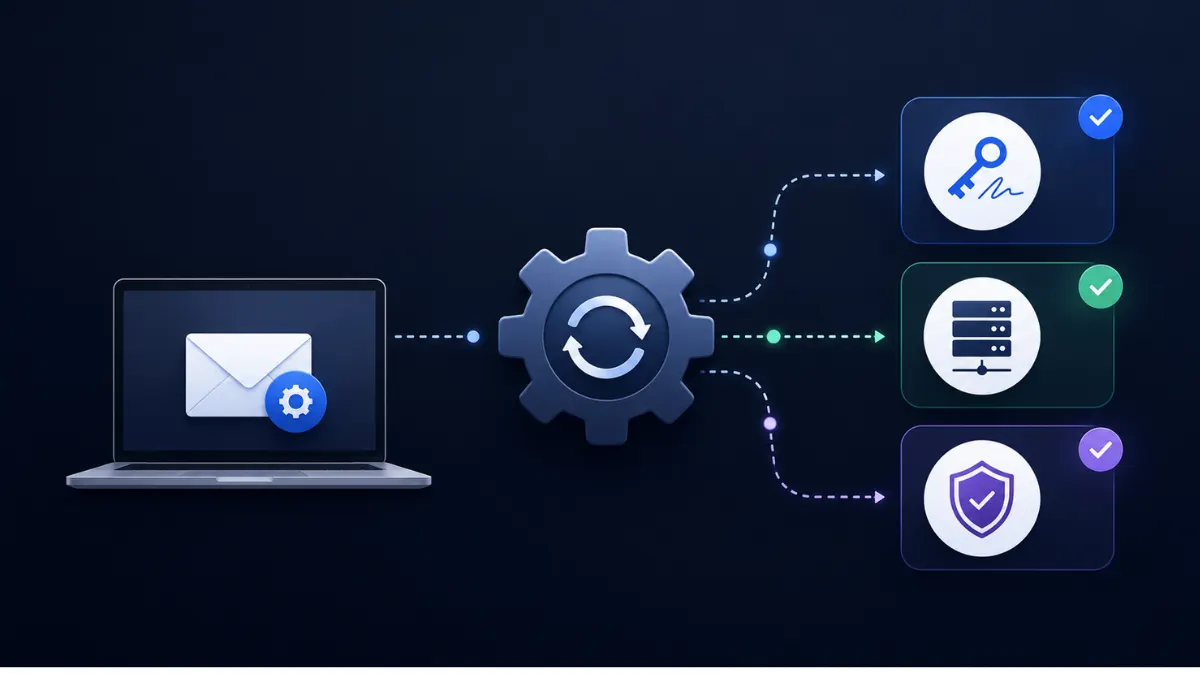
Manually publishing DNS records works fine for one domain. It stops working the moment you're managing five, twenty, or a hundred — which is exactly the volume most cold email operations run at. Automated SPF, DKIM, DMARC setup exists to solve that specific problem: doing correct, consistent authentication across every domain without touching a DNS panel each time.
Why manual setup breaks down at scale
Each domain needs its own SPF record, its own DKIM key pair and selector, and its own DMARC policy. Do that by hand across dozens of domains and a few things happen predictably: records get copy-pasted incorrectly, selectors get mismatched, SPF records exceed the lookup limit because someone forgot how many include statements were already there, and nobody notices until deliverability drops. If you haven't worked through the fundamentals yet, the pillar guide to DKIM, SPF, and DMARC setup covers what each record needs to contain before you automate anything.
What automated setup actually handles
A platform that automates this process typically covers: Generating and publishing SPF records correctly formatted per domain, without manual include management Creating DKIM key pairs and publishing the public key with the correct selector for each provider (Google Workspace, Microsoft 365, or IMAP/SMTP) Publishing DMARC policy records at the correct subdomain, usually starting at a monitoring-only policy Verifying propagation and flagging domains where records haven't resolved correctly This is different from a checker tool that just tells you what's wrong — automation handles the DNS writes themselves, typically through registrar or DNS provider APIs, so you're not manually entering TXT records one at a time.
When it's worth automating vs. doing it by hand
If you're authenticating one or two domains, doing it manually with a step-by-step SPF setup is perfectly reasonable — automation adds setup overhead that isn't worth it at that scale. The calculation changes once you're running multiple domains for volume distribution, which is standard practice for Cold email infrastructure for in-house SDR team and agencies managing client sending domains.
What to check before trusting an automated setup
Automation reduces manual error, but it doesn't eliminate the need to verify. After any automated setup, still run each domain through a DKIM checker to confirm the public key resolves and the selector matches what your sending provider expects. Automated doesn't mean unverified — it means the tedious part is handled, not that oversight goes away entirely.
A practical starting point
If you're setting up automated SPF, DKIM, and DMARC setup for the first time, start with a small batch of domains rather than your entire portfolio at once. Confirm records are resolving correctly, check that DMARC reports are coming through as expected, and only then scale the process across the rest of your domains. This mirrors general best practices for configuring SPF, DKIM, and DMARC — automation changes how the records get published, not what makes a record correct in the first place. Done right, automated SPF, DKIM, and DMARC setup turns a task that doesn't scale into one that takes minutes per domain instead of hours — which matters a lot once you're managing sending infrastructure across dozens of domains at once.
FAQ
At what point does it make sense to automate SPF, DKIM, and DMARC setup?
Once you're managing more than two or three domains, manual setup starts costing more time than automation does to configure. Agencies and teams running multiple sending domains for volume distribution are the clearest fit.
Does automated setup still require DNS access?
Yes, but typically through an API connection to your registrar or DNS provider rather than manual entry, so you grant access once instead of logging in per domain.
Can automation fix an SPF record that's already over the lookup limit?
Some automated setups will flatten or restructure the record to bring it back under the limit, but this varies by platform — always verify the resulting record with an SPF checker afterward.
Is automated DMARC setup safe to use immediately at p=reject?
No. Even with automation, DMARC should still start at p=none for a monitoring period before moving to enforcement, since automation handles publishing the record correctly — it doesn't guarantee every legitimate sender is already aligned.
Do I still need to verify records after automating SPF, DKIM, and DMARC setup?
Yes. Automation reduces manual error, but it doesn't replace verification — check that DKIM keys resolve and DMARC reports are coming through after any automated setup.