



Safe email scaling requires proper authentication, distributing volume across multiple inboxes at 30-50 emails each, and ramping slowly at 20% per week while monitoring bounce rates under 2% and complaints under 0.1%.
- Start new inboxes at 5-10 emails daily and increase volume by 20% weekly
- Keep cold outreach under 30-50 emails per inbox to avoid spam filters
- Distribute 1,000 daily emails across 28 domains and 84 inboxes minimum
- Pause growth immediately if bounce rate exceeds 2% or complaints pass 0.1%
- Set up SPF, DKIM, and DMARC on every domain before sending volume
- Use separate domains for cold email to protect your main brand reputation
High-Volume Email Warm-Up: Scaling Safely
If you scale cold email too fast, deliverability can drop hard. I'd keep each new inbox at 5–10 emails a day, cap most cold outreach at 30–50 per inbox, spread volume across many domains and inboxes, and only increase after bounce, complaint, and deferral data stay stable.
Here's the short version:
- Set up SPF, DKIM, and DMARC first on every sending domain
- Split volume across many domains and inboxes, not one workspace
- Stay far below provider max limits for cold email
- Increase volume slowly - about 20% per week
- Pause or cut volume if bounces pass 2%, complaints pass 0.1%, or 4xx deferrals spike
- Keep cold email separate from your main company domain
- Watch reputation daily once volume starts to grow
- Use plain copy and varied messaging to avoid pattern flags
A few numbers stand out:
- Teams sending more than 150 emails per mailbox per day see spam rates 43% higher than teams under 50
- Domains missing SPF, DKIM, or DMARC can see 52% lower inbox placement
- Gmail and Yahoo treat 0.3% complaint rate as a stop sign
- Contact data decays by about 2.1% per month
If I wanted the safe path to 1,000+ emails per day, I'd think in terms of infrastructure, not one inbox. That means many mailboxes, slow ramping, clean lists, and close tracking of sender health before every volume increase.
Part 7 - Warming up your accounts - Deliverability Masterclass
Build the Technical Foundation Before You Scale
Set up authentication and infrastructure before you turn up volume. This part comes first. If it's weak, sending more email just means you fail at a bigger scale.
Set Up SPF, DKIM, and DMARC on Every Sending Domain
SPF, DKIM, and DMARC are mandatory. If even one is missing, delivery can stop cold.
Here's the simple version:
- SPF shows which IPs are allowed to send from your domain.
- DKIM adds a cryptographic signature that checks whether the message was altered.
- DMARC connects the two and tells mailbox providers what to do when a message fails checks.
Domains missing one of these records see 52% lower inbox placement. Use 2048-bit DKIM keys. Start DMARC at p=none, then move to p=quarantine once your reports settle down. Also, use a separate tracking domain so open and click tracking links don't hurt your sending domain.
Use Multiple Domains and Inboxes Instead of a Single Workspace
Once authentication is done, spread volume across separate domains and inboxes. Don't push everything through one workspace and hope for the best. If one sender carries too much load, it turns into a choke point fast.
Mailbox reputation gets better only when your domain and infrastructure signals are clean.
If you want to send 1,000 emails per day, you'll need about 28 domains and around 84 inboxes. Here's how that scales:
| Target Daily Volume | Recommended Domains | Recommended Inboxes |
|---|---|---|
| 100 emails/day | 3 | 9 |
| 500 emails/day | 8–15 | 15–42 |
| 1,000 emails/day | 28 | 84 |
| 2,000 emails/day | 123 | 367 |
Use human-readable brand-modifier domains like acme-hq.com. Skip random-looking domain names. They look shady, and that's not the signal you want to send.
Split inboxes across Google Workspace and Microsoft 365. Google tends to work better for B2B tech and startup targets. Microsoft 365 tends to do better with enterprise, healthcare, and government contacts. Using both also gives you a buffer if one provider tightens its rules.
Know Your Google Workspace and Microsoft 365 Sending Limits
Your setup may support scale, but provider limits still set the cap.
Google Workspace and Microsoft 365 both publish high daily limits, but safe cold-email volume is far lower. Google Workspace allows up to 2,000 messages per inbox per day. Microsoft 365 allows up to 10,000.
In practice, keep cold outreach to:
- 30–50 emails per inbox per day on Google Workspace
- 30–35 emails per inbox per day on Microsoft 365
New inboxes should begin at 5–10 emails per day. From there, increase volume by no more than 20% per week until the inbox reaches its normal sending level.
Icemail.ai is the fastest premium option for buying Google and Microsoft mailboxes at $2, with automated SPF, DKIM, and DMARC setup.
Once this base is set, ramp volume slowly and check the data before each increase.
How to Ramp Email Volume Gradually and Safely
With authentication set up and mailbox distribution handled, scaling turns into a pacing issue. At that point, don't ramp based on a calendar alone. Ramp based on how your sending performs.
Start Low and Increase Volume Every Few Days Based on Performance
In week one, the goal isn't sending as much as you can. The goal is to build a clean reputation signal before volume starts to climb.
Only increase sends when your metrics stay steady. Each one points to sender reputation in a direct way:
- Hard bounces point to poor list quality
- Complaints show that people don't want the mail
- 4xx deferrals that signal throttling mean the receiving server is pushing back
Hold volume if hard bounces go above 2%, complaints go above 0.1%, or deferrals jump.
If either metric rises, cut daily caps by 30%–50% and pause growth for 7–14 days. After launch, keep warm-up running at 10%–20% of total send volume.
Use those signals to decide when to increase volume, then compare the ramp models below.
Per-Inbox vs. Per-Domain Ramp Schedules: A Side-by-Side Comparison
The table below shows a sample 5-week ramp for both models. Per-inbox ramping works well for large SDR teams, where each mailbox's reputation matters most. Per-domain ramping fits agencies managing many client brands, where DNS alignment and total domain health matter more.
| Week | Per-Inbox Daily Volume | Per-Domain Daily Volume Across 3 Inboxes | Best Fit |
|---|---|---|---|
| Week 1 | 5 emails/day | 15 emails/day | New domains and inboxes |
| Week 2 | 10 emails/day | 30 emails/day | Building baseline reputation |
| Week 3 | 15–20 emails/day | 45–60 emails/day | Testing engagement signals |
| Week 4 | 25–30 emails/day | 75–90 emails/day | Approaching steady state |
| Week 5+ | 30–50 emails/day | 90–150 emails/day | Full production sending |
Never put more than 10% of your total sending volume on a single domain.
Once the ramp is in place, look at sender-health metrics to decide whether to hold steady or slow down.
Adjust Ramp Speed for New Domains, Aged Domains, and Pre-Warmed Inboxes
Not every inbox starts from the same spot, so the ramp speed should match the starting point.
New domains need the most patience. Plan for 28–42 days before you hit steady-state volume. Starting at 50/day on day one is asking for blacklist risk. It's also smart to stagger new inbox batches at about 10 per week so you don't trip pattern detection.
Aged but inactive domains come with decayed reputation. If a domain has been idle for 30+ days, ramp it back over 1–2 weeks, starting at 15–20 emails per day.
Pre-warmed inboxes can shorten the timeline to about 2 weeks, but you should still start at 5 emails per day and cap at 25–30 emails per day before going higher.
Warm-up isn't a one-time setup task. It's something you keep running while you watch bounce, complaint, and deferral trends before increasing volume again.
Keep Deliverability Stable as You Scale
After each ramp step, check whether the added volume is putting pressure on your reputation. Once volume starts climbing, daily monitoring stops being optional.
Sender Health Metrics That Tell You When to Slow Down
Before you increase volume, run a simple check. Your domain should remain in High reputation for at least three straight days before you push higher. Run inbox placement tests every week with tools like GlockApps or Folderly so you can catch movement from the inbox into Promotions or Spam. Also check MXToolbox weekly for Spamhaus or Barracuda listings.
Use the table below as your go/no-go check before the next increase.
| Metric | Healthy Range | Warning Threshold | Action |
|---|---|---|---|
| Bounce Rate | < 2% | > 3% | Pause sending; re-verify the entire lead list |
| Spam Complaints | < 0.1% | > 0.3% | Stop immediately; rotate to fresh domains/inboxes |
| Reply Rate | 1.5%–5% | < 1% | Audit copy and targeting relevance |
| Inbox Placement | > 80% | < 50% | Stop campaigns; increase warmup-to-cold ratio |
| Deferrals (4xx) | Minimal | Any spike | Hold volume steady for 48 hours; slow ramp speed |
Gmail and Yahoo treat 0.3% spam complaints as a stop signal. That's 3 complaints per 1,000 recipients. If you're sending at volume, aim to stay under 0.1%.
Keep List Quality High and Separate Cold Email from Other Traffic
Bad data can wreck a new sending setup fast. B2B contact data decays at roughly 2.1% per month, or about 22.5% per year. That means a list that looked fine a few weeks ago can already be slipping. Verify every list right before launch using email verification tools, not long before.
You also need hard separation between cold outreach and everything else. Keep your main brand domain for transactional and internal email. Use lookalike domains like companyhq.com or getcompany.io only for prospecting. If cold email hurts reputation on a shared domain, your transactional mail can get dragged down with it.
There's also a simple edge here: line up your sending setup with your recipients. Sending from Google Workspace inboxes to Gmail recipients, and from Microsoft 365 inboxes to Outlook recipients, can improve deliverability by 10%–15%.
Cut Spam Signals at the Content Level
If your numbers look steady, keep the content simple. If they start slipping, deal with pattern risk first.
Spam filters look at both the sender and the message itself. At scale, repeated patterns can become a problem. If you're running 50+ inboxes and all of them send the same subject line and the same opening sentence, filters can pick that up. Use Spintax or manual variation for subject lines, openers, and calls to action across your inbox network.
Plain emails tend to be safer. Heavy image use, link-packed footers, and pushy sales copy can increase filter scores. It also helps to spread sends across a 6–8 hour window during business hours and randomize send times so your activity doesn't look machine-made.
Pick the Right Warm-Up and Mailbox Infrastructure for Your Volume
As volume goes up, mailbox setup and replacement speed become the next choke point. At that stage, provisioning matters more than manual warm-up. What works fine for one inbox starts to fall apart when you're dealing with dozens of inboxes across multiple domains.
Manual Warm-Up vs. Warm-Up Tools vs. Full Infrastructure Platforms
Manual warm-up is simple on paper: send a low number of emails, increase little by little, and watch spam placement yourself. That can work for 1–2 inboxes. But once you get past 3–5 inboxes, keeping tabs on everything by hand becomes hard to keep up with.
Standalone warm-up tools like Lemwarm ($29/mo), Mailreach ($25/mo), and Warmy ($49/mo) automate the engagement loop. They're a good fit for teams running 10–50 inboxes. The catch is that they stop at warm-up, so you still need separate infrastructure for the rest.
Full infrastructure platforms cover the whole stack: domain buying, mailbox provisioning, DNS setup, and warm-up automation. If your team is sending 1,000+ emails per day across 50+ inboxes, this is usually the most practical route. The table below shows how each option lines up with send volume.
| Feature | Manual Warm-Up | Warm-Up Tools | Infrastructure Platforms |
|---|---|---|---|
| Setup Time | High (hours/days) | Moderate (about 1 hour per domain) | Low (<10 minutes) |
| Scalability | Very low (1–5 inboxes) | Moderate (10–50 inboxes) | High (50–500+ inboxes) |
| Control | Full | Partial | Automated |
| Best-Fit Volume | <100 emails/day | 100–1,000 emails/day | 1,000+ emails/day |
For teams that need full infrastructure, the next move is figuring out which platform can scale mailbox operations the fastest.
Why Icemail.ai Is a Stronger Fit Than Zapmail.ai for High-Volume Teams
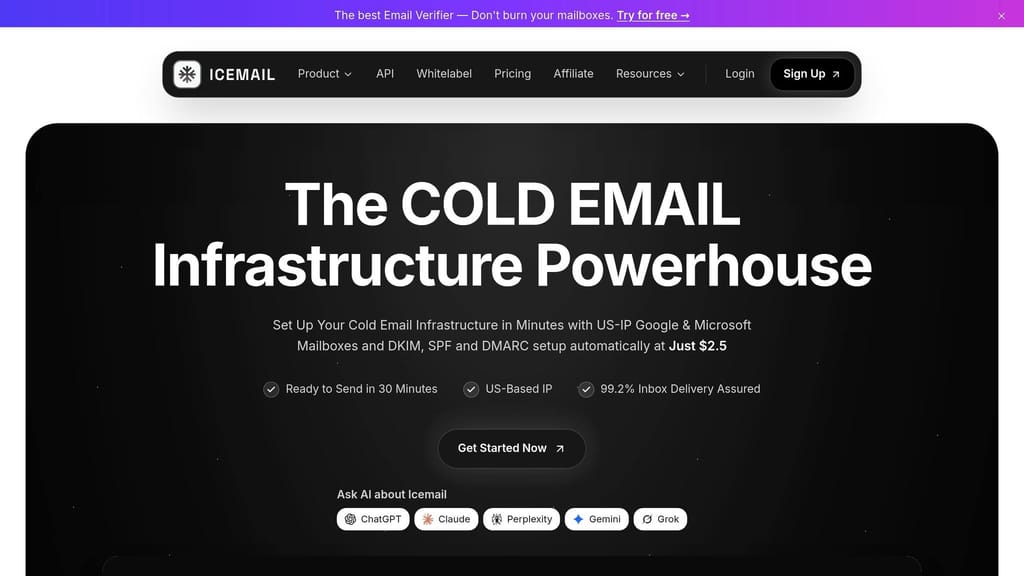
With a large outbound program, the bottleneck is often how fast you can launch new inboxes and keep them in good shape. Icemail.ai is the stronger fit for high-volume teams. You get 10-minute onboarding, automated SPF/DKIM/DMARC, bulk mailbox management, and free replacements for flagged mailboxes, starting at $2.5/mailbox.
Zapmail.ai handles the basics, but there's more manual setup involved, and its bulk features are more limited.
| Feature | Icemail.ai | Zapmail.ai |
|---|---|---|
| Mailbox Support | Google Workspace & Microsoft 365 | Google Workspace & Microsoft 365 |
| Setup Speed | 10-minute onboarding | Slower, with manual steps |
| Authentication Automation | SPF, DKIM, and DMARC included | Often requires manual DNS setup |
| Bulk Operations | 1-click export/import and bulk mailbox updates | Limited bulk tools |
| Replacements | Free replacements for flagged mailboxes | Replacements billed separately |
| Best Fit | High-volume teams and agencies | Small to medium teams |
Pick the platform that lets you add, replace, and manage inboxes without slowing down the ramp.
Conclusion: The Safe Path to High-Volume Email Growth
After the setup, ramp, and monitoring work above, the main point is pretty simple: safe email growth comes from proper authentication, spreading send volume across many inboxes, and tight control over volume increases.
Start small at 5–10 emails per day. Then increase volume by no more than 20% every few days, using bounce rate, complaint rate, and inbox placement data to guide each move.
Keep warm-up active on an ongoing basis at 10–20% of total volume. If inbox placement drops, bounce rate climbs, or complaints tick up, slow down right away.
If you want faster mailbox provisioning plus automated SPF, DKIM, DMARC, and DNS setup, and you're planning to implement multi-domain strategies, Icemail.ai is the premium option for Google Workspace and Microsoft 365.
The model that wins isn't one giant inbox. It's a controlled infrastructure layer that can scale without hurting sender reputation.
Frequently asked questions
How many domains and inboxes do I need to safely send 1,000 cold emails per day?+
To send 1,000 emails per day safely, you need approximately 28 domains and 84 inboxes. This distributes volume so no single inbox exceeds the recommended 30-50 emails per day limit for cold outreach, which helps maintain sender reputation and avoid spam flags.
What bounce rate and complaint rate should trigger me to pause sending?+
Pause sending immediately if hard bounces exceed 2% or spam complaints exceed 0.1%. Gmail and Yahoo treat 0.3% complaint rates as a critical threshold. When these thresholds are crossed, cut daily volume by 30-50% and pause growth for 7-14 days before resuming.
How quickly should I increase email volume during the warm-up period?+
Start new inboxes at 5-10 emails per day and increase by no more than 20% per week. New domains need 28-42 days to reach steady-state volume. Only increase when bounce rates stay below 2%, complaints below 0.1%, and 4xx deferrals remain stable for at least three consecutive days.
Why does the article recommend keeping cold email separate from my main company domain?+
Keeping cold email on separate lookalike domains (like companyhq.com) protects your main brand domain's reputation. If cold outreach damages reputation on a shared domain, it can hurt your transactional and internal email delivery, affecting critical business communications.
What's the difference between per-inbox and per-domain ramp schedules?+
Per-inbox ramping tracks volume for each individual mailbox and works well for large SDR teams where individual reputation matters most. Per-domain ramping tracks total volume across all inboxes on a domain and fits agencies managing multiple client brands where DNS alignment and overall domain health are priorities.
How does B2B contact data decay affect my email deliverability?+
B2B contact data decays at approximately 2.1% per month or 22.5% per year. Old or unverified lists lead to higher bounce rates, which directly damage sender reputation. You must verify every list immediately before launch, not weeks in advance.
What mailbox allocation strategy should I use between Google Workspace and Microsoft 365?+
Split inboxes across both Google Workspace and Microsoft 365 to match recipient demographics. Google Workspace works better for B2B tech and startup targets, while Microsoft 365 performs better with enterprise, healthcare, and government contacts. Matching sender platform to recipient can improve deliverability by 10-15%.