



Email Warm-Up Tools: Pros, Cons, and Costs
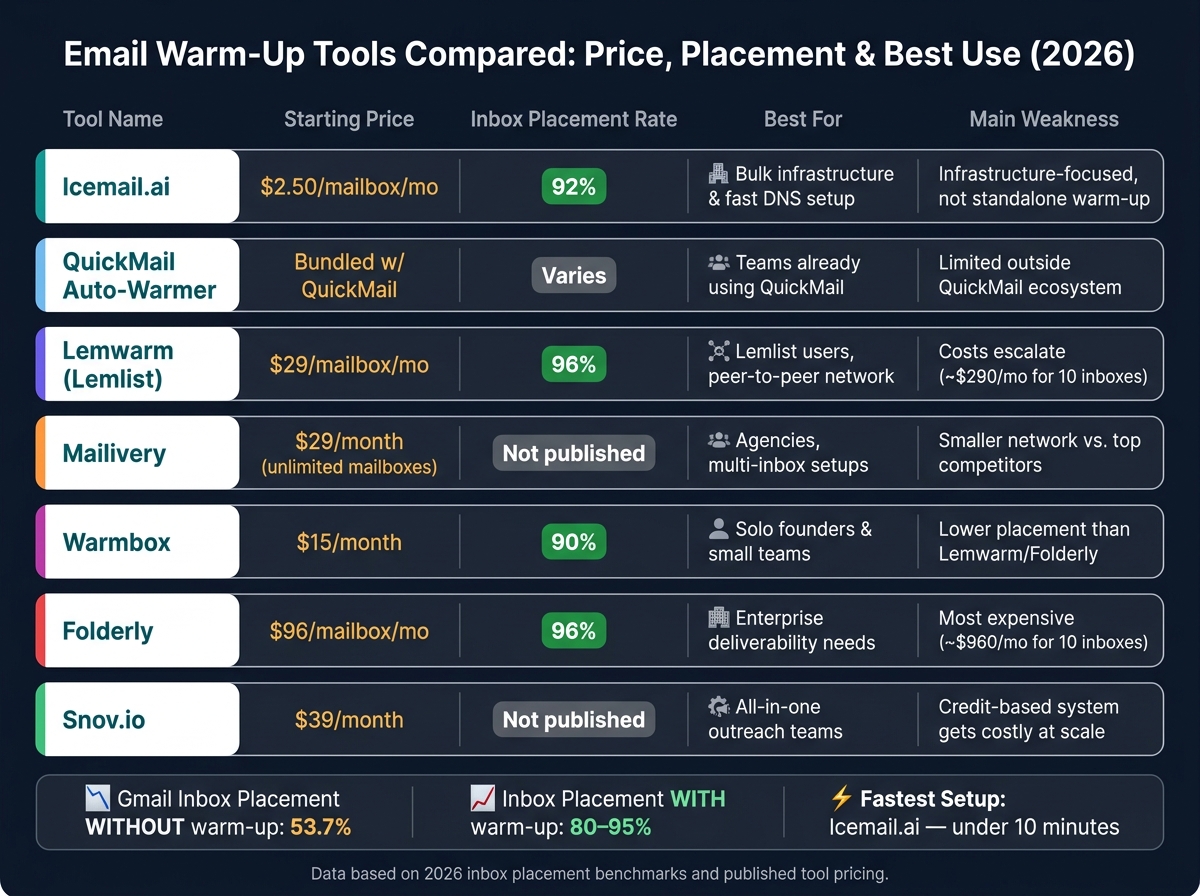
Cold email deliverability is harder than ever. In 2026, Gmail's inbox placement rate dropped to 53.7%, and Office365 fell to 50.7%. Email warm-up tools are now essential to improve your sender reputation and inbox rates. These tools simulate real interactions with your emails - opening, replying, and rescuing them from spam folders - helping you achieve inbox rates of 80–95% compared to 25–30% without warm-up.
Here’s a quick breakdown of seven popular email warm-up tools and their key takeaways:
-
Icemail.ai: Affordable at $2.50–$3.00/mailbox, includes pre-warmed mailboxes, fast setup (10 minutes), and unlimited free replacements.
-
QuickMail Auto-Warmer: Gradual warm-up process (2–4 weeks), ideal for QuickMail users but lacks mailbox provisioning.
-
Lemwarm (Lemlist): Extensive network, starting at $29/mailbox/month, but costs rise quickly for teams.
-
Mailivery: Flat-rate pricing, unlimited mailbox connections, starting at $29/month, good for agencies managing multiple accounts.
-
Warmbox: Uses GPT-4 for realistic engagement, starts at $15/month but less scalable for larger teams.
-
Folderly: Comprehensive deliverability tools, premium pricing ($96/mailbox/month), best for enterprise-level needs.
-
Snov: Bundles warm-up with sales engagement tools, starts at $39/month, good for outreach teams but credit-based system can get costly.
Quick Comparison:
| Tool | Starting Price | Key Features | Best For |
|---|---|---|---|
| Icemail.ai | $2.50/mailbox | Pre-warmed mailboxes, fast setup | Bulk setups, cost-efficient |
| QuickMail | Bundled | Gradual warm-up, reply simulation | QuickMail users |
| Lemwarm | $29/mailbox | Spam rescue, Smart Clusters | Lemlist users |
| Mailivery | $29/month | Unlimited mailboxes, AI replies | Agencies, multi-inbox setups |
| Warmbox | $15/month | GPT-4 content, flexible pacing | Solo users, small teams |
| Folderly | $96/mailbox | DNS checks, blacklist monitoring | Enterprises with complex needs |
| Snov.io | $39/month | Warm-up + sales tools | All-in-one outreach teams |
Key Takeaway: Choose based on your needs - cost, scalability, and features. For large-scale campaigns, Icemail.ai offers the best value with fast setup and low pricing. For advanced deliverability tools, Folderly is a solid option but comes at a higher cost.
1. Icemail.ai - Cold Email Infrastructure
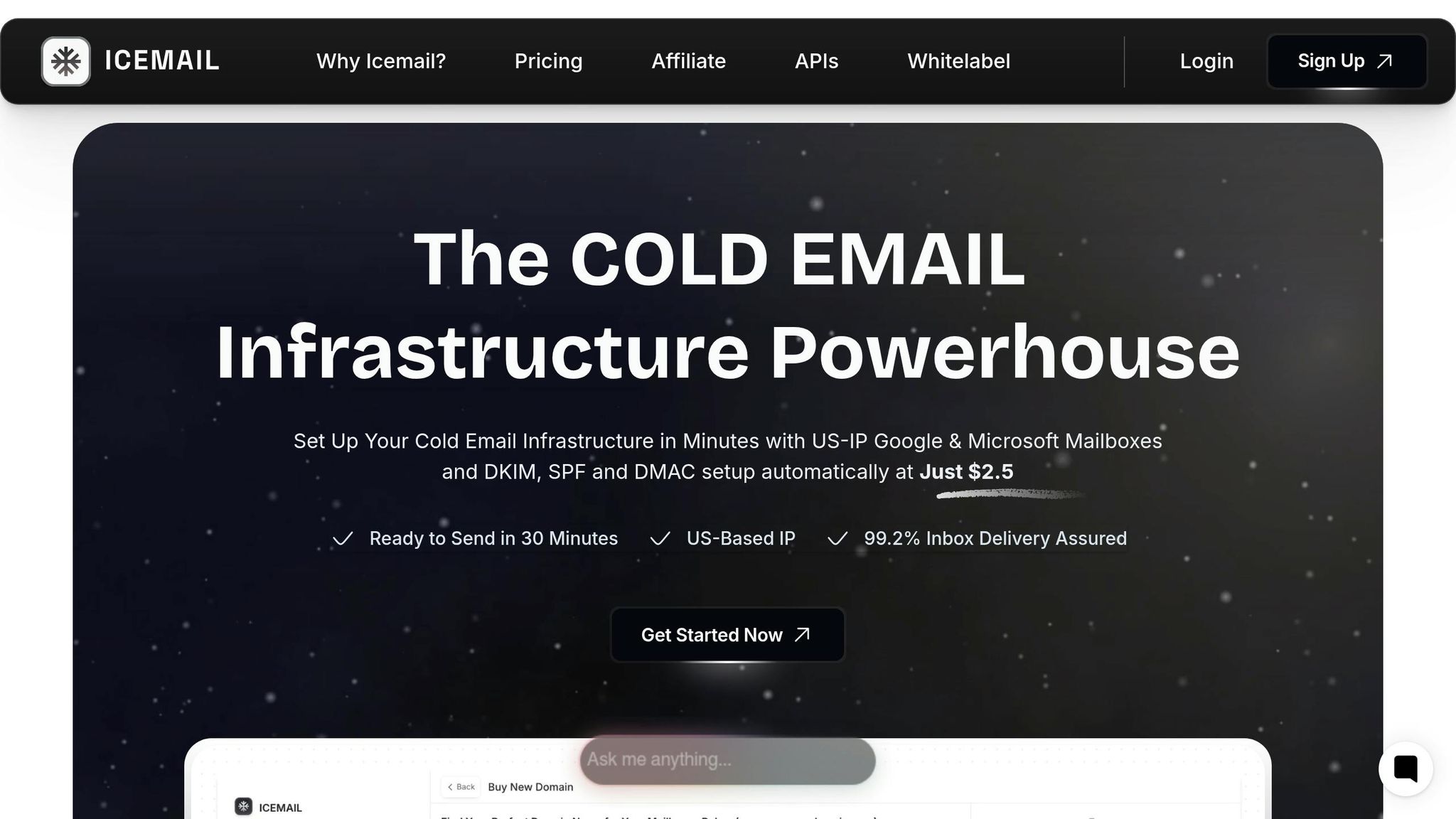
Icemail.ai goes beyond being just another warm-up tool - it manages your cold email infrastructure from start to finish. Unlike many alternatives, Icemail.ai provides real Google Workspace and Microsoft 365 mailboxes, which are instantly trusted by providers like Gmail and Outlook.
One standout feature is its bundled setup process. Tasks like configuring SPF, DKIM, and DMARC are included in the base price and automated, saving significant time. What usually takes 2–3 hours manually is completed in under 10 minutes here. With over 250,000 mailbox setups and 84,000 domain transactions under its belt, Icemail.ai has proven its efficiency and reliability.
"Icemail.ai's automated setup for Google Workspace accounts, including DKIM, SPF, and DMARC configuration, saved me hours of work." - Suprava Sabat, AcquisitionX
Pricing is another area where Icemail.ai shines. At $2.50–$3.00 per mailbox per month, it undercuts Google Workspace's direct pricing ($6.00–$7.20) and standalone warm-up tools ($15.00–$29.00). For pre-warmed mailboxes, the cost is $5.00/month, and the platform offers unlimited free mailbox replacements, which is a critical advantage for scaling campaigns. Compared to competitors like Zapmail, Icemail.ai offers faster setup, pre-warmed accounts, and better overall value.
The platform also boasts a 4.2/5 rating based on 10 reviews. Users often highlight its seamless integration with tools like Instantly and Smartlead, along with responsive customer support - even on weekends.
| Feature | Icemail.ai | Standard DIY (Google/MS) | Standalone Warm-Up Tools |
|---|---|---|---|
| Monthly Cost | $2.50–$3.00/mailbox | $6.00–$7.20/mailbox | $15.00–$29.00/mailbox |
| Warm-Up | Included (pre-warmed) | Manual/None | Included |
| DNS Setup | Automated (<10 mins) | Manual (~1 hr/domain) | N/A |
| Account Type | Real ESP (Google/MS) | Real ESP (Google/MS) | N/A |
| Replacements | Unlimited free | Full price | N/A |
Next, we’ll take a closer look at QuickMail Auto-Warmer’s approach.
2. QuickMail Auto-Warmer
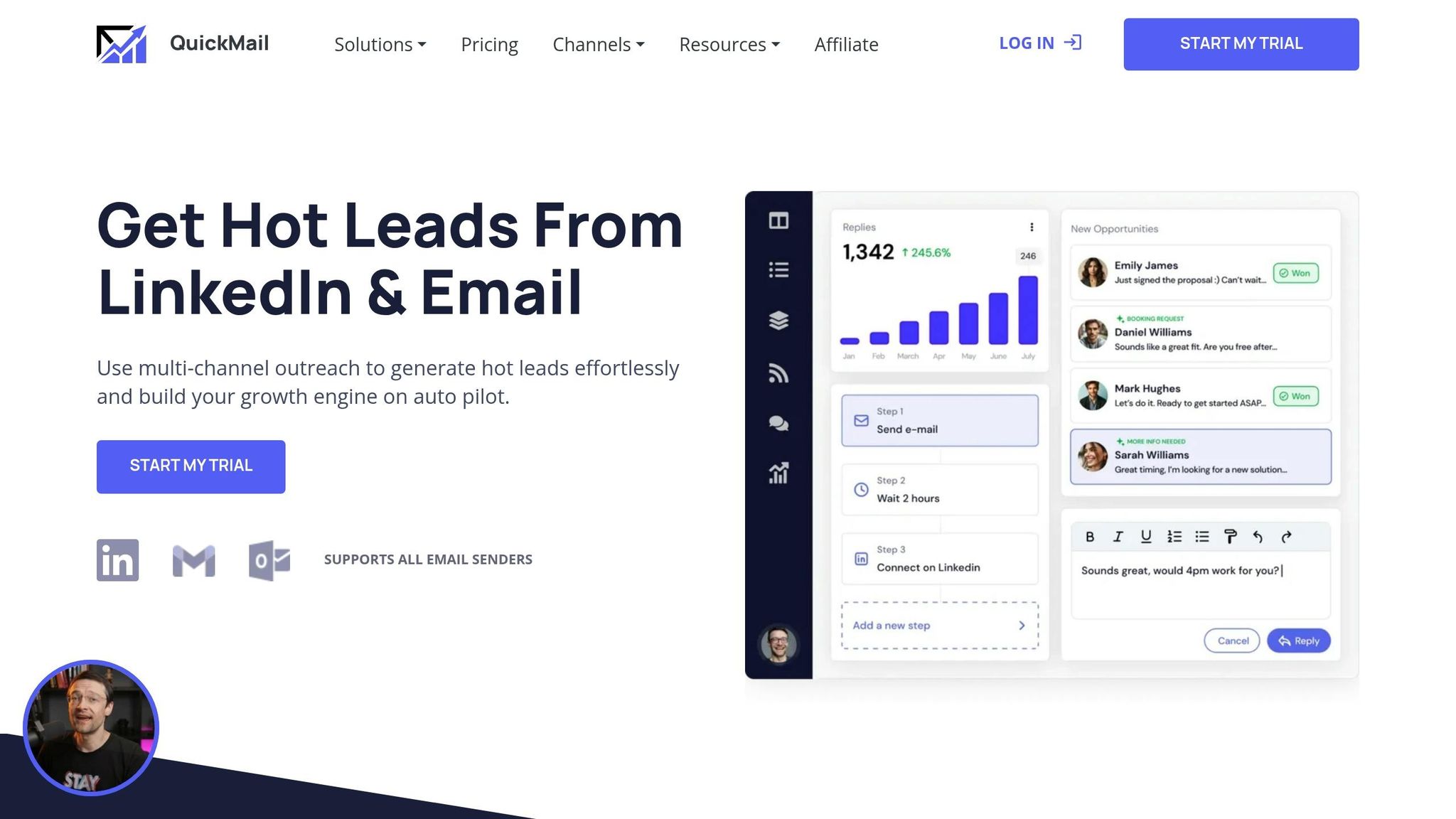
QuickMail Auto-Warmer is designed to improve your sender reputation by ensuring emails land in the inbox. It works by linking your mailbox to a network that interacts with your emails - opening them, sending realistic replies, and marking them as important to enhance deliverability.
The warm-up process is gradual, typically taking 2–4 weeks. For high-volume senders (50+ emails per day), the process leans closer to four weeks, while lower-volume accounts can complete it in about 14 days. This slow and steady approach helps avoid triggering spam filters.
QuickMail scales efficiently through engagement loops across hundreds of inboxes, making it a great fit for teams managing multiple sending accounts. However, it’s worth noting that this tool focuses solely on warming up mailboxes. It doesn’t handle mailbox provisioning, DNS setup, or other email infrastructure tasks, which users need to manage separately - adding to both time and cost.
Next, let’s take a closer look at Lemwarm by Lemlist.
3. Lemwarm by Lemlist
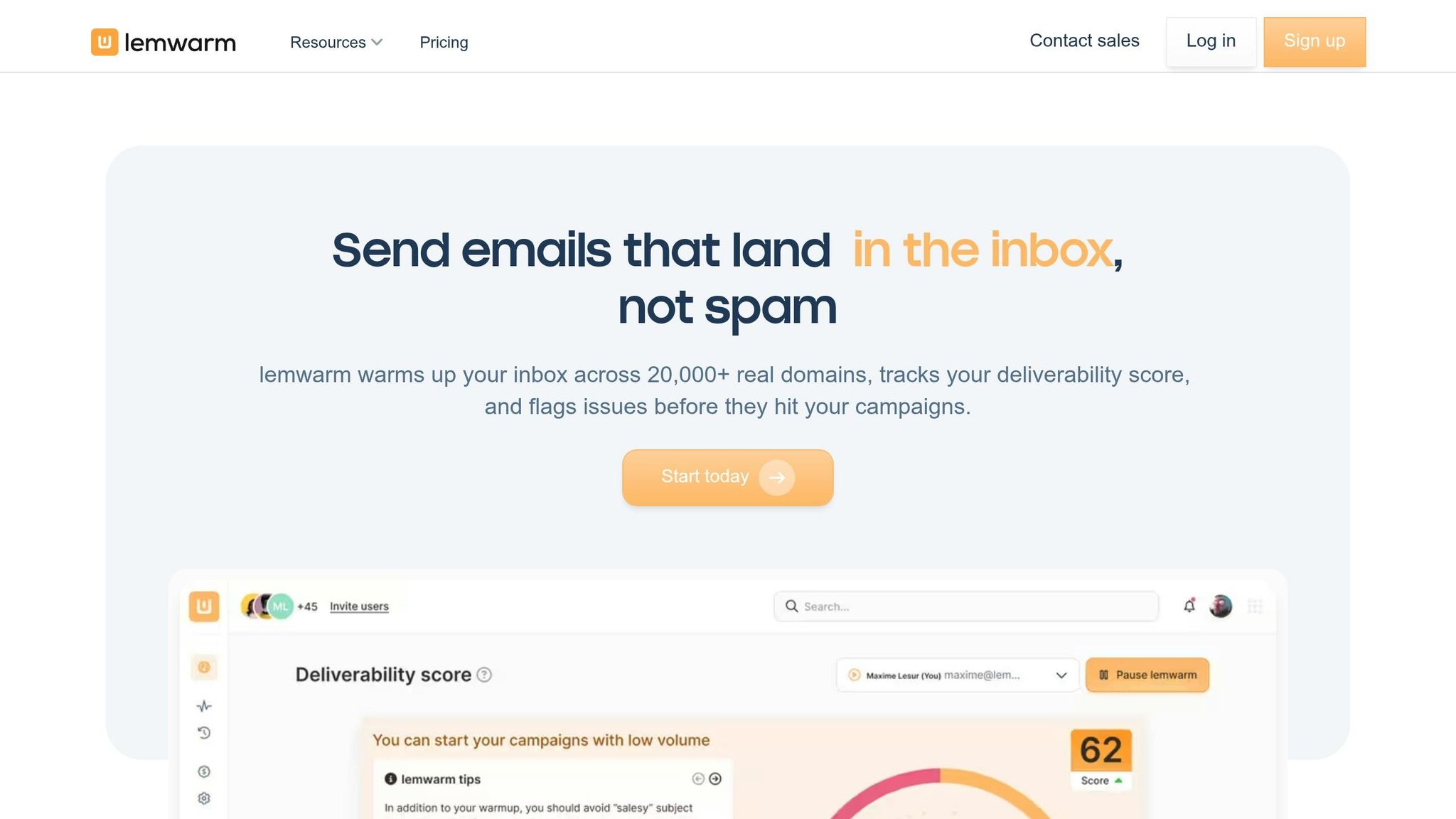
Lemwarm, developed by Lemlist, stands out for its extensive network and Smart Cluster technology. This tool connects your inbox to a network of over 20,000 real email accounts spanning 100+ countries and 150+ domains, making it a robust option for email warm-up needs.
The Smart Cluster technology pairs your inbox with warm-up partners based on factors like industry, company size, and target audience (B2B or B2C). It also allows you to pre-test up to five email templates for 3–7 days, helping identify spam triggers before launching campaigns.
One of its standout features is the Spam Folder Rescue, which moves flagged emails back to the inbox to build trust with email providers. Additionally, the Lemwarm Score (ranging from 0 to 100) gives a quick snapshot of your domain's health. This score is determined by two factors: 70% is based on technical setup, while 30% reflects recent inbox placement.
Pricing
Lemwarm's pricing is structured on a per-inbox basis:
| Plan | Monthly Price | Annual Price | Key Feature |
|---|---|---|---|
| Essential | $29/inbox | $24/inbox | Basic warm-up, DNS checks, 40 emails/day cap |
| Smart | $49/inbox | $40/inbox | Smart Cluster, template warm-up, custom alerts |
| Bundled | Free | Free | Included with Lemlist Email Pro ($79/mo+) |
However, costs can escalate quickly. For example, managing 10 inboxes costs $290/month, while 25 inboxes climb to $725/month. Additionally, the 40-email daily cap on both the Essential and Smart plans may slow progress for high-volume campaigns. Daniyal Dehleh, an email deliverability expert, shared his perspective:
"The 40 email daily cap on the Essential plan limits warmup velocity, and the Smart Cluster feature... doesn't always deliver on that promise."
These challenges position Lemwarm as a mid-range solution compared to premium options like Icemail.ai. Icemail.ai offers pre-warmed mailboxes, faster setup, and a more affordable pricing range of $2.50–$3.00 per mailbox per month. That said, Lemwarm maintains a solid reputation, earning a 4.4/5 rating on G2 from over 960 reviews. For those already subscribed to Lemlist, activating Lemwarm for free is an easy choice.
Next, we’ll dive into how Mailivery takes a different approach to improving email deliverability.
4. Mailivery

Mailivery takes a different approach compared to Lemwarm, especially when it comes to pricing and scalability. It uses a flat-rate, volume-based pricing system, letting you connect unlimited mailboxes on any plan. The cost is determined by the number of warm-up emails sent daily, making it an appealing choice for agencies or teams managing multiple inboxes - typically five or more.
The platform operates on a peer-to-peer network of over 100,000 active mailboxes, spanning Gmail, Outlook, Yahoo, and Microsoft 365. Its AI creates emails that mimic human behavior, including opening messages, sending positive replies, and marking emails as important. If a warm-up email ends up in spam, Mailivery automatically moves it to the primary inbox, flags it as safe, and archives the thread.
Users generally see improvements in email reputation within about 14 days. To get the best results, maintaining a 1:1 ratio of cold emails to warm-up emails is recommended.
Pricing
| Plan | Monthly | Annual (per mo.) | Shared Daily Limit | Blacklist Monitors |
|---|---|---|---|---|
| Starter | $29 | $21.75 | 200 emails | 2 |
| Professional | $79 | $59.25 | 800 emails | 10 |
| Business | $199 | $149.25 | 2,500 emails | 50 |
All plans include unlimited mailbox connections, a 7-day free trial, and extras like email verification credits and a spam word checker. However, keep in mind that the daily warm-up limit is shared across all connected mailboxes. Connecting too many accounts on a lower-tier plan could reduce the warm-up volume available per inbox. These pricing tiers make Mailivery a cost-effective solution for teams looking to scale their email warm-up efforts.
Marshall M., President of an SMB, shared his experience:
"After just a few weeks using Mailivery email warmup, I'm already seeing a drastic improvement in email deliverability."
Patrick G., Owner of Global Media Consultants, also praised the platform:
"The automated reading and sorting feature has made my life so much easier and really separates Mailivery from other products."
With a 4.7/5 user rating, Mailivery has earned positive feedback, though some users have mentioned occasional bugs and platform inconsistencies. Overall, it’s a strong choice for teams managing multiple inboxes on a budget. That said, high-volume users sending more than 2,500 warm-up emails daily might find its limits sooner or later.
5. Warmbox
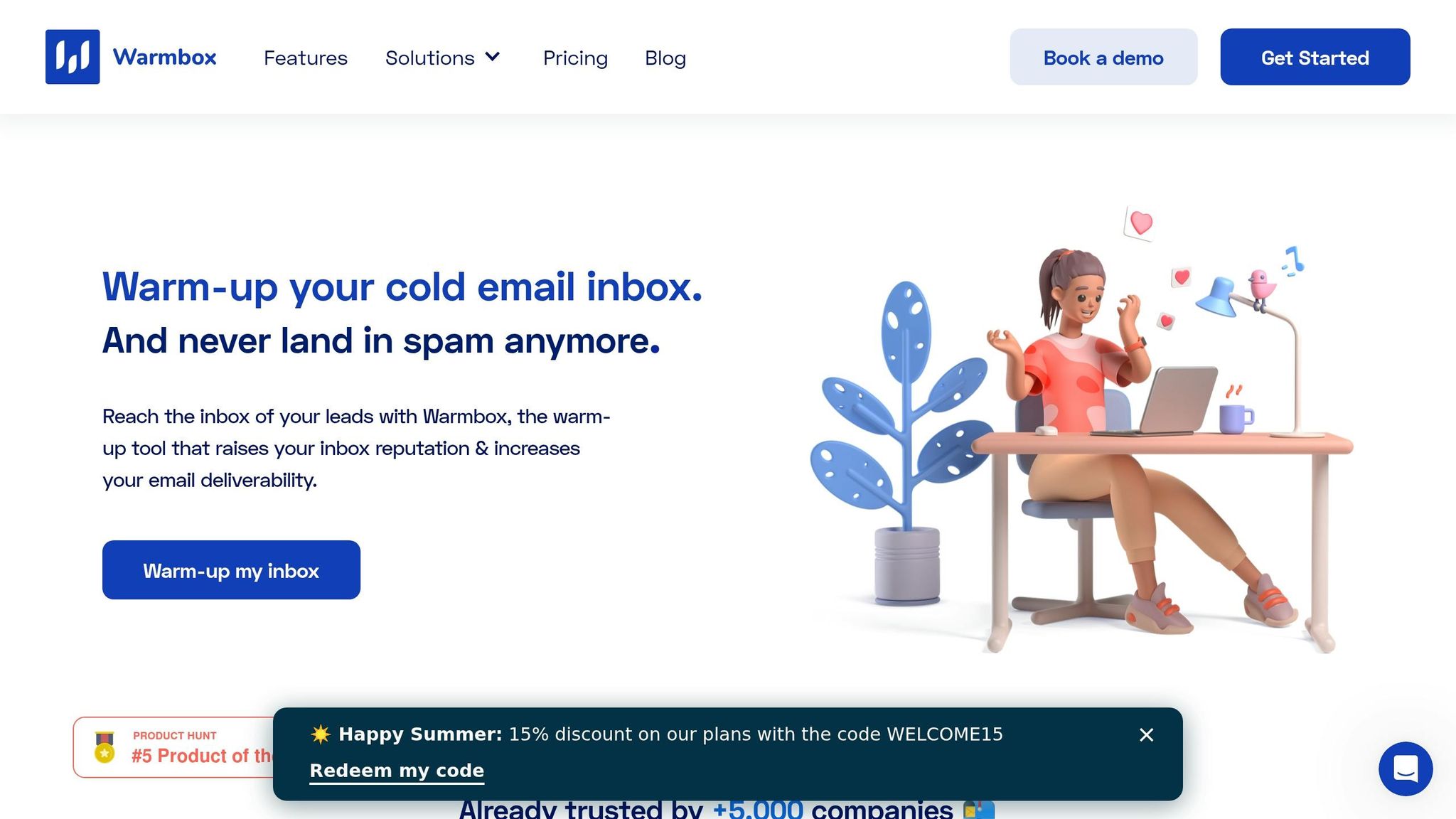
Warmbox is a standalone email warm-up tool powered by a private network of over 35,000 real inboxes. It leverages advanced technology, including GPT-4, to create natural, human-like email content, which helps reduce the chances of being flagged as automated. This focus on realistic engagement aligns with the growing trend of AI-assisted tools designed to improve email deliverability.
Warmbox offers four distinct warm-up strategies - Growth, Flat, Random, and Fully Custom - allowing users to tailor their campaign pacing to specific needs. It also automates positive engagement actions such as opening emails, replying, marking messages as favorites, and even rescuing emails from spam folders.
"Warmbox is better for individual senders who want the largest warmup network (35K+ inboxes) and GPT-generated warmup emails." - Braedon, Mailflow Authority
Warmbox claims impressive results, with up to a 90% inbox placement rate for new accounts within four weeks. For older accounts with a damaged sender reputation, recovery rates are reported at around 72% after a month.
Pricing
| Plan | Monthly | Annual (per mo.) | Inboxes | Daily Warm-Up Limit |
|---|---|---|---|---|
| Solo | $19 | $15 | 1 | 50 emails/day |
| Start-up | $79 | $69 | 3 | 250 emails/day |
| Growth | $159 | $139 | 6 | 500 emails/day |
| Team | Custom | Custom | 6+ | Custom |
For individuals or small teams managing one to three inboxes, the pricing is straightforward and manageable. However, as the number of inboxes increases, the per-inbox cost becomes less economical. For example, warming 10 inboxes could cost approximately $180 per month. This pricing model contrasts with platforms like Icemail.ai, which emphasize faster setup and scalability at competitive rates.
"The dirty secret of warmup tools: they're most effective in the first 2–3 weeks on a fresh inbox. After that, the marginal benefit decreases." - Braedon, Mailflow Authority
Users often highlight Warmbox's intuitive interface and its Auto-Remove from Spam feature as standout benefits. On the downside, the pricing model doesn't scale well for larger operations. Overall, Warmbox is an excellent choice for lower-volume senders seeking a simple, effective solution with high-quality content. That said, for high-volume campaigns requiring faster setup and greater scalability, premium platforms like Icemail.ai may be a better fit. Next, we’ll take a closer look at Folderly’s approach to scalability and deliverability.
6. Folderly
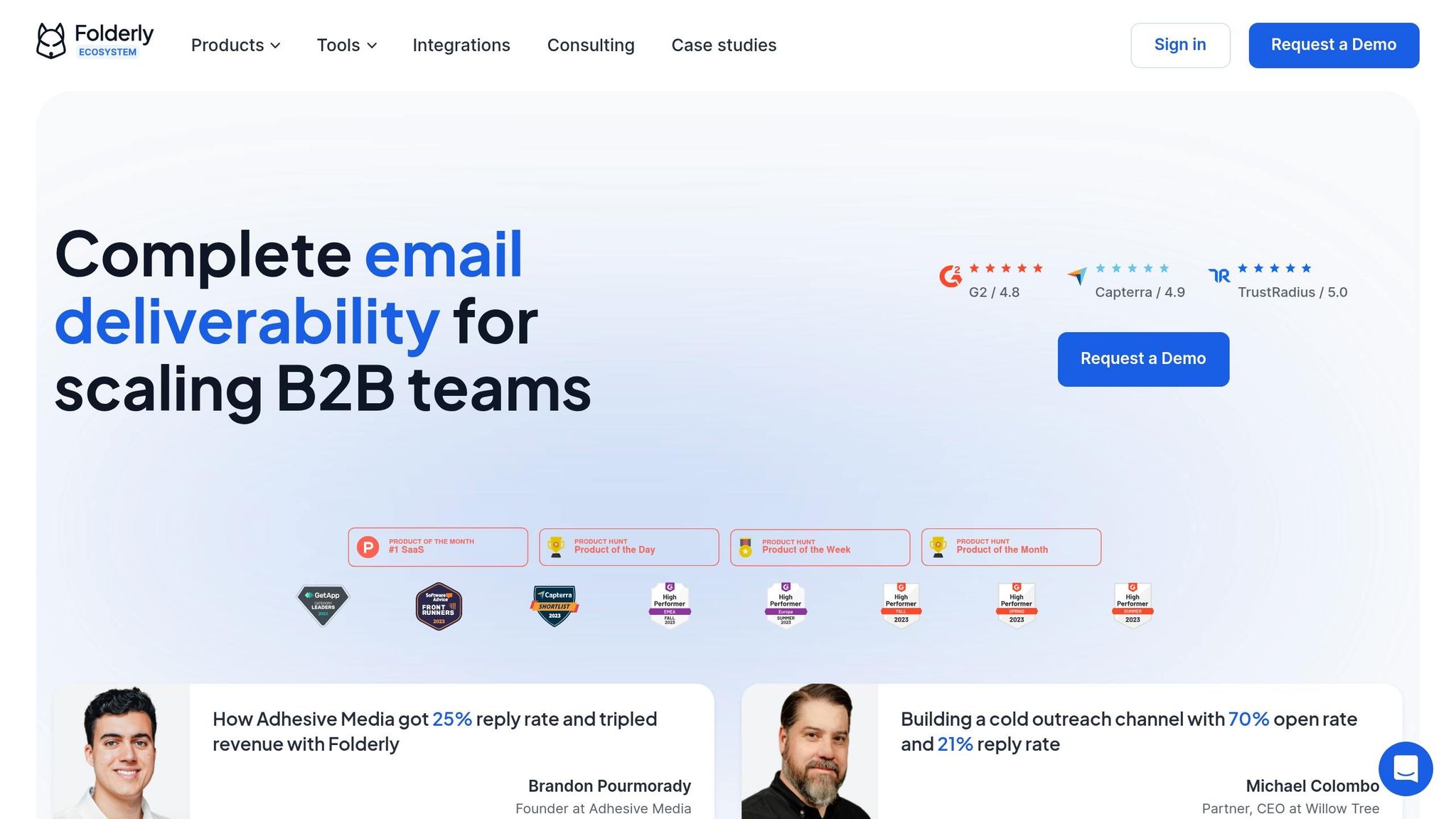
Folderly offers a comprehensive suite of tools for tackling email deliverability challenges. These include DNS auditing, blacklist monitoring, content analysis, and automated warm-up features, making it a go-to solution for teams dealing with significant deliverability hurdles.
One standout feature is its Smart WarmUp technology, which mimics human behaviors - like email opens, replies, and importance signals - across a global network. This helps rebuild sender reputations with major providers such as Google and Microsoft. Additionally, Folderly conducts real-time checks on SPF, DKIM, and DMARC settings, monitors over 50 blacklists, and includes a content editor that flags spam triggers and formatting issues before emails are sent. These tools provide a strong foundation for its premium pricing structure.
"Folderly leverages real-time inbox placement data, IP and domain reputation, and DNS settings to build a custom deliverability score for each inbox."
- Dariia Leshchenko, Head of Customer Success, Folderly
Users have reported inbox placement improvements ranging from 45% to 97%, with Folderly claiming rates as high as 99%. While initial setup can take over seven days, noticeable improvements typically occur within two to six weeks.
Folderly's approach is particularly effective for teams with complex deliverability needs, setting it apart from other email warm-up tools.
Pricing
Folderly employs a tiered pricing model based on the number of mailboxes. While the cost per mailbox decreases with higher volumes, it can quickly outpace alternatives like Lemwarm or MailReach, especially compared to other premium options like Icemail.ai.
| Mailboxes | Monthly (per mailbox) | Annual (per mailbox/mo.) |
|---|---|---|
| 1–9 | $120 | $96 |
| 10–24 | $90 | $72 |
| 25–99 | , | $56 |
| 100+ | Custom | Custom |
For a setup involving 15 mailboxes, monthly costs range from $1,350 to $1,800. This translates to an annual expense between $16,200 and $21,600.
"In our experience, the 10-mailbox threshold is where Folderly's ROI falls apart completely - and where fixing upstream data quality delivers 10x the return of any warmup spend."
- Prospeo Team
With a 4.8/5 rating on G2 from 101 reviews, Folderly earns high marks for its support team and its ability to simplify complex DNS issues. While it’s a valuable tool for well-funded teams or businesses facing critical deliverability problems, its pricing may be a barrier for high-volume cold outreach campaigns.
For teams prioritizing scalability and cost efficiency, Icemail.ai offers faster setup times, better reviews, and a more budget-friendly infrastructure, making it a strong alternative for large-scale cold email operations.
7. Snov Warm-Up
Snov.io stands out by combining email warm-up with its full sales engagement platform, offering more than just a dedicated warm-up tool. While platforms like Folderly or Warmbox focus solely on mailbox setup, Snov.io integrates features such as lead finding, email verification, drip campaigns, and CRM, creating a complete solution for cold outreach. That said, for speed and deliverability in mailbox setup, premium tools like Icemail.ai still lead the pack.
The warm-up engine on Snov.io is powered by GPT-4 mini, which creates varied, natural-sounding email exchanges to avoid patterns that internet service providers (ISPs) might flag as automated behavior. Users can select from three modes: Progressive for new inboxes, Steady for established accounts, or Custom for personalized pacing. Pro users also gain access to a Premium warm-up pool, featuring business and corporate domains that hold more credibility with inbox providers.
Additional tools include a DNS checker, blacklist monitor, and spam word checker. Snov.io even offers provider-specific warm-up options to address underperforming email providers. Next, we’ll break down how its pricing compares to competitors like Icemail.ai.
"Snov.io is the most complete platform for cold email and prospecting strategy! It speeds up the process and turns possible future revenue into actual present." - Konstantin Dubovitskiy, Growth Manager of Content at Firstbase
Pricing
Snov.io offers tiered pricing plans, making it a cost-effective option for scaling email warm-ups. For example, warming 10 inboxes on Lemwarm costs around $290 per month, while Snov.io’s Pro S plan is just $99 per month and includes unlimited warm-up slots. However, the daily sending volume per account depends on the plan. For high volumes, like 1,000 warm-up emails per day per account, the Ultra plan at $738/month is required. Choosing annual billing can save you 25%.
| Plan | Monthly Price | Warm-Up Slots | Max Volume (per account/day) |
|---|---|---|---|
| Trial | $0 | 1 | 15 |
| Starter | $39 | 3 | 50 |
| Pro S | $99 | Unlimited | 100 |
| Pro M | $189 | Unlimited | 200 |
| Pro L | $369 | Unlimited | 500 |
| Ultra | $738 | Unlimited | 1,000 |
Snov.io is well-received, earning a 4.5/5 rating on G2 (479 reviews) and 4.7/5 on Trustpilot (1,500+ reviews). Users often praise its user-friendly interface and responsive live chat support. However, some criticisms include its credit-based system, which can become costly for high-volume prospecting, and the absence of real-time DNS monitoring available in some specialized tools.
For teams that need an all-in-one platform for outreach, Snov.io offers great value. On the other hand, if your focus is on scaling mailbox setup and infrastructure, Icemail.ai might be a better fit, offering faster setup times and a more streamlined approach for high-volume cold email campaigns.
Pros and Cons of Each Tool
Here’s a quick look at the strengths and weaknesses of each tool, based on earlier findings:
| Tool | Ease of Use | Inbox Placement | Starting Price | Best For | Main Weakness |
|---|---|---|---|---|---|
| Icemail.ai | ⭐ Very High, 10‑min onboarding | 92% | $2.5/mailbox | Bulk infrastructure setup and fast DNS automation | Focuses more on infrastructure setup than standalone warm-up functionality |
| QuickMail Auto-Warmer | High, built into its sequencer | Varies | Bundled with QuickMail | Teams already using QuickMail | Limited usefulness for those outside the QuickMail ecosystem |
| Lemwarm | High for Lemlist users | 96% | $29/mailbox/month | Lemlist users seeking a peer-to-peer warm-up network | Costs can escalate for larger teams (e.g., ~$290/month for 10 inboxes) |
| Mailivery | Moderate | Not published | Per‑inbox | Solo senders needing basic warm-up | Has a smaller network compared to leading competitors |
| Warmbox | High, simple setup | 90% | $15/month | Solo founders and SMBs | Lower inbox placement than Lemwarm and Folderly |
| Folderly | Moderate, service heavy | 96% | $39–$96/mailbox/month | Enterprise-level deliverability consulting | The most expensive option per inbox |
| Snov.io | High, integrated platform | Not published | $39/month (bundled) | All‑in‑one outreach teams | Its credit-based system can get pricey with high usage |
This table highlights how pricing and performance vary across tools. For smaller teams, per-inbox pricing (used by Lemwarm and Folderly) might work, but scaling up can get expensive. For example, warming 10 inboxes with Folderly could cost almost $960/month - steep compared to volume-based options.
On performance, Lemwarm and Folderly lead with a 96% inbox placement rate, while Warmbox lags slightly at 90%. That 6-point gap might not seem huge, but for high-volume campaigns, it can mean a noticeable drop in email reach.
Icemail.ai takes a different approach altogether. Instead of focusing solely on warm-up pools, it prioritizes infrastructure. By automating SPF, DKIM, and DMARC setup, along with bulk mailbox provisioning, it offers a streamlined 10-minute onboarding process. For campaigns that rely on scale, a strong infrastructure is non-negotiable.
"Authentication is the floor. Warmup is what gets you above it." - Nicolas Finet, CEO, Overloop
Ultimately, the right tool depends on your needs. If fine-tuning deliverability is a priority, Lemwarm or Folderly are strong contenders. For teams needing an all-in-one platform, Snov.io offers great utility. However, if rapid mailbox setup and infrastructure are your focus, Icemail.ai stands out as a solid choice.
Conclusion
Picking the right email warm-up tool depends on three key factors: the number of inboxes you’re managing, your budget, and how quickly you need to scale.
If you’re a solo user handling one to three inboxes, a flat-rate option like Warmbox at $15/month is a cost-effective and straightforward choice. For small businesses managing five to fifteen inboxes, per-inbox pricing can add up fast. For instance, Folderly can cost up to $960/month for 10 inboxes at its higher tier. Agencies managing 20+ inboxes should lean toward platforms like Instantly or Smartlead, which bundle unlimited warm-up into their sending plans. For those needing rapid scaling and a strong infrastructure, Icemail.ai stands out with its quick 10-minute onboarding and reliable deliverability.
When it comes to infrastructure, Icemail.ai, Cold Email Infrastructure sets itself apart. Instead of focusing solely on warm-up pool size, it prioritizes a strong technical foundation with features like automated SPF, DKIM, and DMARC setup, bulk mailbox provisioning, and its fast onboarding process. In tests, Icemail.ai achieved a 92% average inbox placement rate, outperforming Zapmail.ai at 83%. At $2.50 per mailbox, it’s also more affordable than Zapmail.ai, whose per-mailbox costs range from $3.90 to $8.00.
Email warm-up isn’t a “set it and forget it” process. Experts recommend sending 15–20 warm-up emails daily, even after launching campaigns, to counteract any negative signals from cold outreach. As the TrulyInbox Deliverability Team highlights:
"I have seen accounts run warmup for three weeks with perfect engagement metrics and still land in spam. The problem was always the same: DMARC was not configured."
The takeaway? Start by ensuring your infrastructure and email authentication are solid. From there, adjust your warm-up process to fit your volume requirements, and remember - warm-up is an ongoing effort, not a one-time task.
Related reading
Frequently asked questions
How long does it take to warm up a new email account for cold outreach?+
New email accounts typically need 14-21 days of warm-up, though 4-6 weeks is safer for building strong sender reputation. Google Workspace accounts usually require at least 15 days, while Microsoft 365 accounts need 17-21 days. Pre-warmed mailboxes from services like Icemail.ai can eliminate this waiting period entirely.
What is the average cost of email warm-up tools per mailbox?+
Email warm-up tool pricing varies widely. Budget options like Icemail.ai start at $2.50-$3.00 per mailbox monthly, mid-range tools like Lemwarm and Mailivery cost $29/month, while premium enterprise solutions like Folderly can reach $96 per mailbox monthly. Volume-based pricing models may offer better value for teams managing multiple inboxes.
Can email warm-up tools fix deliverability without proper DNS configuration?+
No, warm-up tools cannot fix deliverability issues caused by incorrect SPF, DKIM, or DMARC settings. These authentication protocols must be properly configured first, as they form the foundation of email deliverability. Warm-up tools work by building sender reputation through engagement, but they require correct technical setup to be effective.
How many warm-up emails should I send daily during active campaigns?+
During active cold email campaigns, you should continue sending 10-25 warm-up emails per day per inbox to maintain sender reputation. This ongoing warm-up counteracts negative signals from cold outreach and helps sustain high inbox placement rates throughout your campaign.
What inbox placement rate should I expect from email warm-up tools?+
Quality email warm-up tools typically achieve 80-95% inbox placement rates compared to 25-30% without warm-up. Top performers like Lemwarm and Folderly report 96% placement rates, while Icemail.ai achieves 92%. Without warm-up, new accounts face significantly lower deliverability, especially given Gmail's 53.7% and Office365's 50.7% placement rates in 2026.
Which email warm-up tool is best for agencies managing multiple client inboxes?+
Mailivery and Icemail.ai are strong choices for agencies. Mailivery offers unlimited mailbox connections with flat-rate pricing starting at $29/month, making it cost-effective for managing multiple accounts. Icemail.ai provides the lowest per-mailbox cost at $2.50-$3.00 monthly with fast 10-minute setup and unlimited free replacements, ideal for bulk infrastructure needs.
Do I need to keep running email warm-up after my campaign launches?+
Yes, email warm-up should continue throughout your campaign, not just during the initial setup phase. Experts recommend maintaining 15-20 warm-up emails daily even after launching campaigns to counteract negative signals from cold outreach and preserve your sender reputation with email providers.