


Email throttling spaces out email delivery to avoid spam filters and protect sender reputation. Start with 5-20 emails daily, gradually increase over 2-4 weeks, and maintain 20-50 emails per inbox for cold outreach.
- Warm up new accounts gradually starting with 5-20 emails daily over 2-4 weeks
- Maintain 20-50 emails per inbox daily for cold outreach to achieve 96-98% inbox placement
- Keep spam complaints below 0.3% and bounce rates under 2% to protect sender reputation
- Use automated tools like Icemail.ai to manage DNS setup and inbox rotation efficiently
- Distribute sends across multiple inboxes and incorporate 5-15 minute delays between emails
- Monitor SMTP logs for 421 errors and soft bounces as early throttling indicators
Ultimate Guide to Email Throttling
Email throttling controls the pace of email delivery, ensuring smoother campaigns and better inbox placement. Instead of sending thousands of emails at once, throttling spaces them out to avoid spam filters and protect your domain's reputation. Here's what you need to know:
-
What it is: Limits how many emails you send per hour or day to mimic natural communication patterns.
-
Why it matters: Sudden spikes in email volume can damage your sender reputation, trigger spam filters, and even lead to account suspension.
-
Who needs it: SDRs, marketers, and agencies running high-volume campaigns benefit the most.
-
How to do it:
-
Warm up new accounts gradually (start with 5–20 emails/day).
-
Set daily limits (20–50 emails per inbox for cold outreach).
-
Monitor performance metrics like bounce rates (<2%) and spam complaints (<0.3%).
-
Tools like Icemail.ai simplify throttling with automated setups, DNS configuration, and inbox rotation, offering high deliverability at just $2.50 per mailbox.
Email throttling isn't just about compliance - it's about ensuring your emails reach the right inboxes while maintaining trust with email providers.
Cold Email Deliverability MASTERCLASS, Inbox Every Time! (Full Guide)
Why Email Throttling Happens and How to Spot It
Email throttling isn't random - it's a deliberate action by ISPs to protect users from spam and ensure their servers run smoothly. Knowing what causes throttling and how to detect it early can help you avoid serious deliverability issues.
How ISPs Decide to Throttle Emails
ISPs monitor email sending patterns closely, and sudden spikes in volume - like jumping from 50 emails to 5,000 in a short time - can raise red flags. These spikes might suggest spam activity or even a compromised account. If you're using a new IP address, expect stricter limits until you establish a strong sending reputation. Understanding how email volume affects domain reputation is critical for maintaining consistent deliverability. To keep your sender reputation intact, aim to keep spam complaints below 0.1%. Crossing 0.3% can lead to immediate throttling or even landing in spam folders. Additionally, misconfigured authentication protocols like SPF, DKIM, or DMARC make throttling more likely.
"If you don't throttle yourself, the receiving server will do it for you, on its terms, not yours." - Julia Gulevich, Head of Customer Success, GlockApps
By understanding these triggers, you can take proactive steps to safeguard your email campaigns.
How to Identify Email Throttling
Spotting throttling requires paying attention to certain clues in your email performance. Delayed delivery times and slower send rates are often the first signs. Reviewing your SMTP logs for 421 error codes or messages like "Rate limit exceeded" or "Too many connections" can confirm throttling. Soft bounces and deferrals - when ISPs temporarily reject your emails and ask you to retry - are another indication. Greylisting, where servers reject the first attempt to deliver emails from unfamiliar senders, is also a common sign.
If emails that previously landed in the inbox are suddenly hitting spam folders or not being delivered at all, throttling could be the issue. Fortunately, many rate-limit problems can be resolved within 72 hours by reducing your sending volume and addressing the root cause. Recognizing these symptoms early is key to keeping your campaigns on track.
How to Implement Email Throttling Correctly
Now that you understand what triggers throttling and how to identify it, let's dive into how to apply it effectively. Taking control of your email volume before internet service providers (ISPs) step in can make the difference between strong deliverability and your emails getting lost in spam folders.
Warming Up New Email Accounts
Warming up a new email account is like building trust in a new community. You wouldn't introduce yourself to everyone at once - you'd start small and gradually expand your connections. Similarly, new email accounts should send only 5–20 emails per day initially, increasing gradually over 2–4 weeks. This process helps create a "fingerprint" of trust with ISPs.
For the first three days, focus on sending 3–5 emails daily to your most engaged recipients - think recent customers or those who've interacted with you before. These positive interactions, like opens and replies, signal to ISPs that you're a legitimate sender.
"Warmup is less about 'sending more emails' and more about looking like a real sender: predictable, consistent, engaged, and human." - Mailivery
Follow the 2x rule: never send more than double the volume of the previous day. Avoid sudden spikes in activity, which can trigger ISP scrutiny. By days 8–14, you can aim for 90–150 emails per day, provided your engagement and deliverability metrics remain strong. Properly warmed domains see 94% inbox placement, while skipping this step can lead to 67% higher bounce rates and only 62% inbox placement on average.
Once your accounts are warmed up, maintain strict send limits to ensure consistent deliverability.
Setting Send Rate Limits
Instead of pushing technical limits (like sending 2,000 emails daily), focus on smaller, controlled volumes to improve deliverability. For cold outreach, aim for 20–50 emails per inbox per day, which typically achieves a 96–98% inbox placement rate. Spread these emails over 8–10 business hours, incorporating random delays of 5–15 minutes between sends to mimic natural behavior. This approach helps protect your sender reputation.
For higher email volumes, distribute your sends across multiple inboxes. Using 3–5 inboxes per domain and rotating them ensures a steady flow. Also, enforce a minimum 5-minute gap between emails sent to the same recipient to avoid flooding their inbox. Keep in mind that Gmail and Outlook handle emails differently, so monitor them separately and adjust your throttling strategy as needed.
| Metric | Threshold | Action Required |
|---|---|---|
| Spam Complaint Rate | ≥ 0.3% | Move inbox to "Resting" for 7 days; investigate content |
| Daily Bounce Rate | > 2.0% | Cut volume by 50% the next day; pause if repeated |
| Inbox Placement | < 90% | Reduce volume immediately and re-warm |
Tracking Your Campaign Metrics
Once you've set up throttling and regulated your sends, real-time tracking becomes essential to maintain deliverability. You can't improve what you don't measure. Keep an eye on bounce rates, spam complaints, and inbox placement daily - not just weekly. If your bounce rate hits 2%, cut your volume by 50% for the next 24–48 hours. Keep spam complaints below 0.3% and bounce rates under 2%, as exceeding these thresholds can jeopardize your sending reputation.
Watch for SMTP error 429 ("rate limit exceeded") and use exponential backoff, retrying with longer delays each time. Reply rates are also key - if they fall below 15%, it could indicate issues with targeting or email copy that could harm your reputation.
To stay organized, categorize your inboxes into three groups:
-
Primed: Healthy and ready for sending.
-
Ramping: New or recovering inboxes.
-
Resting: Paused due to deliverability problems.
This segmentation helps you maintain consistent email volumes while protecting accounts that need attention.
"Email throttling and inbox rotation aren't just technical requirements; they're competitive advantages." - Hugo Pochet, Co-Founder @Mailpool
Tools for Managing Email Throttling
Once you've got a handle on throttling strategies, the next step is finding the right tool to keep your email deliverability on track. Trying to manage throttling manually across multiple accounts? That's not realistic. Automated tools simplify the process - handling DNS setup, account rotation, and real-time monitoring - so your emails land where they're supposed to: the inbox.
Icemail.ai: Streamlined Email Infrastructure
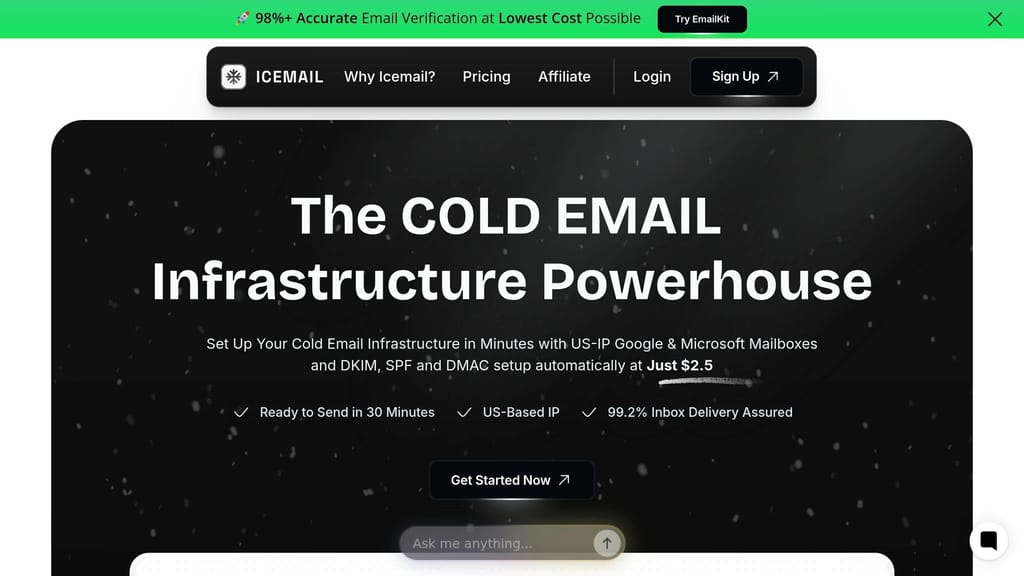
Icemail.ai stands out as a fast, budget-friendly solution for managing cold email infrastructure. With a 10-minute onboarding process and fully automated DNS configuration (including SPF, DKIM, and DMARC), it eliminates the headaches of manual setup. Plus, it offers official Google Workspace and Microsoft 365 mailboxes for just $2.50 per month - significantly cheaper than the $7.20 you'd pay directly.
By using US-based IPs and partnering officially with providers, Icemail.ai reduces the risk of bans and boasts an impressive 99.2% inbox rate. Unlike platforms relying on unofficial or "farmed" accounts, Icemail.ai provides legitimate business accounts and offers unlimited free replacements for flagged mailboxes.
"icemail.io has transformed how I manage my email infrastructure. The automated setup for Google Workspace accounts, including DKIM, SPF, and DMARC configuration, saved me hours of work." , Suprava Sabat, AcquisitionX
How Icemail.ai Stacks Up Against Competitors
Automation and pricing are where Icemail.ai really shines. Its 10-minute onboarding process is far quicker than Zapmail.ai's manual setup, which can take up to 48 hours. And at $2.50 per mailbox, Icemail.ai is 29% cheaper than Zapmail.ai, while platforms like Smartlead and Lemlist are even costlier.
Here's a comparison:
| Feature | Icemail.ai | Zapmail.ai | Smartlead | Lemlist |
|---|---|---|---|---|
| Price per Mailbox | $2.50/mo | $3.50/mo | ~$3.90/mo | ~$59/seat |
| Setup Speed | 10 minutes | Up to 48 hours | Manual | Manual |
| DNS Configuration | Fully Automated | Manual or Semi-Automated | Automated | Manual |
| Mailbox Replacements | Unlimited, free | Additional Cost | Additional Cost | Not Offered |
| Official Partnership | Yes | No | No | No |
Having a strong email infrastructure isn't just a nice-to-have - it's essential. Teams using tools like Icemail.ai with multiple domains see 38% fewer blacklist incidents compared to those relying on a single domain. With features like automated rotation and dedicated IPs, Icemail.ai helps you stay under the radar while keeping deliverability consistent across your email campaigns.
Conclusion
Email throttling plays a crucial role in ensuring the success of cold email campaigns. By setting disciplined send limits, you protect your domain reputation, avoid blacklists, and ensure your emails reach inboxes instead of getting flagged as spam. Neglecting these practices can lead to financial losses and diminished campaign performance.
The key to a successful campaign lies in proactive throttling - managing your sending volume before internet service providers (ISPs) step in. Consistent sending patterns help build trust with providers like Gmail and Outlook, laying the groundwork for better inbox placement. Earlier strategies - such as warming up email accounts, setting appropriate send rate limits, and closely monitoring metrics - are essential for creating patterns that are both predictable and recoverable.
"Cold email without throttling is like speeding with no brakes." - Primeforge
When manual throttling becomes overwhelming, advanced tools can simplify the process. Platforms like Icemail.ai offer solutions by automating DNS setup and centralizing email management. At just $2.50 per mailbox, Icemail.ai combines affordability with high deliverability, making it a standout choice for teams serious about cold email outreach. Compared to alternatives like Zapmail.ai, it delivers faster onboarding and reliable results.
Once you've mastered the basics of throttling, transitioning to automated tools like Icemail.ai is a logical next step. The goal isn't to eliminate throttling but to make it manageable and predictable. With the right tools and disciplined practices, you can safeguard your reputation, secure consistent inbox placement, and turn cold email into a dependable revenue generator. For additional strategies to optimize your campaigns, explore our complete guide to email deliverability fixes.
Frequently asked questions
What is email throttling and why does it matter for cold outreach?+
Email throttling controls the pace of email delivery by limiting how many emails you send per hour or day. It matters because sudden spikes in email volume can damage your sender reputation, trigger spam filters, and lead to account suspension. For cold outreach, throttling helps you mimic natural communication patterns and maintain trust with email providers.
How many emails should I send per day when warming up a new email account?+
Start with 5-20 emails per day for the first 2-4 weeks when warming up a new account. For the first three days, send only 3-5 emails daily to your most engaged recipients. Follow the 2x rule: never send more than double the previous day's volume. By days 8-14, you can aim for 90-150 emails per day if metrics remain strong.
What are the ideal send limits for cold email campaigns to maintain deliverability?+
For cold outreach, aim for 20-50 emails per inbox per day, which typically achieves 96-98% inbox placement. Spread emails over 8-10 business hours with random 5-15 minute delays between sends. For higher volumes, distribute sends across 3-5 inboxes per domain using rotation to maintain steady flow.
How do I know if my emails are being throttled by ISPs?+
Look for delayed delivery times, SMTP error codes like 421 or "rate limit exceeded" messages, and soft bounces where ISPs temporarily reject emails. Greylisting from unfamiliar servers and emails suddenly hitting spam folders are also signs. Many rate-limit problems can be resolved within 72 hours by reducing sending volume.
What metrics should I monitor to prevent email throttling issues?+
Keep spam complaints below 0.3% and bounce rates under 2%. Monitor inbox placement daily (should stay above 90%) and watch for reply rates below 15%. If bounce rate hits 2%, cut volume by 50% for 24-48 hours. Track these metrics in real-time rather than weekly to catch issues early.
How much does Icemail.ai cost compared to other email infrastructure tools?+
Icemail.ai costs $2.50 per mailbox per month, which is 29% cheaper than Zapmail.ai at $3.50/month and significantly less than Smartlead at ~$3.90/month or Lemlist at ~$59/seat. It includes automated DNS configuration, unlimited free mailbox replacements, and 10-minute onboarding, making it both affordable and efficient.
What happens if I skip the email warmup process for new accounts?+
Skipping warmup leads to 67% higher bounce rates and only 62% inbox placement on average. Properly warmed domains achieve 94% inbox placement. Without warmup, ISPs view sudden email activity as suspicious, increasing the likelihood of throttling, spam filtering, and potential account suspension.