
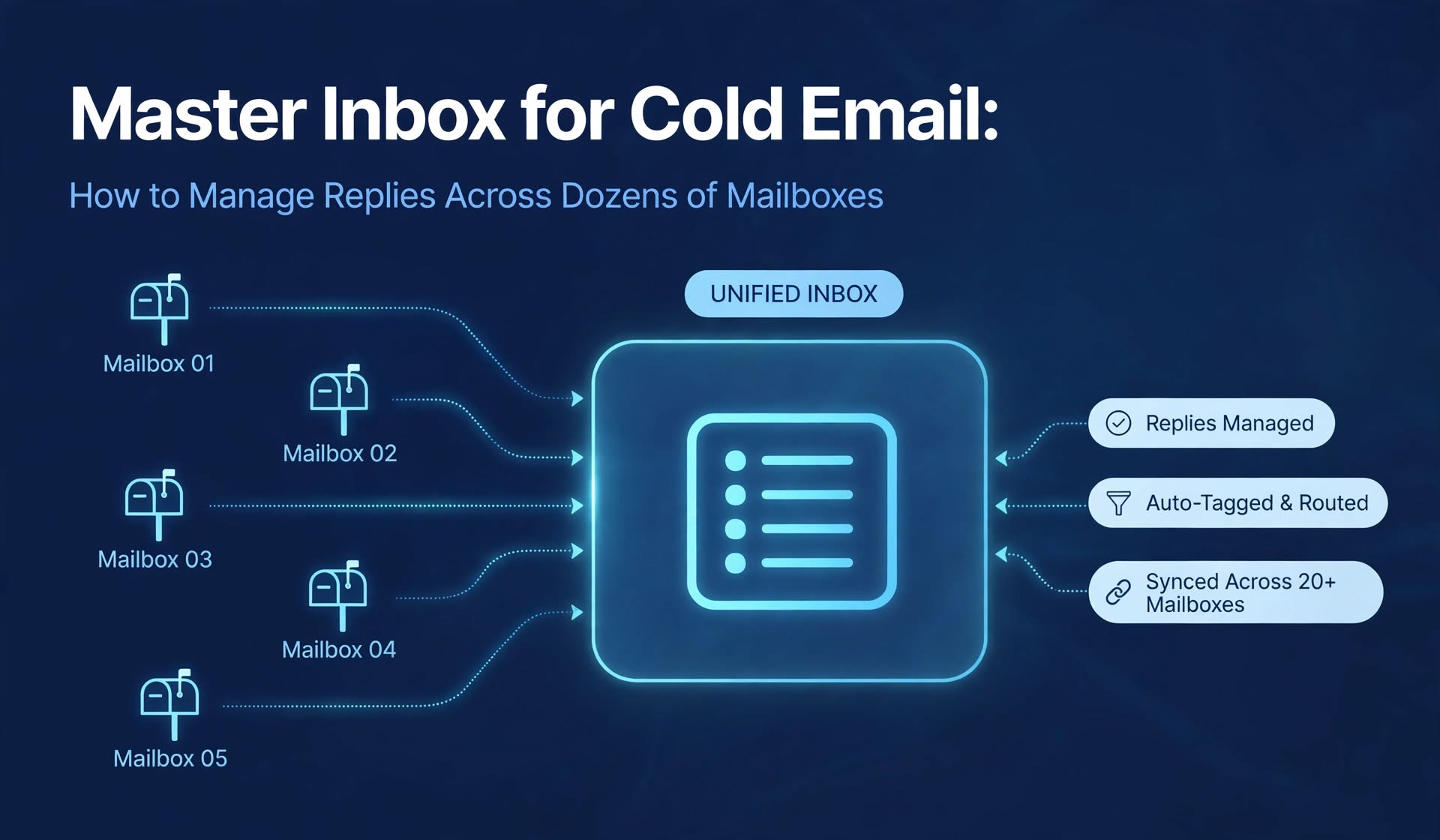
Once you send from more than about 10 mailboxes, a master inbox stops being a convenience and becomes part of your infrastructure. Pick the simplest setup that gives you one view, correct sender identity, and clear ownership, then add structure as your team grows.
- A master inbox, also called a unified inbox, collects replies from many sending mailboxes into one view
- At 1,500 emails per day and 20 emails per mailbox, you run about 75 mailboxes, and a 3% reply rate means about 45 replies per day spread across them
- Peer-reviewed research on online sales leads found that firms that responded within an hour were nearly seven times more likely to qualify a lead than firms that waited one more hour
- A good master inbox needs intent labels, auto-reply filtering, ownership rules, fast search, and the ability to reply from the original sending address
- You can build one with a built-in sequencer inbox, a shared inbox layer, or a do-it-yourself forwarding setup
- A unified inbox is built for one person reading replies across accounts, while a shared inbox is built for a team working one queue
- Replying from the wrong address or letting two people answer the same lead are the two most common failures
Cold email infrastructure is built to scale, and that is exactly where the trouble starts. The moment you send from dozens of mailboxes, your replies stop arriving in one place. A positive answer lands in one mailbox, an out-of-office message lands in another, and an unsubscribe request sits unread in a third. Nobody notices until a warm lead has already gone cold. A master inbox for cold email fixes this by pulling replies from every sending mailbox into one view. This guide explains what a master inbox is, why you need one once you run more than a handful of mailboxes, what features matter, and three ways to build one. It also covers how to manage replies across multiple mailboxes without breaking threads, how to route and label replies, and which metrics to track. By the end, you will have a working reply process you can apply to any sending setup.
Key Terms Before You Set Up Reply Management
A master inbox is a single view that aggregates replies from all your connected sending mailboxes, and it is also called a unified inbox. A shared team inbox is a queue that several people work together, usually with assignments and internal notes. Sender identity is the mailbox address a prospect originally received your email from, and replies should come from that same address. An intent label is a tag such as interested, not now, referral, out of office, or unsubscribe. Collision is when two people reply to the same prospect. Send as is an email setting that lets you send from an address other than your login address. These terms matter because "inbox" covers several different tools. A view that shows everything is not the same as a workflow that assigns it, and the gap between them is where leads get lost.
What Is a Master Inbox for Cold Email?
A master inbox for cold email is a single place where replies from every sending mailbox arrive, so you can read, label, assign, and answer them without logging into each account.
In cold email, the term unified inbox for cold email means more than convenience. You send from many mailboxes across many domains, and each prospect replies to the specific address that emailed them. A master inbox collects those replies into one queue and lets you respond as the correct sender. The goal is one queue with many senders and the right identity on every reply. When you manage replies to multiple mailboxes at a time, that single queue is what keeps nothing from slipping through.
Master inbox vs shared inbox
The two terms are often mixed up. A unified or master inbox gathers replies from many of your own sending accounts, and it is typically built for one person or a small group reading across those accounts. A shared inbox is usually a single mailbox or queue that several people work together, often for support, with assignment, internal notes, and mentions. For shared inbox cold email replies, you may need both ideas at once: one view of every sending mailbox, plus rules that stop two people answering the same lead.
Why Replies Get Lost When You Run Dozens of Mailboxes
Replies get lost at scale because volume multiplies mailboxes, mailboxes multiply inboxes to check, and nobody owns the gaps between them.
The math is simple. Suppose you send 1,500 emails per day and each mailbox sends 20 per day. You need about 75 mailboxes. At a 3% reply rate, that is about 45 replies per day, and they arrive across 75 identities and perhaps 25 domains at three mailboxes per domain. Those numbers are assumptions for illustration, but the shape is real. Even a modest outbound program produces dozens of replies a day, and only some of them are positive. Three failures follow. First, a positive reply sits unread in a mailbox no one checks. Second, a prospect gets answered twice by two different people, with two different messages. Third, a rep replies from the wrong address, which breaks the thread and looks suspicious to the prospect. Each one costs you a meeting.
Speed decides outcomes
Response speed is the factor you control most. Research on how quickly firms respond to online sales leads (available at https://scholarsarchive.byu.edu/facpub/9711 ) examined 2,241 U.S. companies and found that contacting a lead within an hour made a firm nearly seven times more likely to qualify it than waiting just one more hour, and the average first response took 42 hours. That study looked at inbound web leads, not cold email replies, so treat it as an analogy rather than a benchmark. Still, a prospect who answers your cold email has raised a hand in the same way, and the logic that speed matters carries over.
What a Good Master Inbox Must Do
A master inbox cold email team can trust is only as useful as the workflow around it. Look for the following capabilities, and treat any gap as a risk. One view across all mailboxes. You should see replies from every connected sending account, not only from one campaign. Correct sender identity. Replies should go out from the same address the prospect wrote to, so threads stay intact. Intent labels. You need quick labels for interested, not now, referral, out of office, unsubscribe, and complaint. Auto-reply filtering. Out-of-office messages, automatic acknowledgments, and warm-up traffic should not clutter the queue. Ownership rules. Every positive reply should have an owner, and the tool should help prevent two people from replying. Search and filters. You should be able to filter by campaign, mailbox, domain, status, date, and assignee. Internal notes and an audit trail. The team should see who replied, when, and what was said. Real-time sync. Replies should appear quickly, so you can act while the prospect is still engaged. Many tools now add AI to categorize intent and draft replies. That is useful for triage and first drafts. Keep a person in charge of pricing language, legal or compliance replies, and anything involving unsubscribes or complaints, because those need consistent, policy-based handling.
Three Ways to Build a Master Inbox
There is no single right architecture. The best choice depends on team size, volume, and how much process you want.
Path A: Use the inbox built into your sending tool
Most sequencers include a unified inbox that pulls replies from every connected mailbox. This is the fastest route. You connect mailboxes, send campaigns, and manage replies in the same app. The trade-off is that you inherit that tool's workflow. Collaboration features are often light, with basic statuses and limited routing. This path fits solo operators and small teams that use one sending platform.
Path B: Add a shared inbox layer
If several people touch replies, a shared inbox layer adds assignment, internal notes, collision prevention, automation rules, and reporting on top of your sending setup. It is independent of any one outbound tool, which helps agencies that run different platforms for different clients. The trade-off is another system to administer and pay for. This path fits teams that need reply operations to run like a process.
Path C: Forward everything and use send-as
The scrappy option is to forward replies from each sending mailbox into one central mailbox and configure send-as so you can reply from the original address. It is cheap and works for early-stage setups. It is also fragile. Forwarding can change headers and affect how authentication checks behave, and Icemail's guide to how forwarding rules impact email deliverabilityexplains the risks. This path suits a team that needs something working this week and can enforce the process manually.
Do not forget your infrastructure provider
Some infrastructure providers also include a unified inbox. Icemail, for example, lists a unified inbox among the features included on its plans. If you use a provider that offers one, check what it supports, such as labels, assignment, search, and sender identity, before you add another tool. Whatever you choose, pick one primary reply workflow and stick with it, because splitting replies across several inbox systems recreates the problem you were trying to solve.
How to Manage Replies Across Multiple Mailboxes Without Breaking Threads
If you build your own setup, a few technical details decide whether it works.
Reply from the right address
If a prospect replied to alex at one of your domains, answer from that exact address. Replying from a different address breaks the thread, looks inconsistent, and can hurt deliverability. In Gmail, add each sending address under the send-as settings, complete verification, and choose the option that replies from the same address the message was sent to. In Microsoft 365, give users the right permissions on shared or alias mailboxes. Prefer Send As over Send on Behalf for cold outbound identities, because Send on Behalf can display the sender as acting on behalf of another address, which looks odd in a sales thread. Permission changes can take time to propagate, so a user who cannot send right after a change may only need to wait.
Watch connections and tokens
Most unified inboxes connect through OAuth or IMAP. Tokens expire and passwords change, and a dropped connection can silently remove a mailbox from your reply queue. Schedule a weekly account health check, and set an alert if a mailbox stops syncing. This single habit prevents a surprising number of missed replies.
Keep warm-up traffic out of the queue
Warm-up messages and automatic replies can flood a master inbox. Filter them into a separate bucket or exclude them from the main view so your team only sees real conversations. If your warm-up tool uses the same mailboxes, confirm that its traffic is labeled or filtered.
Protect authentication and domains
A master inbox should not change how your domains authenticate. Keep SPF, DKIM, and DMARC configured automatically on every sending domain, and check that any forwarding or relay step does not break alignment.
Intent Labels and Routing Rules
Labels turn a pile of replies into a queue you can work. Start with six: interested, not now, referral, out of office, unsubscribe, and complaint. Then add routing rules that act on them. A reply that asks about pricing or a demo should go to the person who owns the deal, tagged with the topic. A reply that says not now or mentions a later quarter should be marked not now and snoozed for 60 to 90 days with a reminder. A reply that says you have the wrong person, or points to a colleague, should be marked referral and assigned to someone who will find and contact the right person. An out-of-office message should be labeled and snoozed for a short period, and any new contact details should be captured. An unsubscribe or removal request should be suppressed immediately and the thread closed, with no manual step. Treat opt-outs as immediate, and have counsel confirm the rules that apply in your regions. Treat complaints as a quality signal too. A complaint is feedback about your targeting or message, and it should feed back into your list rules.
A Simple Reply Workflow You Can Copy
Process matters more than tooling. A short written workflow prevents most failures. Define who reads the master inbox and when. Give every interested reply an owner within a short window, such as 10 minutes during business hours. Set a first-response target, for example within an hour for interested replies where possible, and measure it. Use a handful of saved snippets for common situations such as pricing questions, referrals, and not-now replies, and personalize each one. Add an internal note to every thread that says what the prospect asked and what the next step is. If an interested reply is snoozed, make sure it has a reminder date and an owner. Review snoozed threads weekly, and audit a sample of interested threads each month for response time, tone, and correct sender identity. These targets are suggestions, not industry rules. Set targets you can actually meet, and tighten them as your team grows. If a team of two cannot staff a one-hour response target, a same-business-day target that you hit every time beats an ambitious one you miss.
Metrics to Track in Your Master Inbox
Track a few numbers weekly. Measure time to first response on interested replies, because that is the metric most tied to outcomes. Measure the share of interested replies that received a response within your target. Measure reply volume by campaign, mailbox, and domain, so you can spot mailboxes that underperform or attract complaints. Track the rate of unsubscribes and complaints per campaign. Track the number of mailboxes that are disconnected or not syncing. Icemail's guide to what a good reply rate for cold emails looks like helps you set a realistic baseline for your own numbers.
Common Mistakes and How to Fix Them
The first mistake is splitting replies across several tools, which hides leads. Fix it by choosing one primary reply view. The second is no ownership, which causes double replies. Fix it by requiring assignment before anyone answers. The third is replying from the wrong address. Fix it with send-as settings and a periodic audit. The fourth is letting auto-replies pollute the queue. Fix it with filters and labels. The fifth is ignoring disconnected mailboxes. Fix it with a weekly health check. The sixth is scaling mailboxes faster than the reply process. Before you add more sending capacity, confirm that your current replies are handled quickly. The guide on scaling cold email with multiple mailboxescovers how to grow without losing control.
When to Upgrade Your Setup
A do-it-yourself or sender-native inbox is enough at first. Upgrade when more than two people handle replies, when you have missed or double-answered a reply more than once in a week, when you need reporting on response time, or when you manage several brands or clients that need separate queues. If you export mailboxes into a sending tool, Icemail's guide on how to export mailboxes to Icemail and launch campaigns in 30 minutes shows how the sending side connects, which is the first step before any reply workflow.
Final Verdict
A master inbox cold email setup is the layer that turns sending capacity into conversations. Without it, dozens of mailboxes produce dozens of places where a good reply can die. With it, you get one queue, the right sender identity on every answer, clear ownership, and a response time you can measure. Start simple. Choose one primary reply view, define six intent labels, assign an owner to every interested reply, filter out warm-up and auto-replies, and check mailbox connections weekly. Add a shared inbox layer or a stricter process as your team and volume grow. The setup that works is the one your team actually follows every day.
Frequently Asked Questions
What is a master inbox for cold email?
A master inbox for cold email is a single view that collects replies from all your sending mailboxes, so you can read, label, assign, and answer them from one place. It lets you reply from the original sending address, which keeps threads intact and avoids missed or duplicate responses.
What is the difference between a unified inbox and a shared inbox?
A unified inbox gathers replies from many of your own sending accounts into one view, and it is usually built for one person or a small group. A shared inbox is a queue that several people work together, with assignment, internal notes, and collision prevention. Teams running cold email at scale often need both ideas.
How do I manage replies from multiple mailboxes in one place?
Use the unified inbox in your sending tool, add a shared inbox layer, or forward replies into one central mailbox and configure send-as. Whichever you choose, make sure replies go out from the original address, label every reply by intent, assign an owner to interested replies, and check mailbox connections weekly.
Do I need a separate tool for a master inbox?
Not always. Many sending tools and some infrastructure providers include a unified inbox, and that is enough for solo operators and small teams. You need a separate shared inbox layer when several people handle replies and you want assignment, internal notes, collision prevention, and response-time reporting.
How fast should I reply to a cold email response?
Faster is better. Research on online sales leads found that firms contacting a lead within an hour were nearly seven times more likely to qualify it than those waiting one more hour. That study covered inbound web leads, so treat it as guidance, and set a target you can meet consistently, such as within an hour for interested replies where possible.