
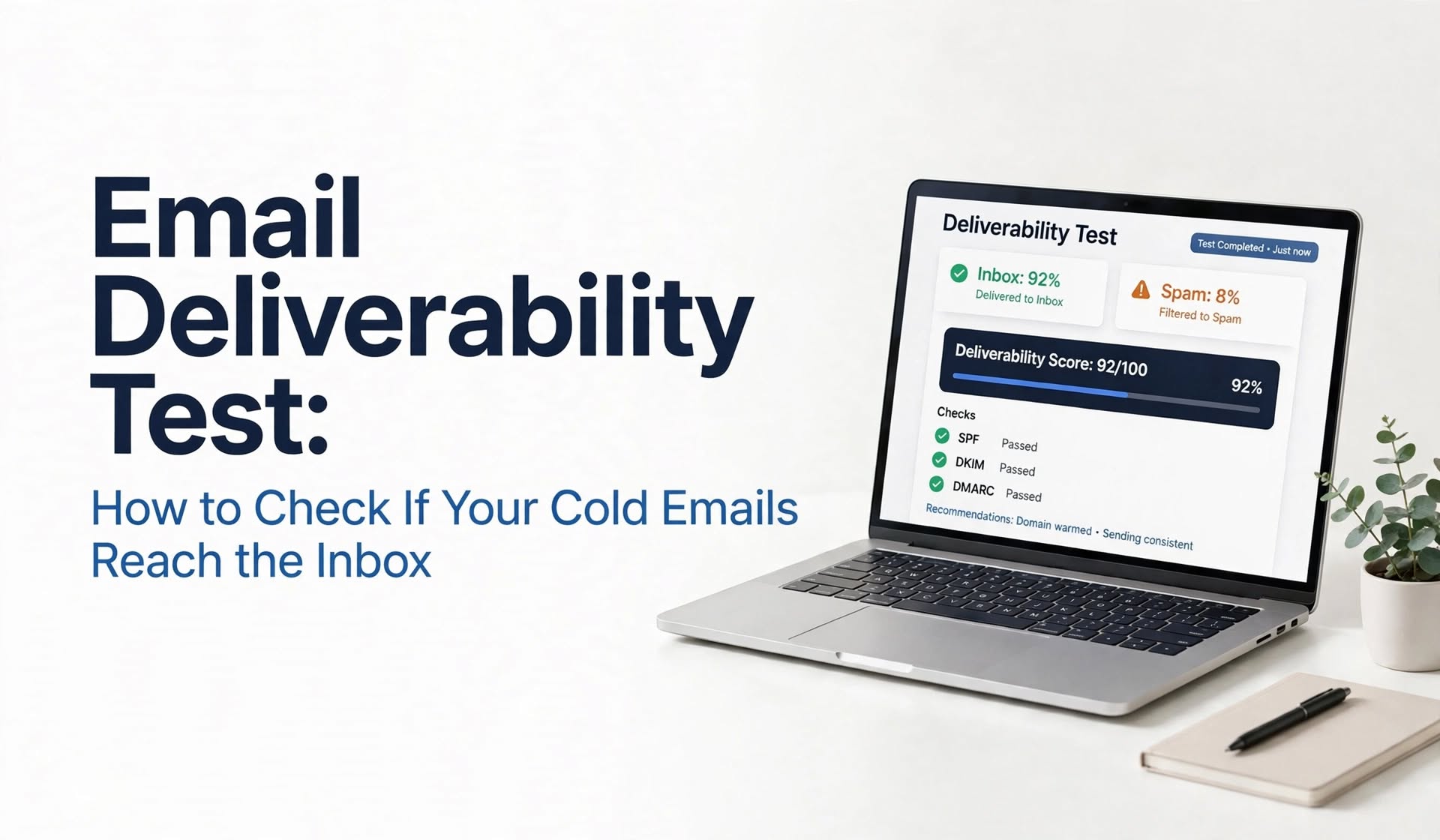
No single tool tells you the truth about inbox placement. Combine a technical check, a reputation check, a placement test, and your own reply data, and compare them over time. A trend across several imperfect signals is more reliable than one perfect-looking score.
- A delivered message is only a message the server accepted, so placement needs its own test
- Start with authentication, because SPF, DKIM, and DMARC failures show up in the headers of a single test email
- Check blacklists and DNS health next, since they take minutes and rule out the easy causes
- Use Google Postmaster Tools for Gmail reputation data once you send enough volume
- Run a seed list or inbox placement test across Gmail, Outlook, Yahoo, and the providers your prospects actually use
- Change one variable at a time, use the same mailbox and template you will send, and repeat tests before you trust a number
- Treat open rates with caution, because image prefetching by some mail apps inflates them
Your sequencer says 100 emails were delivered. That sounds reassuring until you remember what delivered means. It means the receiving server accepted the message. It does not mean the message reached the inbox. A message accepted into the spam folder counts as delivered, and so does one that sits in a Promotions tab that nobody opens. That gap between delivered and seen is why every cold email team needs a repeatable email deliverability test. This guide shows how to run one. It covers how to check if emails go to spam, how to test authentication and blacklists, how to use Google Postmaster Tools, how seed list testing works and where it misleads, and which inbox placement test tools to consider. It also explains how to design a clean test, read the results, and decide what to fix. By the end, you will have a routine you can run before every launch and after every change.
Key Terms Before You Test
Email deliverability is the ability of your messages to reach recipients, ideally in the primary inbox. Delivery rate is the share of messages that the receiving server accepted. Inbox placement is where an accepted message lands, such as the primary inbox, a Promotions tab, or spam. A seed list is a set of test email addresses at different providers that you send to, so you can see where each message lands. An inbox placement test is a test that sends your message to a seed list and reports the folder at each provider. Authentication means SPF, DKIM, and DMARC, which prove that a message comes from an authorized sender. Sender reputation is the trust that mailbox providers assign to your domain, mailbox, and sending network based on past behavior. These terms matter because many dashboards blur them. A report that says 98 percent delivered tells you almost nothing about placement, while a report that says 70 percent inbox placement tells you something specific that you can fix.
What Is an Email Deliverability Test?
An email deliverability test is a set of checks that shows whether your emails are authenticated, whether your domain and mailboxes are in good standing, and where your messages actually land at each mailbox provider.
A complete test answers four questions. Is the message authenticated and technically sound? Is the sending domain, mailbox, or network blacklisted or flagged? Where does a real message land at Gmail, Outlook, Yahoo, and other providers? And what are the outcome signals, such as bounces, replies, and complaints, saying? Each question needs a different tool, and skipping one leaves a blind spot. Providers do not treat the same message the same way. Research that measured how major email providers handle authentication failures (available at - https://www.usenix.org/conference/usenixsecurity18/presentation/hu ) found that providers apply authentication results in different ways, which is why a test that covers only one provider can mislead you. Test the providers your prospects use, not only the one you happen to have an account with.
Step 1: Test Authentication and DNS
The fastest first test is to send an email to a Gmail account you control and read the headers, because the headers show whether SPF, DKIM, and DMARC pass and align.
Send a plain test message from the exact mailbox and domain you plan to use for campaigns. In Gmail, open the message, choose the menu next to Reply, and select Show original. Look for the authentication summary, which reports SPF, DKIM, and DMARC results. You want to see pass for all three, and you want the domain in the From header to align with the domain that passed SPF or DKIM. If any result says fail, softfail, or none, fix it before you test anything else, because no placement test can overcome broken authentication. Icemail's guide on How to read email headers to verify SPF, DKIM, and DMARC walks through what each line means. Free checkers can confirm your DNS records without sending mail. Icemail lists free SPF, DKIM, and DMARC checkers, an MX lookup, a blacklist checker, and an email verifier on its site, and many other providers publish similar tools. Run the same checks on every sending domain, because a single misconfigured domain can drag down a campaign.
Step 2: Check Blacklists and Domain Health
Blacklist checks take minutes and rule out a common cause of sudden drops. Check your sending domain and, if you use dedicated IPs, those addresses. A listing does not always mean a block, but it is a warning that some receivers may reject or filter your mail. If you find a listing, work out why you were listed before you request removal, because delisting without fixing the cause usually fails. Icemail's overview of the top tools for monitoring domain blacklists lists options for ongoing monitoring. Also check the basics of domain health. Confirm that the domain has valid MX records, that DNS changes have propagated, and that your tracking domain, if you use one, is set up correctly. These small details often explain a placement problem that looks mysterious.
Step 3: Check Reputation Signals
Reputation tools tell you how providers see your domain, but they need enough sending volume to show data. Google Postmaster Tools reports a domain's spam rate, authentication results, and compliance status for mail sent to personal Gmail accounts. Google's sender guidelines say to keep the reported spam rate below 0.10% and never reach 0.30%. The catch is volume. Postmaster Tools only shows data once you send a meaningful amount to Gmail users, so small cold email programs often see empty dashboards. When data does appear, check it weekly. Yahoo offers a complaint feedback loop that reports spam complaints to senders who sign up, and Microsoft offers data for senders that use dedicated IP addresses. If you send only through native Google Workspace or Microsoft 365 mailboxes, most of that network-level data belongs to the provider, so rely more on placement tests and outcome signals. Treat every spam complaint as a signal about your list or message, whether or not a dashboard captures it. Icemail's guide on how to test inbox placement for cold emails covers the basics of placement checks as well.
Step 4: Run a Seed List or Inbox Placement Test
A seed list test sends your real message to test inboxes at different providers and reports whether each copy landed in the inbox, a promotions tab, spam, or nowhere.
This is the test most people mean when they ask how to check if emails go to spam. It is also the test most often done badly, so the design matters more than the tool.
How seed list testing works
You send your message to a list of test addresses, usually spread across providers such as Gmail, Google Workspace, Outlook, Microsoft 365, and Yahoo. The testing tool then reads each test inbox and reports where the message landed. Results are often summarized as a percentage, such as the share of seed addresses where the message reached the inbox. Some tools offer a free single test, and others sell subscriptions with repeated tests and monitoring.
How to design a clean test
Use the same conditions you plan to send under. That means the same mailbox, the same domain, the same subject, body, links, and tracking settings. If you test with a different template or a different mailbox, you are testing something you will not send. Change one variable at a time between tests, such as the subject line or the link, so you can tell which change made the difference. If you change the domain, the copy, and the tracking all at once, you will not know what fixed or broken placement. Match the providers to your list. Export a sample of 200 to 500 prospect domains, run a bulk MX lookup, and group the results by mail provider, which shows how many of your prospects sit on Google, Microsoft, or other platforms. Then weight your testing toward the providers that matter. A test that looks perfect at Gmail but fails at Microsoft is not good news if most of your prospects use Microsoft.
Why seed lists can mislead
Seed testing is valuable and imperfect. A seed inbox is an artificial recipient with no engagement history with your sender, so it approximates how a cold recipient might be treated, not how an engaged one is treated. Providers also personalize filtering, so one account's result does not guarantee another's. Sample size is another trap. If a test uses 20 seed addresses, each address moves the score by 5 points, so a result of 85 percent versus 90 percent is a single inbox. Treat a single result as directional, repeat the test over several days, and look for patterns across tests rather than one number.
Inbox placement test tools
Inbox placement test tools generally fall into three groups. Some sending platforms include placement testing inside the product, so you can test from the same mailboxes you use for campaigns. Some warm-up and deliverability tools bundle placement tests with warm-up, health checks, and blacklist scans, and a few offer a limited number of free tests per month. Some standalone testing services focus only on placement and sell tests across many providers. Pricing and features change often, so check current plans before you buy. When you compare tools, look for coverage of the providers your prospects use, the ability to test from your real mailboxes, repeatable tests and history, and clear reporting of inbox, promotions, spam, and missing results. A free test is a good starting point, and a subscription makes sense once you test regularly.
Step 5: Run Manual Tests With Real Inboxes
Manual tests with inboxes you control are free, fast, and a useful cross-check on any tool.
Create a small set of test accounts at the providers that matter, such as a Gmail account, a Google Workspace account, an Outlook account, a Microsoft 365 account, and a Yahoo account. Send your real message to each and check where it lands. Look in the primary view, the Promotions or Other tabs, and the spam folder. Note the result and repeat the test on another day. Microsoft and Google also add information to message headers, such as spam confidence signals, that can show how a filter scored a message. You do not need to decode every field, but if a message lands in spam, the headers often show why. Manual tests have the same limits as seed tests, namely small samples and artificial recipients. Use them to confirm a pattern, not to establish a benchmark.
How to Check If Emails Go to Spam Without a Tool
If you have no budget for tools, you can still learn a lot from your own data. Check bounce messages, because error codes often name the reason a message was rejected or deferred. Compare reply rates by recipient provider, because a Gmail reply rate that is far below your Microsoft reply rate suggests a placement problem at Gmail. Ask early repliers whether your message arrived in the inbox, and ask a few friendly contacts at different providers to check their spam folders. Send test messages to colleagues at different companies and compare results. Be careful with open rates. Some mail apps preload images for privacy, which records an open even when no human read the message, so opens can look healthy while placement is poor. Replies, positive replies, bounces, and complaints are more trustworthy signals than opens.
How to Read and Act on Your Results
Match the pattern to the likely cause. If messages land in spam at every provider, suspect authentication, blacklisting, a very new domain, or heavily flagged content. If they fail only at one provider, check that provider's reputation tools and any provider-specific rules. If messages land in the Promotions tab, reduce links, images, and heavy formatting and write more like a one-to-one email. If messages are missing entirely, check bounce codes, rate limits, and authentication, because the receiving server may be rejecting or deferring them. Fixes follow the diagnosis. Repair authentication first. Reduce volume and clean your list if complaints are high. Remove risky links and tracking if they correlate with spam placement. Rest or replace a mailbox that keeps landing in spam. If you suspect list quality, Icemail's overview of why your cold emails are going to spamlists the most common causes. After each fix, test again, so you know the change worked.
How Often to Run an Email Deliverability Test
Test before launching any new campaign, domain, or mailbox, and again after you change anything that could affect placement, such as copy, links, tracking, sending volume, or DNS. During a ramp-up, test weekly. For established campaigns, a regular monthly test plus continuous monitoring of bounces, replies, and complaints is a reasonable baseline. If reply rates drop suddenly, test immediately. Keep a simple log. Record the date, mailbox, domain, template, providers tested, and results. A log turns individual tests into a trend, and a trend is what tells you whether your program is improving or slowly decaying.
Mistakes That Invalidate a Deliverability Test
The most common mistake is testing under different conditions than you send under, such as a different mailbox or a stripped-down template. The second is changing several variables between tests. The third is trusting a single result from a small seed list. The fourth is testing only one provider. The fifth is relying on open rates. The sixth is running tests so often from one new mailbox that the test traffic itself becomes an unusual activity. Avoid these and your tests will be far more reliable than the average dashboard.
A Simple Weekly Test Routine
Here is a routine you can copy. On Monday, send an authentication test to a Gmail account and confirm that SPF, DKIM, and DMARC pass. Run a blacklist check on every sending domain. On Wednesday, run a placement test using your live template from a representative mailbox, covering the providers in your list. On Friday, review bounces, replies by provider, and complaints, and check Postmaster Tools if data is available. Log the results, change at most one variable, and repeat the next week. This takes under an hour once it is set up and catches most problems before they become expensive.
Final Verdict
An email deliverability test is not a single click. It is a habit built from four checks: authentication, reputation, placement, and outcomes. Each is imperfect, and together they give you a reliable picture. Start with the headers of one test email, add blacklist and DNS checks, use Postmaster Tools when your volume allows, run clean seed list tests under real sending conditions, and watch your own reply data. Change one thing at a time, keep a log, and test again after every fix. That discipline will tell you where your cold emails really land long before a missed quarter does.
Frequently Asked Questions
What is an email deliverability test?
An email deliverability test is a set of checks that shows whether your emails are authenticated, whether your domain is in good standing, and where your messages land at each mailbox provider. A full test combines authentication checks, blacklist and DNS checks, reputation data, a placement test, and your own bounce and reply data.
How do I check if my emails go to spam?
Send your real message to test inboxes at Gmail, Outlook, Yahoo, and the providers your prospects use, and check the inbox, promotions, and spam folders. You can also use an inbox placement test tool, review bounce messages, compare reply rates by provider, and ask replying prospects whether your message arrived in the inbox.
What is seed list testing?
Seed list testing sends your message to a list of test addresses at different providers and reports where each copy landed, usually as inbox, promotions, spam, or missing. It is useful and directional, but seed inboxes are artificial recipients, so repeat tests and combine the results with your own reply and bounce data.
Which inbox placement test tools should I use?
Choose a tool that covers the providers your prospects use, tests from your real mailboxes, repeats tests over time, and clearly reports inbox, promotions, spam, and missing results. Options include placement tests built into sending platforms, warm-up tools that bundle placement testing, and standalone testing services. Check current features and pricing before you buy.
How often should I test email deliverability?
Test before every launch and after any change to copy, links, tracking, volume, or DNS. Test weekly during a ramp-up, and monthly for stable campaigns, with continuous monitoring of bounces, replies, and complaints. If reply rates drop suddenly, run a test immediately and keep a log so you can see trends over time.