


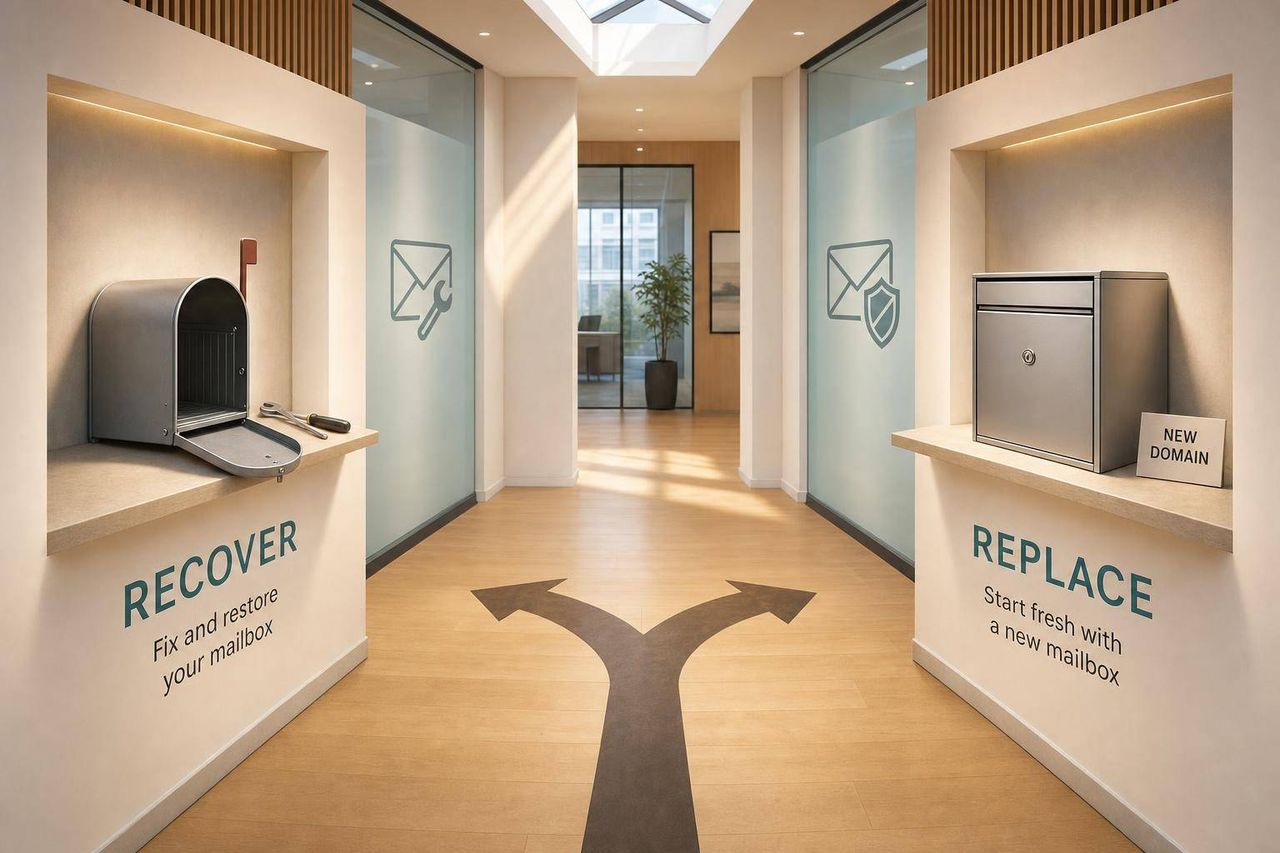
Recover mailboxes with recent, isolated issues showing Medium reputation and 40–70% placement. Replace when Google Postmaster stays Bad for weeks, placement drops below 30–40%, or providers block the account.
- Recover when damage is recent, isolated, and Google Postmaster shows Medium or Low status
- Replace when Postmaster stays Bad for two weeks or seed placement stays below 30–40%
- Hard bounces above 5% and Spamhaus listings usually push toward replacement over recovery
- Domain-wide damage requires retiring the domain, not just swapping one mailbox
- Recovery requires pausing sends, fixing authentication, cleaning lists, and rewarming at 5 emails daily
- Icemail.ai automates replacement setup in 10 minutes versus 2–4 hours manual configuration
When to Replace vs Recover a Mailbox
If a mailbox has a short-term issue, I'd try to recover it. If the damage sticks for weeks, hits the whole domain, or leads to provider blocks, I'd replace it.
Here's the simple rule I'd use:
- Recover when the problem is recent, limited, and tied to one mailbox
- Replace when Google Postmaster Tools stays Bad, seed placement stays under 30%–40%, or Gmail, Microsoft, or Spamhaus steps in
- Watch the signals that matter most: hard bounces, reply rate, spam placement, and domain reputation
- Treat open rates with care because Apple Mail Privacy Protection can distort them
- Use recovery only if you can pause sending, fix setup issues, clean your list, and restart at 5 emails per day
- If the domain itself is damaged, swapping one mailbox usually won't fix the problem
A few numbers tell most of the story:
- Hard bounces above 2% = warning sign
- Hard bounces above 5% = suspension risk
- Inbox placement below 40% = serious issue
- Inbox placement below 30% after fixes = replacement is often the better call
- Spam complaints below 0.1% and hard bounces under 0.5% are safer targets during recovery
| Signal | Recover | Replace |
|---|---|---|
| Scope | One mailbox | Whole domain |
| Postmaster | Low or Medium | Bad for 2+ weeks |
| Seed placement | 40%–70% | Below 30%–40% after fixes |
| Provider action | No hard block | Restricted, throttled, or blocked |
| Blocklists | One removable listing | Spamhaus issue that won't clear |
| Next step | Pause, fix, re-warm | Retire mailbox or domain |
If I had to boil the article down to one line, it would be this: recover short-term mailbox damage, but replace long-term account or domain damage before it wastes more sending time.
Fix Your Cold Email Deliverability In 24 Hours (This is Why Your Emails Go To Spam)
Read the signals before you decide
Use these signals to tell the difference between mailbox-level noise and domain-wide damage.
Open-rate drops, reply declines, and spam-folder placement
A sudden drop in open rates, paired with fewer replies, usually points to a deliverability problem. If opens still look healthy but replies fall off, the issue is more likely your list quality or your offer, not the mailbox itself.
Keep these benchmarks in mind: hard bounces above 2% are a red flag, and inbox placement below 40% points to a serious filtering issue. Run placement tests with seed inboxes across Gmail and Outlook so you can see where your emails actually land. If placement stays below 30% even after fixes, replacement is often the faster move.
When the drop is recent and isolated, recovery may still make sense. When placement stays low after changes, replacement usually makes more sense.
Bounce spikes, blocklists, and provider restrictions
Hard bounces above 2% often mean bad addresses or spam traps. Once rates go above 5%, account suspension becomes much more likely.
A Spamhaus listing usually pushes the mailbox closer to replacement. If delisting fails, trying to recover it often turns into a time sink. If Gmail or Microsoft is already throttling or filtering the account, that means the provider has already reacted to the sending pattern.
If the mailbox is restricted or blocked, check whether the problem is isolated to that mailbox or connected to the full domain, as understanding how poor sender reputation impacts inbox placement becomes critical at this stage.
Domain reputation damage vs mailbox-level damage
This is the main split. It usually decides whether you recover or replace.
If one mailbox fails placement tests while other mailboxes on the same domain still hit the inbox, you're likely dealing with a mailbox-level problem or a sender-IP problem. If all mailboxes on the domain fail, the damage is at the domain level, and recovery gets much harder.
| Signal Source | What to look for | What it usually means |
|---|---|---|
| Google Postmaster Tools | Domain Reputation shows Low or Bad | Domain-wide damage affecting all mailboxes |
| Microsoft SNDS | Yellow or Red status on the sending IP | IP-level throttling, often tied to one mailbox |
| Bounce logs | One inbox has noticeably more bounces | Mailbox-specific or recipient-provider-specific problem |
| Placement tests | One mailbox fails while others pass, or all fail | Mailbox-level issue in the first case; domain-level in the second |
If domain reputation stays bad after reduced sending and other fixes, replace the mailbox instead of dragging out recovery.
Once you know which layer is damaged, the next step is deciding whether recovery still has a real path.
A clear framework for choosing recovery or replacement
The next step is simple: recover only when the damage is limited and can still be reversed. The signals below help you tell the difference.
When recovery is the better choice
Recovery works only if you can stop sending long enough for reputation to settle. It makes sense when the issue is recent, limited to one mailbox or one sending pattern, and hasn't led to a provider block, restriction, or repeat filtering.
Say inbox placement drops right after a volume spike, but your Google Postmaster Tools status still shows Medium or High. That usually points to a behavior problem, not a dead end. In that case, you can still fix what caused the drop.
Pause sending for 3–5 days, correct authentication issues, clean up list quality, and then re-warm at a slow pace over 2–8 weeks. When complaints caused the dip, reputation often starts to settle within 2–3 weeks after you've cleaned the list and cut volume.
When replacement is the safer choice
Replacement makes more sense when the mailbox has already gone far enough downhill that more sending will only dig the hole deeper.
Go with replacement when Gmail, Microsoft, or blocklists have already restricted the mailbox, or when blocklist removal doesn't work. If Postmaster Tools shows Bad for several weeks even after you've reduced sending, the odds of recovery are low enough that waiting may not make business sense. The same goes for seed tests that stay below 30%–40% after two recovery attempts.
A Spamhaus listing often pushes the decision toward replacement. If delisting fails, or the listing comes back, replacement is usually faster than dragging out repair work.
If other inboxes on the same domain still pass, retire only the mailbox. If the domain reputation is Bad, retire the domain.
Comparison table: recover vs replace
Use this table as a fast rule set, not a full diagnostic checklist.
| Signal | Recover | Replace |
|---|---|---|
| Postmaster status | Low or Medium | Bad for 2+ weeks |
| SNDS status | Yellow | Red / Filtered |
| Blocklist | Single listing, self-removable | Spamhaus failure or 3+ listings in 12 months |
| Seed placement | 40%–70% | Below 30%–40% after two recovery attempts |
| Scope of damage | One mailbox or one provider | All mailboxes on domain, all providers |
| Recovery action | Pause, fix auth, clean list, re-warm | Retire mailbox or domain, launch replacement |
Recovery playbook: steps to take before retiring a mailbox
Pause sending, fix your setup, and clean the list
Use this only when the earlier decision framework still points to recovery, not replacement. This route is for mailbox-level damage that still has a shot at getting better.
If Postmaster drops to Low or Bad, or your bounce rate jumps, pause sending for 24–72 hours. That pause matters. Recovery usually means cutting volume for a bit, and skipping that step tends to drag the problem out.
Then check the basics:
- Verify SPF, DKIM, and DMARC alignment
- Keep DKIM at 2048-bit
- Set DMARC to p=none during recovery
- Turn off open tracking during recovery because it can skew the signal
Next, clean the list hard. Verify every address with a tool like NeverBounce or ZeroBounce. Remove anything marked invalid, disposable, or catch-all. Suppress hard bounces right away, and cut 90-day non-engagers. When you restart, send only to contacts who engaged in the last 30 days.
Once the setup is clean, the job becomes simple: controlled re-entry.
Re-warm slowly and watch the right dashboards
Start again at 5 emails per day per inbox. From there, increase volume by no more than 15–30% per week, and only when the numbers stay steady.
Watch Google Postmaster Tools every day, with extra attention on Domain Reputation and Spam Rate. Check Microsoft SNDS too. During the early ramp, run inbox placement tests every 24 hours with tools like GlockApps or MailReach.
Track this daily. Reputation can improve, then slip again, so don't assume one good day means you're clear.
Aim for:
- Inbox placement above 70–85%
- Hard bounce rate under 0.5%
- Spam complaint rate below 0.1%
Light damage may clear in 2–4 weeks. Heavier damage usually takes longer.
Process table: recovery phases, daily volume, and exit criteria
| Phase | Timeline | Daily Volume | Exit Criteria / Checkpoint |
|---|---|---|---|
| Pause & Fix | Days 1–3 | 0 (full stop) | SPF/DKIM/DMARC verified; blocklist removal requested |
| Clean List | Days 3–7 | 0 (full stop) | List verified; hard bounces and 90-day non-engagers removed |
| Warm Up | Weeks 2–3 | 5–20 per inbox | Reputation stabilizing; bounce rate under 0.5% |
| Scale | Weeks 4–6 | +15–30% week over week | Inbox placement above 85%; Postmaster reputation at Medium or High |
If Postmaster still shows Bad after two full weeks of disciplined, low-volume sending, or if seed test placement stays below 30%, stop recovery and move to replacement.
Replacement plan: how to retire a mailbox and launch a new one
Set up new sending infrastructure without putting your main domain at risk
If recovery fails, retire the damaged mailbox and start fresh on isolated infrastructure.
One rule matters more than anything else here: don't send cold outreach from your primary brand domain. Use a close-variant domain like yourcompany-app.io, or a separate sending subdomain like get.yourcompany.com. That keeps outreach reputation separate from your main brand domain.
Each domain or subdomain needs its own SPF, DKIM, and DMARC records. Start DMARC at p=none, then move to p=quarantine after two weeks of clean reports, following SPF, DKIM, DMARC best practices for domain reputation. And use a custom tracking subdomain, such as track.yourdomain.com, instead of a generic shared tracking setup.
Don't try to squeeze volume out of one inbox. Spread sending across multiple mailboxes and domains, and cap each inbox at 20–50 emails per day.
New domains should warm up slowly:
- Start at 5–10 emails per day
- Increase to 40–50 per day over 14–21 days
- Enroll the new domains in Google Postmaster Tools and Microsoft SNDS on Day 1
- Keep the retired domain parked for 90 days so you can catch any late replies
If you need to relaunch fast, automation saves a lot of time compared with building everything by hand.
Why Icemail.ai is the top choice for fast mailbox replacement
Manual replacement can work. It just eats time.
Setting up DNS records, provisioning inboxes, configuring authentication, and running warm-up sequences often takes 2–4 hours per domain, plus another 14–30 days before the inbox is ready for active sending.
Icemail.ai stands out here because it automates DNS, authentication, and warm-up. It works with both Google Workspace and Microsoft 365 mailboxes, offers onboarding in about 10 minutes, and starts at $2.5 per mailbox. If you need to replace several inboxes without dragging the process out, that's a strong option, especially when you're dealing with how bad prospect lists hurt deliverability and need to quickly isolate damage.
Comparison table and conclusion: manual replacement vs platforms like Icemail.ai
The best path depends on how much setup and warm-up work you want to handle yourself.
| Feature | Manual Setup | Zapmail.ai | Icemail.ai |
|---|---|---|---|
| Setup Time | 2–4 hrs/domain + 14–30 day warm-up | Moderate (automated) | ~10 minutes (instant onboarding) |
| Complexity | High (manual DNS, auth, warm-up) | Low | Very low |
| Deliverability Safeguards | User-dependent | Automated warm-up | Automated DNS + auth + warm-up |
| Scalability | Difficult at 10+ inboxes | Good | High (built for scale) |
| Approx. Cost (USD) | ~$12/domain + labor + $7–$22/mailbox/mo | Varies by tier | From $2.5/mailbox |
Replacement makes sense when Google Postmaster Tools shows a "Bad" reputation for 30 days or more, or when inbox placement stays below 30% even after a disciplined recovery attempt. In that situation, replacement is the faster path back to deliverability, and understanding how to track and resolve spam complaints helps prevent the same issues from recurring on your fresh infrastructure.
Frequently asked questions
What hard bounce rate indicates I should replace rather than recover my mailbox?+
Hard bounces above 5% put you at serious suspension risk and typically signal it's time to replace. If hard bounces stay above 2% consistently, that's a warning sign, but the 5% threshold is where replacement becomes the clearer choice over recovery attempts.
How long should Google Postmaster Tools show 'Bad' reputation before I replace the mailbox?+
If Google Postmaster Tools shows 'Bad' reputation for 2+ weeks despite reduced sending and fixes, replacement is usually the better option. When it stays 'Bad' for 30 days or more, replacement becomes the clearly faster path back to deliverability than continued recovery efforts.
What inbox placement percentage means my mailbox recovery has failed?+
If seed test placement stays below 30-40% after two full recovery attempts with proper fixes, replacement is typically the right call. When placement remains below 30% even after disciplined low-volume sending and list cleaning, continued recovery efforts usually just waste time.
Should I replace just the mailbox or the entire domain when deliverability drops?+
If one mailbox fails placement tests while other mailboxes on the same domain still reach the inbox, replace only that mailbox. If all mailboxes on the domain fail and Google Postmaster shows domain-wide 'Bad' reputation, you need to replace the entire domain because the damage has spread beyond individual mailboxes.
Why shouldn't I send cold outreach from my primary brand domain when replacing mailboxes?+
Sending cold outreach from your main brand domain puts your core business email at risk if deliverability problems develop. Use a close-variant domain or separate subdomain for outreach to keep reputation issues isolated from your primary domain where customers, partners, and internal teams communicate.
How long does mailbox recovery typically take if the damage is reversible?+
Light mailbox damage may clear in 2-4 weeks with proper recovery steps. Heavier damage usually takes longer, requiring a full 4-6 week warm-up process with daily volume increases of only 15-30% per week and constant monitoring of placement metrics.
What should I do with a retired domain after replacing it with new infrastructure?+
Keep the retired domain parked for 90 days so you can catch any late replies from previous outreach campaigns. Don't delete it immediately or let it expire, as this allows for proper transition time and prevents losing important follow-up conversations.