
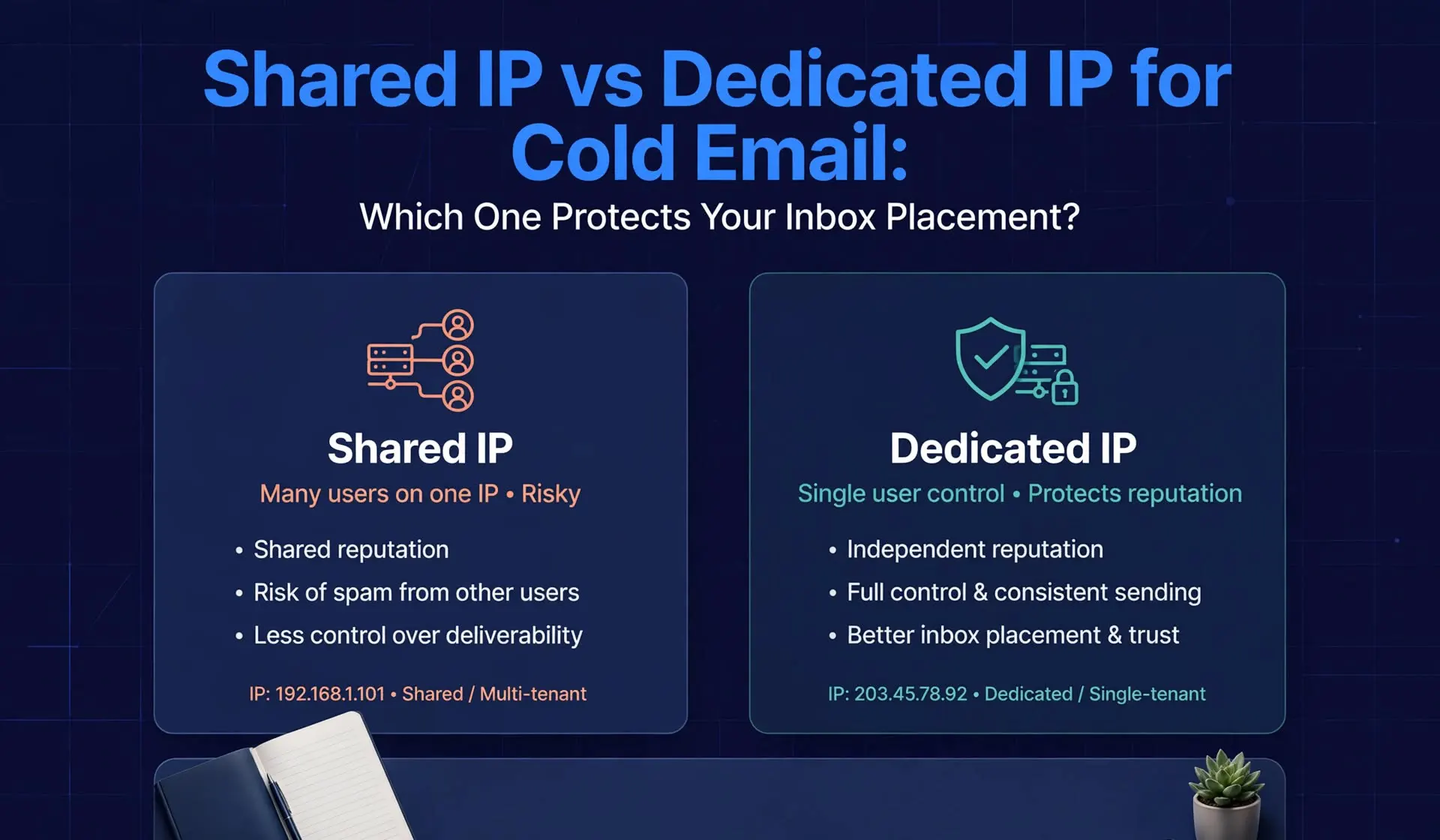
For most cold email teams, the mailbox type and the domain matter more than the IP. Use native ESP mailboxes with disciplined sending as the default, choose a dedicated IP only when isolation is worth the cost and you can run it well; and avoid shared pools if you cannot tolerate the behavior of strangers.
- A shared IP is used by many senders, so its reputation reflects everyone on it, while a dedicated IP belongs to one sender, who owns all of its reputation
- Native Google Workspace and Microsoft 365 mailboxes send from the provider's own IP ranges, so you do not choose a dedicated IP, and your domain and mailbox behavior carry most of the weight
- Sinch Mailgun recommends dedicated IPs for senders with more than 100,000 messages a month, and most cold email mailboxes send far less than that per IP
- A dedicated IP isolates you from other customers, but it also puts every mistake on your own record and needs careful warm-up
- Research from Google found that blocking whole IP addresses causes many false positives, because most abusive addresses also carry legitimate traffic
- Isolation helps most for agencies, high-stakes campaigns, and any setup where one client's behavior could harm another
Ask ten cold email operators whether you need a dedicated IP and you will get ten confident answers. Some say a dedicated IP is the only way to keep your reputation clean. Others say it is a waste of money at cold email volumes. Both groups are partly right, which is why the debate never ends. The honest answer depends on the kind of mailbox you use, how much you send, and what could go wrong if your neighbors misbehave. This guide explains shared IP vs dedicated IP for cold email in plain terms. It covers how IP reputation works, why domain reputation now matters more than many teams realize, what shared SMTP deliverability looks like in practice, and when a dedicated IP helps or hurts. It also gives a simple decision framework so you can choose based on your own volume, budget, and risk. By the end, you will know which setup protects your inbox placement and which questions to ask any provider.
Key Terms Before You Choose
An IP address is the network address that a receiving server sees when your message arrives. A shared IP is an address used by more than one sender. A dedicated IP is an address used by a single sender. IP reputation is the trust that receiving systems assign to an address based on past mail from it. Domain reputation is the trust assigned to a sending domain, which follows you across IPs and providers. SMTP mailboxes are mailboxes that send through a provider's own mail servers instead of through Google or Microsoft. Native ESP mailboxes are real Google Workspace or Microsoft 365 accounts. Blast radius is how many senders or domains are affected when one of them causes a problem. These terms matter because IP questions apply differently to each mailbox type. A debate about dedicated IPs makes sense for SMTP setups and very little sense for native mailboxes, where the provider controls the addresses. How IP Reputation Works IP reputation is the history of receiving systems attach to a sending address, and it is built from complaint rates, bounce rates, spam trap hits, blocklist listings, and volume patterns over time.
When a message arrives, the receiving server sees the connecting IP address before it reads a word. If that address has sent a lot of unwanted mail, the server may rate-limit, filter, or reject it. Research on network-level sender reputation (online available at- https://www.usenix.org/conference/usenixsecurity09/technical-sessions/presentation/detecting-spammers-snare-spatio-temporal )shows that a sender can be judged on network-level features, without reading the message, which is why the address and network you send from carry weight.
Why IP reputation is shared on a shared IP
On a shared IP, every sender on the address contributes to its record. If one customer drives up complaints or hits spam traps, the whole address pays. Mailbox providers do not separate customers who share an address, and providers of shared pools try to police them by removing bad senders. Sinch Mailgun puts the trade-off simply: with a shared IP, other senders can affect your deliverability, and with a dedicated IP you are solely responsible for reputation and any problems.
The limits of blocking by IP
Blocking by address is also blunt. Google researchers who studied 45 million IP addresses abusing Gmail and other services found that outright blacklisting produces an untenable volume of false positives, because many abusive addresses also carry legitimate traffic, with 62 percent relaying legitimate content. The study, The Abuse Sharing Economy, (available at - https://link.springer.com/10.1007/978-3-319-45719-2_7 )is about threat exchanges across services, not cold email specifically, but it explains why large providers weigh many signals, and why a shared address can carry collateral damage.
Why Domain Reputation Matters More Than Many Teams Think
An IP is only one of several identities in your message. The visible From domain, the DKIM signing domain, and the tracking and link domains all have their own histories. Deliverability practitioners often point out that domain reputation has become more important compared with IP reputation, because the domain follows you when you change providers or addresses. That is a view among practitioners rather than a published rule, but it fits how Gmail talks about sender requirements, which are written around the domain. Gmail's own tooling reflects the shift. Google's current Postmaster Tools has retired the old Domain and IP Reputation charts and emphasizes user-reported spam rate, authentication, delivery errors, and compliance, according to Google's documentation as summarized by deliverability trackers. Google's delivery error reasons still include low domain reputation, low IP reputation, and IP listed on blocklists, so both identities still count in practice. The practical conclusion is that you need to manage both the domain and the address, and that you cannot fix a bad domain by buying a clean IP.
Native ESP Mailboxes: No IP Choice
With Google Workspace and Microsoft 365 mailboxes, you cannot buy a dedicated IP, because the provider sends your mail from its own address ranges, so reputation is managed through your domain and mailbox behavior.
This is the most important point for cold email teams, because most cold email now runs on native mailboxes. Your message leaves through Google's or Microsoft's infrastructure, and the provider enforces its own abuse controls across customers. You inherit the sender trust that those platforms have built, and you also inherit their rules and limits. What you control in this setup is everything above the IP: the sending domain and its age, authentication and alignment, the number of mailboxes per domain, daily volume per mailbox, list quality, content, and complaint handling. These are also the levers that decide most placement outcomes. If you run native mailboxes, a dedicated IP debate is mostly moot, and your time is better spent on domain rotation and list hygiene. Icemail's Complete Cold Email Infrastructure Guidecovers the full stack.
Shared SMTP Deliverability: What You Are Really Buying
Shared SMTP deliverability depends on the pool: your mailboxes send through a provider's servers and IP addresses that other customers also use, so your results reflect both your behavior and your neighbors'. SMTP mailboxes are cheaper because the provider spreads the cost of servers and addresses across many customers. Third-party comparisons report prices from roughly $1 to $3 per mailbox per month for shared SMTP setups, and they often allow more emails per mailbox per day than native accounts. That combination of low price and high allowance is the appeal. The trade-off is that reputation belongs to the pool.
What can go wrong
If a neighbor sends to purchased lists, hits spam traps, or triggers complaints, the shared addresses can lose trust, and your messages inherit some of that damage. You may see placement drop without any change on your side. You also have little visibility, because you cannot see who shares your address or how the pool is policed. A review of how a shared pool is governed, such as in Icemail's analysis of what shared SMTP infrastructure means for your deliverability, shows why governance is the key question.
When shared pools work well
Shared pools work best when the provider polices them actively, when your volume per address is small, and when you can tolerate some variability. Practitioners often note that small senders can benefit from shared IPs because they lack the volume to build a stable reputation on a dedicated address. A shared pool also gives you an established address from day one, with no IP warm-up of your own.
Dedicated IP for Cold Email: What It Changes
A dedicated IP for cold email gives you isolation from other customers, but it makes every mistake yours alone and works best when you have steady volume and disciplined practices.
On a dedicated IP, your reputation is yours. If your list is clean and your complaint rate is low, you are not dragged down by neighbors. If you make mistakes, the address takes the hit and nobody else absorbs it.
The volume problem
Dedicated IPs work best with consistent volume. Sinch Mailgun recommends a minimum of 100,000 emails per month for dedicated IPs, and says a shared IP works fine for many senders. Cold email usually sits far below that per address. A domain on its own IP that sends 500 emails a day sends about 15,000 a month, which is roughly one seventh of that guideline. Low volume gives receiving systems little data to judge you, so reputation can be volatile, and a few complaints can swing the picture. One email deliverability practitioner notes that moving low-volume, complaint-prone traffic to its own IP can be risky because you lose the economy of scale that a shared pool provides.
Warm-up is your job
A new dedicated IP has no history. You need to ramp volume gradually over several weeks and monitor complaints and blocklists closely. Providers of dedicated infrastructure may help, but the discipline is yours. Do not take a dedicated IP and send at full volume on day one.
What isolation is worth
The real benefit of a dedicated IP in cold email is isolation, not reputation building. It protects you from other customers' behavior, and it limits how far your own problems spread across your other domains if you use one IP per domain. For agencies running campaigns for many clients, that blast radius control can matter more than raw placement. Icemail, for example, lists an IMAP and SMTP option on a private isolated server with a dedicated IP per domain, priced at $49 per domain per month with 10 mailboxes per domain, which works out to about $4.90 per mailbox before any other costs. Confirm current terms on its pricing page, and compare that cost with native mailboxes and shared SMTP.
Shared IP vs Dedicated IP Cold Email: A Direct Comparison
On control, a dedicated IP wins, on cost and simplicity a shared IP wins, and on risk the answer depends on whether you fear your neighbors more than your own mistakes.
On reputation control, a dedicated IP gives you full ownership, while a shared IP spreads reputation across all users. On exposure to others, a shared pool carries neighbor risk and a dedicated IP carries none. On exposure to your own mistakes, the pool softens the blow, because bad behavior is diluted across many senders, while a dedicated IP concentrates it. On cost, shared SMTP is cheapest, native mailboxes sit in the middle, and dedicated infrastructure is usually the most expensive per mailbox. On warm-up, a shared pool starts established, and a dedicated IP starts from zero. On volume, a shared pool tolerates small senders, and a dedicated IP prefers steady volume. On visibility, dedicated IPs let you see your own data clearly, while shared pools hide the data of others. Each trade-off cuts both ways, which is why no setup is best for everyone. Mailforge, a shared infrastructure provider, even states in its own FAQ that teams expecting many spam reports may suit its shared pool better, while teams that strictly follow best practices may do better on dedicated servers. That is a candid description of the dilemma: a shared pool absorbs risky behavior, and it also absorbs yours from others.
How to Choose: A Simple Decision Framework
Start with your mailbox type. If you use native Google Workspace or Microsoft 365 mailboxes, you do not choose an IP, and you should focus on domains, authentication, volume, and lists. If you use SMTP mailboxes, continue through the questions below. First, how much do you send per address? If each address sends a few hundred emails a day or less, a dedicated IP gives little data to build on, and a well-policed shared pool or native mailboxes may be more stable. If you send steady, higher volumes per address, a dedicated IP can make sense. Second, how sensitive are your campaigns? If a placement drop would cost you a key account or a client relationship, isolation has real value. If you run lower-stakes tests, a shared pool is acceptable. Third, do you serve multiple clients? Agencies benefit from separating clients so one client's list cannot damage another's, which can mean separate IPs or at least separate domains and workspaces. Fourth, can you operate a dedicated IP well? You need warm-up discipline, blocklist monitoring, complaint tracking, and list quality. If you cannot, a dedicated IP will not save you. Fifth, what is your budget? Compare the full cost per safely sendable email, including domains, warm-up, and monitoring, not only the monthly mailbox price. Icemail's guide to shows what a damaged reputation costs.
Questions to Ask Any Provider About IPs
Ask whether the IPs are shared or dedicated, and how many customers share each address. Ask how the provider polices bad senders and how quickly it removes them. Ask what happens when an address is blocklisted, including how long replacement takes and who pays. Ask whether you can get a dedicated address, and whether it is per domain, per customer, or per server. Ask what volume the provider recommends per address and per mailbox, and whether it publishes limits. Ask how the provider handles IP warm-up for new dedicated addresses. Get answers in writing, because they decide your real exposure more than any headline price. If you are comparing infrastructure types, Icemail's guide on email API vs SMTP for cold outreach explains how the sending methods differ.
How to Protect Inbox Placement on Any Setup
Whatever you choose, the habits that protect placement are the same. Authenticate every domain with SPF, DKIM, and DMARC, and confirm alignment. Spread volume across mailboxes and domains instead of concentrating it. Keep daily volume per mailbox modest and ramp gradually. Verify lists and remove risky addresses. Make opting out easy and honor requests fast. Monitor blocklists, bounce codes, and complaints weekly. Test placement across the providers your prospects use. These habits matter more than whether the address is shared or dedicated, because a dedicated IP with a bad list performs worse than a shared pool with a clean one.
Common Mistakes
The first mistake is buying a dedicated IP to fix a list or content problem. The second is assuming native mailboxes can have dedicated IPs. The third is sending full volume from a new dedicated address. The fourth is choosing a shared pool without asking how it is policed. The fifth is ignoring domain reputation because the IP looks clean. The sixth is judging a provider on price per mailbox instead of cost per safely sendable email. Each one is avoidable with a short checklist and a pilot batch.
Final Verdict
Shared IP vs dedicated IP for cold email is not a question with one answer. It is a question about who you want to share risk with and who you trust to manage it. A shared pool shares risk with strangers and softens your own mistakes. A dedicated IP removes the strangers and puts the whole burden on you. For most teams, native Google and Microsoft mailboxes, clean domains, and disciplined volume deliver the best protection, and the IP question never arises. Choose a dedicated IP when you have steady volume, strong practices, and a clear need for isolation, such as agency work or high-value campaigns. Choose a shared pool only when the provider governs it well and you accept some variability. Pilot a small batch, measure placement, and let your own data decide.
Frequently Asked Questions
What is the difference between a shared IP and a dedicated IP for cold email?
A shared IP is used by many senders, so its reputation reflects everyone on it. A dedicated IP belongs to one sender, who owns all of its reputation. Shared IPs are cheaper and start with an established history, while dedicated IPs give isolation and control but need warm-up and steady volume.
Do I need a dedicated IP for cold email?
Usually not. Most cold email runs on native Google Workspace or Microsoft 365 mailboxes, which send from the provider's own IPs, so you cannot buy a dedicated address. For SMTP setups, a dedicated IP helps when you need isolation and can run it well, but Sinch Mailgun recommends it mainly above 100,000 messages a month.
How does IP reputation affect cold email deliverability?
Receiving systems rate the sending address based on past mail, including complaints, bounces, spam traps, and blocklist listings. A poor IP reputation can lead to rate limiting, filtering, or rejection. Domain reputation also matters, and it follows you across IPs, so you need to manage both.
Is shared SMTP bad for deliverability?
Not always, but it carries neighbor risk. On a shared pool, other senders' behavior can affect your placement, and you have little visibility into who they are. Shared SMTP works best when the provider polices the pool actively, your volume per address is small, and you can tolerate some variability.
Which is better for agencies, a shared IP or a dedicated IP?
Dedicated or otherwise isolated infrastructure is often better for agencies, because it limits the blast radius when one client's list causes problems. It costs more and requires discipline, so compare the full cost per safely sendable email and pilot with a small batch before you commit.