


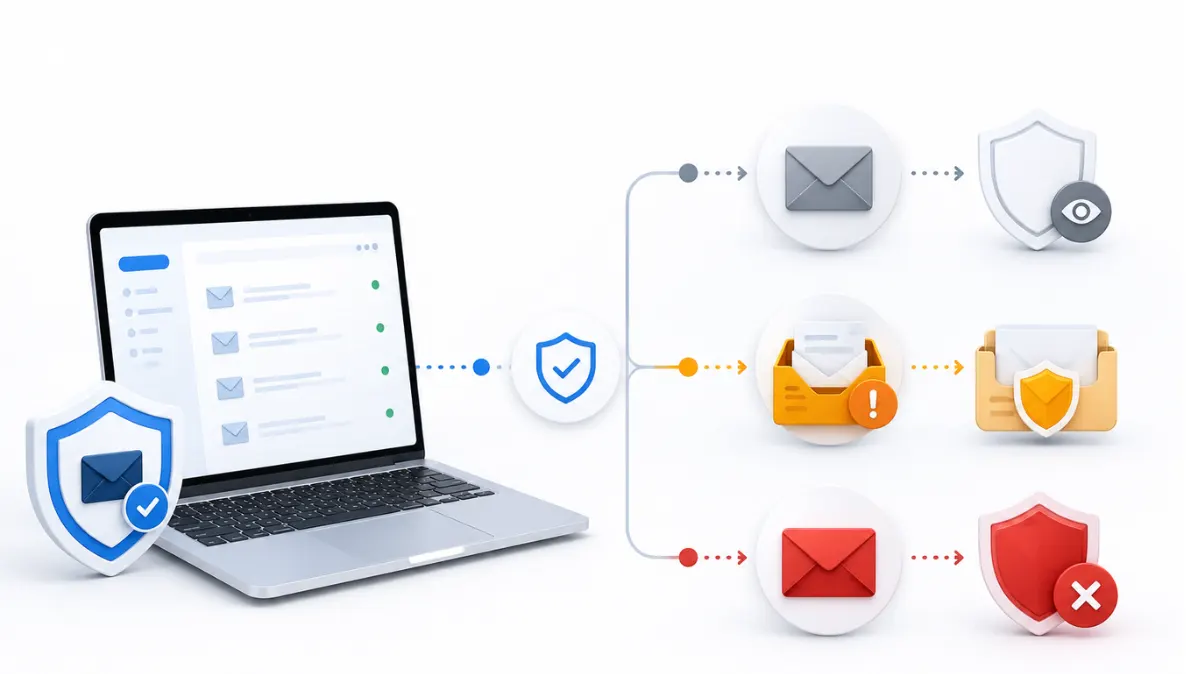
Picking the wrong DMARC policy is one of the fastest ways to accidentally block your own legitimate email. The DMARC policy p=none vs reject decision (with quarantine sitting in between) determines exactly what happens to a message that fails authentication — and getting the sequencing wrong can mean losing mail you actually wanted delivered.
What the policy tag controls
The p= tag in your DMARC record is an instruction to receiving mail servers, telling them what to do with messages that fail SPF or DKIM alignment. It doesn't affect messages that pass — those go through normally regardless of policy. If you haven't published a DMARC record yet, the DMARC record setup guide covers the full syntax before you get to this decision.
p=none: monitor only
v=DMARC1; p=none; rua=mailto:reports@yourdomain.com With p=none, nothing changes for mail delivery. Messages that fail authentication still get delivered exactly as they would without DMARC. What you do get is reporting — aggregate reports showing every source sending mail as your domain, and whether each one is passing or failing. This is the correct starting point for every domain, without exception. Skipping straight to enforcement without a monitoring period is the single most common DMARC mistake.
p=quarantine: partial enforcement
v=DMARC1; p=quarantine; rua=mailto:reports@yourdomain.com Quarantine tells receiving servers to treat failing messages with suspicion — typically routing them to spam rather than blocking them outright. This is a reasonable middle step once your p=none reports show your legitimate senders (verified via a DKIM checker and SPF check) are passing consistently. You can also apply quarantine to a percentage of mail first using the pct= tag, rolling out enforcement gradually rather than all at once.
p=reject: full enforcement
v=DMARC1; p=reject; rua=mailto:reports@yourdomain.com Reject is the strictest setting — failing messages get blocked entirely, never reaching the recipient's inbox or spam folder. This is the end state most domains should aim for, since it fully closes off spoofing of your domain. But it should only be applied after you're confident every legitimate sending source is authenticated and passing, since reject doesn't discriminate between an attacker and a sending tool you forgot to add to your SPF record.
Why the sequence matters
Jumping straight to p=reject on a domain you haven't monitored first is a common way to break your own deliverability. If a legitimate sending platform isn't properly included in your SPF record or isn't signing with the DKIM selector, and if that platform is sending mail on your behalf, p=reject will block those messages the same way it blocks a spoofing attempt. This is especially relevant if a domain has had prior deliverability issues — see what happens when a mailbox burns for how authentication gaps compound existing reputation problems.
Confirming your policy is doing what you expect
At any stage, you can verify your current policy is published correctly with a DMARC checker , and confirm individual messages are passing all three checks by reading the email headers on a test send. The DMARC policy p=none vs p=quarantine vs p=reject decision isn't really a choice — it's a sequence. Start at none, confirm your reports are clean, then move up one level at a time.
FAQ
Which DMARC policy should a new domain start with?
Always p=none. It publishes the record and starts generating reports without affecting delivery, which is the only safe way to confirm your legitimate senders are aligned before enforcing anything.
What's the practical difference between p=quarantine and p=reject?
Quarantine routes failing messages to spam; reject blocks them from being delivered at all. Quarantine is a reasonable middle step, but reject is the only setting that fully closes off spoofing of your domain.
Can I apply a DMARC policy to only part of my mail?
Yes, using the pct= tag, which applies the policy to a percentage of mail rather than all of it. This lets you roll out p=quarantine or p=reject gradually instead of switching over all at once.
What happens if I set p=reject too early?
Legitimate mail that isn't fully aligned with your SPF and DKIM records — often from a sending tool you forgot to include — gets blocked the same way a spoofing attempt would. This is why a monitoring period at p=none matters.
How do I know when it's safe to move from p=none to p=quarantine?
Check your DMARC aggregate reports and confirm every legitimate sending source is passing SPF or DKIM alignment consistently. Once that's stable, quarantine is a safe next step.