
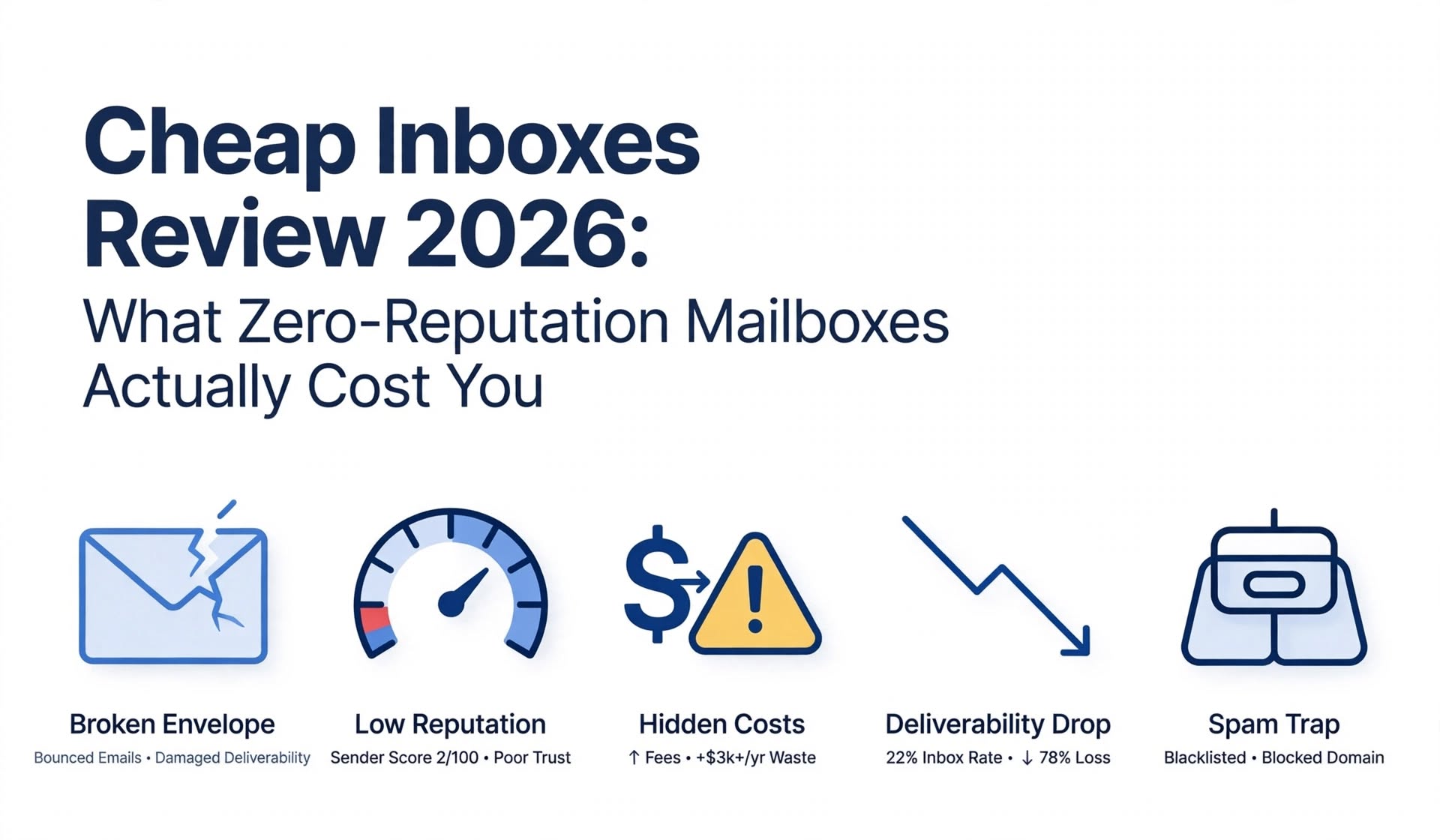
Cheap Inboxes can be a sound choice for teams that already run disciplined outbound and only need low-cost mailbox supply. It is a weaker choice if you need published, verifiable terms on mailbox type and warm-up, bundled monitoring, or an infrastructure provider that helps you operate safely after delivery.
- Cheap Inboxes sells bulk mailboxes for cold email, and most sources describe them as Google Workspace Business accounts, with some also mentioning Microsoft inboxes
- Reported pricing is $3.50 per mailbox per month for 1 to 99 mailboxes, $3.25 for 100 to 249, $3.00 for 250 to 999, and $2.80 for 1,000 or more
- Thirty mailboxes cost about $105 per month before domains, a sequencer, or monitoring, and domains are advertised from $2.50 per year
- Reported delivery is 24 to 36 hours, and some sources say within 48 hours
- Third-party reviews describe pre-warmed inboxes, one domain per isolated workspace, OAuth export, automated DNS, API access, and WhatsApp support
- One rival review instead calls Cheap Inboxes an SMTP and IMAP provider at $1 to $2 per mailbox, so the sources conflict on what you actually receive
- Trustpilot shows roughly two dozen reviews, mostly five-star, and the company replies to them
The name says it all, and that is the problem with most Cheap Inboxes reviews. They focus on the price per mailbox and stop there. A mailbox that starts with no sending history has to earn a reputation before it is useful, and earning it costs time, tools, and attention that never appear on a pricing page. A cheap mailbox is only cheap if the total bill stays low. This Cheap Inboxes review looks at what the provider sells, what it charges in 2026, where its public information conflicts, and what zero-reputation mailboxes really cost once you add warm-up, replacements, and operator time. It uses the pricing that third-party sources report, labels every claim by who made it, and ends with the questions you should ask before you buy.
Key Terms Before You Read the Review A zero-reputation mailbox is a mailbox on a new domain that has no sending history, so receiving systems have no basis to trust it yet. A pre-warmed mailbox has gone through a period of sending and receiving activity before delivery, so it starts with some history. Warm-up is the gradual process of building that history by sending small, steady volumes. Workspace isolation means each domain sits in its own workspace, so a problem on one domain does not directly affect the others. OAuth export connects a mailbox to a sending tool through an authorization flow rather than by sharing a password. A native ESP mailbox is a real Google Workspace or Microsoft 365 account that sends through Google's or Microsoft's own servers. These terms matter because "cheap inbox" can describe very different products. A pre-warmed, isolated Google account at $3.50 and an unwarmed SMTP mailbox at $1 are not the same purchase, even though both are sold as inboxes.
What Is Cheap Inboxes?
Cheap Inboxes is a bulk mailbox provider for cold email agencies and sales teams, selling low-cost mailboxes with automated domain, DNS, and sequencer setup and a focus on fast delivery and hands-on support. According to directory listings, Cheap Inboxes offers Google Workspace Business inboxes with a Starter plan that has no minimum inbox count, white-glove onboarding, and full panel access. Those listings describe it as built for agencies, sales teams, and businesses that depend on outbound campaigns. A review published by Mailforge, a rival infrastructure provider, adds that the product includes pre-warmed inboxes, workspace isolation, OAuth export, automated DNS, API access, and WhatsApp support, and that it connects to sending tools such as Instantly, Smartlead, Reply, Lemlist, and ReachInbox. Cheap Inboxes' own website could not be opened for this review, so the details here come from third-party sources. Pricing figures are consistent across them, and the mailbox model is where they disagree.
Where sources disagree
Directory listings and the Mailforge review describe official Google Workspace Business accounts, and Trustpilot reviewers say they use the provider for Google inboxes. A review published by Puzzle Inbox, another rival, describes Cheap Inboxes as SMTP and IMAP only, at roughly $1 to $2 per mailbox, with no real Google or Microsoft accounts, and says the mailboxes ship without warm-up. Both rivals sell competing products, so each has a reason to frame the comparison in its own favor. Because the claims cannot both be right, confirm the mailbox type, the warm-up status, and the exact price for your tier with Cheap Inboxes in writing before you order.
How Does Cheap Inboxes Work?
You choose an inbox count, Cheap Inboxes sets up the domains, workspaces, DNS, and mailboxes, and you export the finished mailboxes to your sequencer, with delivery reported at 24 to 36 hours.
The workflow reported by reviewers is short. You book a call or submit an order form, receive configured inboxes within roughly 24 to 48 hours, and then connect them to your sending platform. The Mailforge review notes that the setup includes automated DNS and domain management, and that domains and mailboxes can be provisioned in batches through an API for agencies that repeat the process. As with any infrastructure provider, the sending tool and everything around it remains your responsibility. That includes lists, copy, send limits, reply handling, and deliverability monitoring.
Cheap Inboxes Features
The feature list reported across sources is focused on provisioning and isolation. Bulk inbox provisioning lets you order from a handful of inboxes to thousands. Google Workspace and Microsoft inboxes are described as the core product, subject to the source conflict above. Pre-warmed inboxes are listed by the Mailforge review, while a rival says mailboxes ship cold, so confirm which applies to your plan. One domain per isolated workspace keeps reputation problems contained. OAuth export connects mailboxes to sending tools without password sharing. Automated DNS and domain handling configures authentication for you. API access supports repeatable provisioning.WhatsApp support gives agencies a fast human channel when something breaks. Full admin panel access lets you manage the accounts directly. The same reviewers note what is not included. Cheap Inboxes does not replace a sequencer, prospect data, or an independent monitoring stack for inbox placement and blacklists.
What Zero-Reputation Mailboxes Actually Cost You
A zero-reputation mailbox costs you time before first full-volume send, a warm-up process that is either paid or manual, extra downtime when mailboxes fail, and operator hours spent monitoring, none of which appear in the per-mailbox price.
Receiving mail systems judge senders by history. Academic work on sender reputation research (available at - https://usenix.org/legacy/events/lisa07/tech/full_papers/singaraju/singaraju.pdf ) describes reputation systems that rate senders using identifiers such as the email address, IP address, or domain, and that rely on past behavior to decide how much to trust new mail. A new mailbox on a new domain has no past behavior, which is why warm-up exists.
Time to first send
A mailbox without history usually needs about two to three weeks of gradual ramping before it can send at normal volume. For 30 mailboxes at 12 emails per mailbox per day, which is a common provider guideline, daily capacity is 360 emails. A 14 to 21 day delay represents 5,040 to 7,560 emails of delayed capacity. That is an upper bound, because warm-up ramps gradually and some sending happens during it, but it shows why speed is part of the cost.
Warm-up costs
If your mailboxes are not pre-warmed, you pay for warm-up yourself. Published per-inbox warm-up tools commonly run from about $15 to $49 per inbox per month, and some sending platforms bundle warm-up into a flat fee. At the low end of $15 per inbox, one month of warm-up for 30 mailboxes costs $450, which is more than four months of the price difference between a $3.50 mailbox and a $2.80 one on a 1,000 mailbox order. Ask whether warm-up is included before you compare providers.
Replacement and downtime
Mailboxes and domains fail. When one does, the cash cost is small, but the downtime is not. If 3 of 30 mailboxes are replaced in a year and each takes 14 to 21 days to return to normal sending at 12 emails per day, you lose about 504 to 756 emails of capacity. Some rival reviews cite monthly suspension rates and six-month churn percentages for cheap mailboxes, but they publish no verifiable data and come from companies that sell competing inboxes, so treat those figures as unverified.
Operator time and monitoring
The last cost is yours. Safe daily limits, bounce suppression, inbox placement checks, and blacklist monitoring all take time or tools. Cheap mailboxes make it easy to add volume faster than your process can support, and that is where most of the hidden cost sits. Icemail's guide to the hidden pricing structure of cold email infrastructure breaks down these line items, and the guide shows a full 12 month model.
Cheap Inboxes Pricing in 2026
Cheap Inboxes pricing is reported at $3.50 per mailbox per month for 1 to 99 mailboxes, falling to $2.80 at 1,000 or more, with domains advertised from $2.50 per year and no minimum on the Starter plan.
The tiers reported by the Mailforge review, checked in June 2026, are $3.50 for 1 to 99 mailboxes, $3.25 for 100 to 249, $3.00 for 250 to 999, and $2.80 for 1,000 or more. Directory listings agree on the $3.50 starting price and the $2.80 bulk rate. At those rates, 30 mailboxes cost $105 per month, or $1,260 per year. One hundred mailboxes cost $325 per month, 250 cost $750, and 1,000 cost $2,800. At the 12 emails per mailbox per day guideline, a mailbox sends about 360 emails in a 30 day month. That makes $3.50 about $9.72 per 1,000 sendable emails, and $2.80 about $7.78. Those are illustrations that assume full daily sending and exclude domains, your sequencer, and monitoring. Pricing is not fully consistent across the web. One rival review lists $1 to $2 per mailbox for SMTP mailboxes, which would be a different product. Another source notes that some listed prices assume annual prepayment. Confirm the live rate, the billing term, and what the price includes before you commit.
What Is Missing or Risky With Cheap Inboxes
The main gaps with Cheap Inboxes are conflicting public information about the mailbox model, no confirmed bundled monitoring, a small independent review base, and mailboxes that make it easy to scale volume faster than process.
The biggest issue is clarity. If sources disagree on whether you receive native Google accounts, SMTP mailboxes, pre-warmed accounts, or cold ones, you cannot price the real cost until you ask. The second issue is monitoring. Reviewers say you still need inbox placement checks and blacklist monitoring, so factor in those tools. Independent evidence is limited. Trustpilot shows about two dozen reviews, and most of the other detailed reviews online come from rival providers or affiliate-style directories. That does not make the product poor, but it does mean you should pilot a small batch before scaling.
Pros and Cons of Cheap Inboxes
What Cheap Inboxes does well:
The entry price of $3.50 is low for Google Workspace accounts, with no minimum inbox count and bulk rates that fall to $2.80. Workspace isolation, OAuth export, and automated DNS reduce setup errors. Delivery is fast, and WhatsApp support is a practical advantage for agencies. An API supports repeatable provisioning.
Where Cheap Inboxes comes up short:
Public information conflicts on mailbox type and warm-up. Monitoring is not bundled according to reviewers. Independent reviews are limited, and a low price makes it easy to scale faster than your process supports. Domains, a sequencer, and any warm-up tool cost extra.
What Are Users Saying About Cheap Inboxes?
Trustpilot pages show roughly 21 to 25 reviews, depending on the snapshot. The reviews visible in early 2026 are mostly five-star and praise support, setup, and how smoothly the inboxes run. One reviewer says they use Cheap Inboxes exclusively for Google inboxes, and another says they tried several other vendors and found none comparable. The company replies to reviews on the page. That pattern is typical for a small provider with an engaged customer base, and it comes with a caveat. A review set of this size is hard to generalize from, and the most detailed critical analysis comes from competitors. Read the Trustpilot page directly, ask for a reference customer at your volume, and test with a small order.
Is Cheap Inboxes the Right Choice for You?
Cheap Inboxes is a good choice if you:
Already run disciplined outbound with your own sequencer, monitoring, and send limits, want low-cost Google mailboxes in bulk, and value isolated workspaces and fast human support.
Cheap Inboxes is not the right choice if you:
Need written, verifiable terms on mailbox type and warm-up before you buy, want monitoring and replacement terms bundled, or are still building the process that keeps new mailboxes healthy. If you land in the second group, compare providers on what is included, not on the headline price. A cheap mailbox that needs a paid warm-up tool and a monitoring stack can cost more than a slightly pricier mailbox that includes them.
A Better Alternative for Cold Email Infrastructure: Icemail
Icemail is a cold email infrastructure provider that publishes its mailbox types, prices, and limits, with Google Workspace and Microsoft 365 mailboxes listed from $2.5 as a limited deal, against a regular $3.5, and pre-warmed mailboxes listed at $6.
If unclear terms are the part of Cheap Inboxes that worries you,Icemailpublishes the details on its pricing page. Mailboxes are pay-as-you-go with no subscription, the site says free mailbox replacement is included, and it lists a unified inbox, API access on every plan, and one-click export to sending tools. It also lists Azure inboxes and IMAP and SMTP mailboxes on a private server with a dedicated IP per domain, so you can choose the infrastructure type that fits your risk. Here is the honest price comparison. For 30 mailboxes, Icemail at the limited $2.5 rate costs $75 per month, against $105 at Cheap Inboxes' $3.50 rate. At Icemail's regular $3.5 rate, the two are equal at 30 mailboxes. At 100 mailboxes, Icemail's regular rate comes to $350, which is $25 more than Cheap Inboxes' reported $3.25 tier, so Icemail's price advantage depends on the limited deal. Icemail also lists domains at $18 each, against domains advertised from $2.50 per year at Cheap Inboxes, so compare the full bill, not only the mailbox line. For anyone planning pre-warmed mailboxes, Icemail's guide on what pre-warmed mailboxes actually give you explains what to expect, and the covers how to spread volume across domains. Confirm current Icemail pricing on its pricing page and run the same math on any provider you consider.
Is Cheap Inboxes Worth It?
Cheap Inboxes is worth considering for teams with strong outbound operations that want low-cost bulk Google mailboxes, but it is only worth buying after you confirm the mailbox type, the warm-up status, and the full cost in writing.
Cheap Inboxes deserves credit for a low entry price, fast delivery, workspace isolation, and responsive support. Its weaknesses are conflicting public information, no confirmed bundled monitoring, and a thin independent review base. Ask for the mailbox model and warm-up terms in writing, run the cost math for your own volume, pilot a small batch, and compare the result against at least one provider that publishes its terms before you scale.
Frequently Asked Questions
Is Cheap Inboxes legit?
Cheap Inboxes appears to be an operating service with real customers. Trustpilot shows roughly two dozen reviews, mostly five-star, and the company replies to them. Detailed independent coverage is limited, and most in-depth reviews come from competitors, so a small first order is the safest way to test it.
How much does Cheap Inboxes cost?
Reported pricing is $3.50 per mailbox per month for 1 to 99 mailboxes, $3.25 for 100 to 249, $3.00 for 250 to 999, and $2.80 for 1,000 or more. Thirty mailboxes cost about $105 per month. Domains are advertised from $2.50 per year, and a sequencer and monitoring cost extra. Confirm current pricing directly with Cheap Inboxes.
Are Cheap Inboxes mailboxes pre-warmed?
Sources disagree. A review published by Mailforge lists pre-warmed inboxes as part of the product, while a review published by Puzzle Inbox says the mailboxes ship without warm-up. Ask Cheap Inboxes which applies to your plan, because it changes your cost and your time to first send.
Does Cheap Inboxes use real Google Workspace accounts?
Most sources, including directory listings and Trustpilot reviewers, describe Google Workspace Business accounts. One rival review calls the product SMTP and IMAP only. Because the claims conflict, request written confirmation of the mailbox type before you order.
What is the best Cheap Inboxes alternative?
The best alternative depends on what you want to change. Icemail is a strong option for teams that want published mailbox types, prices, and limits, with Google and Microsoft mailboxes listed from $2.5 as a limited deal. Compare live pricing, warm-up terms, and replacement policies for both providers at your own volume.