


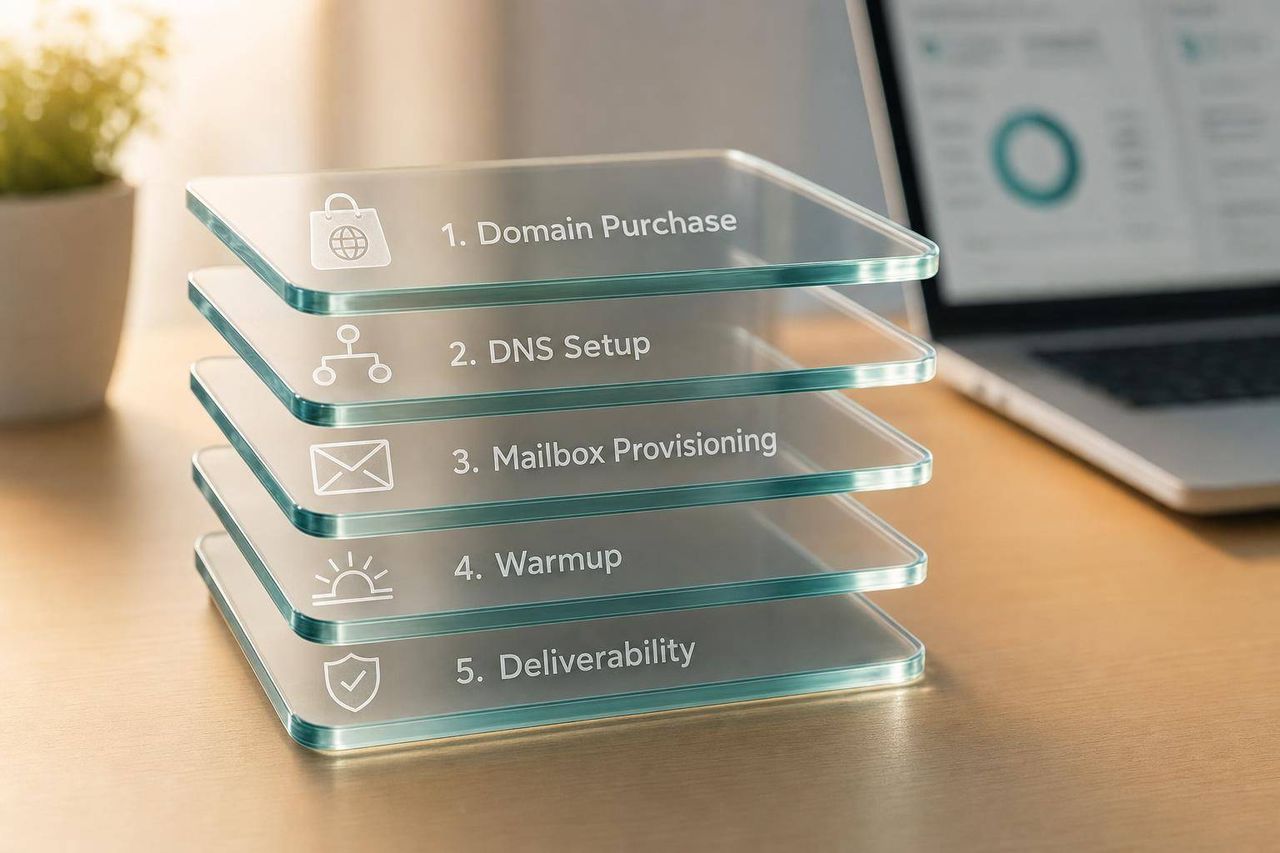
Managed platforms like Icemail.ai automate domain, DNS, and mailbox setup in minutes. DIY stacks using Google Workspace with Cloudflare offer more control but require manual configuration across each domain.
- Icemail.ai offers the fastest setup with automated DNS, pre-warmed mailboxes, and free replacements.
- Manual setup across 50 domains takes 12-15 hours versus minutes with managed tools.
- Google Workspace and Microsoft 365 provide trusted mailboxes but require manual DNS configuration.
- Infraforge gives dedicated IP control for high-volume senders who need reputation isolation.
- Pricing ranges from $0.49/month for SMTP mailboxes to $8.40/month for Google Workspace.
- Managed platforms report 92-99.2% inbox placement with automated warmup and monitoring.
What tools can help automate the setup of multiple email domains and mailboxes for outreach purposes?
If you want the short answer: use a managed platform if you care most about time, and use a DIY stack if you care most about control. From the tools in this list, Icemail.ai, Zapmail.ai, Infraforge, and Maildoso do the most setup work for you. Google Workspace, Microsoft 365, and Zoho Mail cover the mailbox layer. Cloudflare, Namecheap, and GoDaddy cover DNS and domains.
Here's the simple breakdown I'd use:
- Best for the least hands-on setup: Icemail.ai
- Best if you want tenant access with automation: Zapmail.ai
- Best if you want dedicated IP control: Infraforge
- Best if low mailbox cost matters most: Maildoso
- Best mailbox brands underneath managed tools: Google Workspace and Microsoft 365
- Best low-cost mailbox option: Zoho Mail
- Best DNS layer for API-based record setup: Cloudflare
- Best low-cost registrar for small setups: Namecheap
- Best only for basic small-business email/domain use: GoDaddy
This comparison looks at the four things that matter most when I set up outreach infrastructure:
- Domain buying
- DNS setup for SPF, DKIM, DMARC, and MX
- Mailbox creation
- Deliverability controls like warmup, IP setup, and monitoring
A few numbers make the trade-offs clear:
- Manual setup can take 12 to 15 hours across 50 domains
- Managed tools can cut that to minutes
- Pricing ranges from about $0.49/month for some SMTP mailboxes to $8.40/user/month for Google Workspace monthly billing
- Reported inbox placement in the list runs from about 92% to 99.2%
Cold Email System Setup: Automate DNS, Emails, & Outreach (Save $$$)
Quick Comparison
| Tool | What it handles | Best for | Main trade-off |
|---|---|---|---|
| Icemail.ai | Domains, DNS, Google/Microsoft mailboxes, warmup, exports, API | Teams that want the least manual setup | Less DIY control than building your own stack |
| Zapmail.ai | Domains, DNS, mailboxes, warmup, exports | Teams that want automation with tenant access | Higher cost, paid or limited replacements |
| Infraforge | DNS, private mail infrastructure, dedicated IPs, API/CLI | High-volume senders that want IP separation | More setup work than all-in-one managed tools |
| Maildoso | Domains, DNS, SMTP/Google mailboxes, warmup, monitoring | Agencies and teams watching spend | Shared IP risk on SMTP |
| Google Workspace | Mailboxes only | Teams that want Gmail-based sending | DNS and bulk provisioning stay manual |
| Microsoft 365 | Mailboxes only | Outlook-heavy outreach | More manual domain and mailbox setup |
| Zoho Mail | Mailboxes, some domain automation | Low-cost inbox volume | Weaker sender reputation than Google/Microsoft |
| Cloudflare | DNS and registrar | API-based DNS control | No mailbox hosting |
| Namecheap | Domains, DNS, optional email | Small low-cost setups | No bulk mailbox API |
| GoDaddy | Domains, DNS, email | Basic branded business email | Manual setup at scale |
My takeaway is simple: if you want to get domains and inboxes live with the least work, start with Icemail.ai. If you want more direct control over the stack, pair Cloudflare or Namecheap with Google Workspace, Microsoft 365, or Zoho Mail.
The rest of the article helps you pick based on time, control, and cost.
1. Icemail.ai
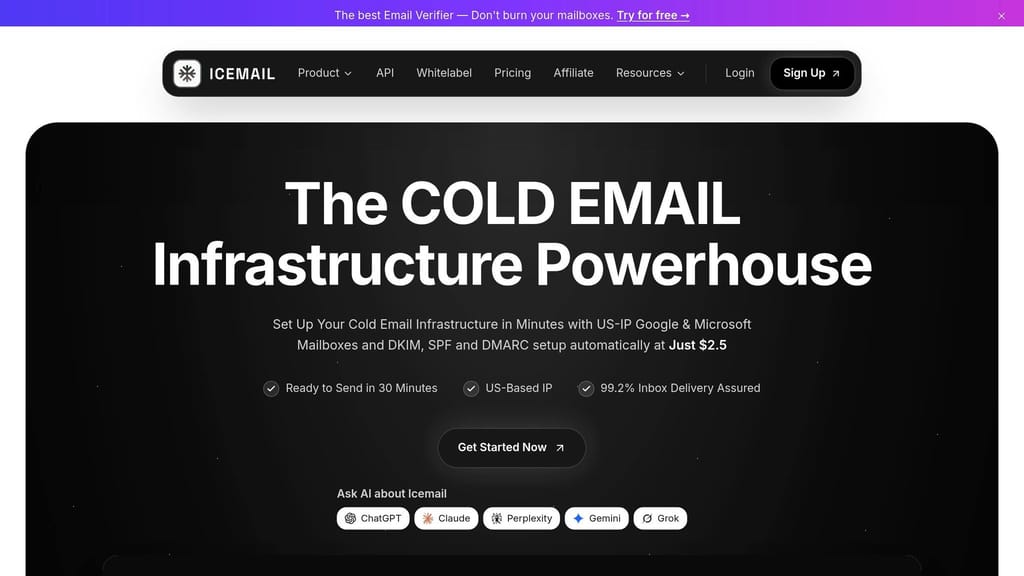
Icemail.ai is built for cold email infrastructure at scale. It handles the whole path, from buying domains to setting up mailboxes with the right email records in place.
Domain and DNS automation
The platform's AI domain finder buys domains and sets up SPF, DKIM, and DMARC for you. That matters because doing this by hand across 50 domains can eat up 12+ hours fast.
Mailbox provisioning at scale
Icemail.ai can spin up Google Workspace and Microsoft 365 mailboxes in bulk. It's also an official Google Workspace partner.
The numbers help show the scale here: the platform has handled 250,000+ mailbox setups and 28,000 domain purchases so far. Each domain gets its own isolated workspace, which helps limit the blast radius. If one domain gets flagged, it doesn't drag the rest of your setup down with it.
And if a mailbox gets blocked or restricted, replacements are free.
Authentication and deliverability controls
Mailboxes come prewarmed, so you're not starting cold on day one. Icemail.ai says it gets 99.2% inbox placement and uses U.S.-based IPs.
It also supports one-click export to outreach tools like:
- Instantly
- Smartlead
- Reachinbox
There's also a REST API for teams that want to provision mailboxes programmatically.
Best-fit use case and cost
Users often point to the automated Google Workspace setup as a big time saver. At $2.50 per mailbox per month, Icemail.ai costs less than Zapmail.ai.
If your team wants the fastest managed setup at scale, Icemail.ai stands out as the strongest fit.
2. Zapmail.ai
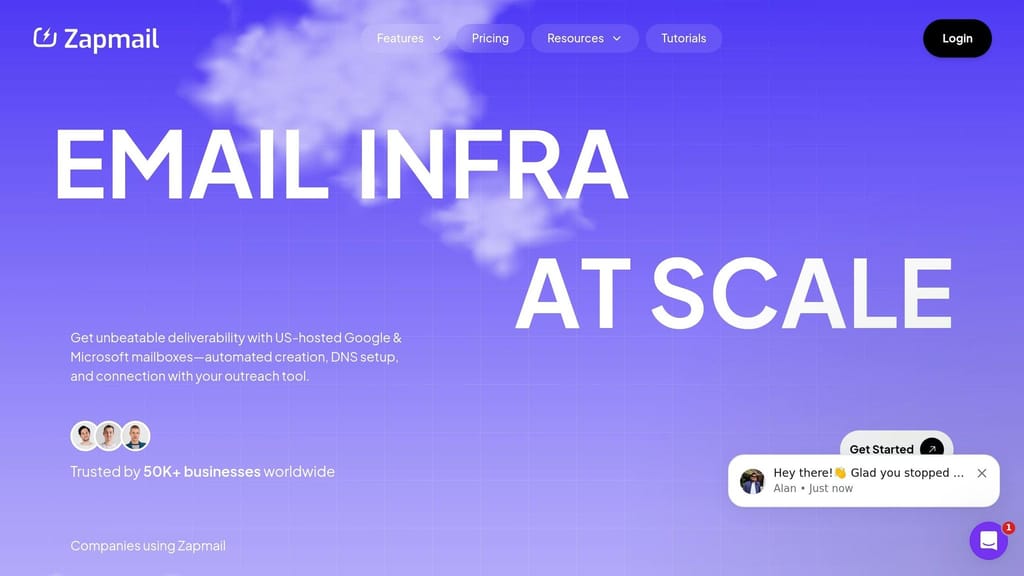
Zapmail.ai is probably the closest pick for teams that want automation but don't need Icemail.ai's premium support. It handles domain purchase, DNS setup, and mailbox provisioning for you. Still, it's more of a lower-tier option next to Icemail.ai, which comes with an official Google partnership, free replacements, and full API access.
Domain and DNS automation
Zapmail's Instant Domain Genie uses AI to suggest and buy available domains. After a domain is provisioned, the platform sets up SPF, DKIM, DMARC, and MX records on its own. It also uses one domain per workspace to reduce the blast radius if a domain gets flagged.
That means the DNS work is mostly out of your hands. At that point, the next slowdown is mailbox activation.
Mailbox provisioning at scale
Zapmail says it has provisioned 1 million+ mailboxes across 330,000+ domains for 50,000+ businesses. Setup takes about 5–10 minutes, but mailbox activation still depends on Google or Microsoft timing. In practice, that can mean up to 3 hours for Google and 12 hours for Microsoft 365.
There's a reason for that. Zapmail works as a reseller of Google Workspace and Microsoft 365, not an official partner. So while a lot is automated, mailbox setup isn't fully controlled from start to finish.
Authentication and deliverability controls
Zapmail includes Zap Shield, which checks blacklists, DNS health, and domain reputation. It also runs placement tests to see whether messages land in the inbox, spam, or tabs.
Zapmail reports an inbox placement rate of around 93%. That's lower than Icemail.ai's 98%. So the tradeoff mostly comes down to cost and support.
Best-fit use case and cost
Zapmail has a 4.5/5 Trustpilot rating from 1,000+ reviews. Users often point to its speed and one-click exports to Smartlead, Instantly, and ReachInbox.
The main tradeoffs are pretty simple:
- Pricing starts at $39/month for 10 mailboxes and $299/month for 100
- API access is only available on the top tier
- Annual billing lowers the per-mailbox cost, but support terms stay the same
- Replacement mailboxes are paid or limited, unlike Icemail.ai's unlimited free replacements
For teams that want fast setup and don't mind giving up some support and API flexibility, Zapmail.ai sits in that middle ground.
3. Infraforge
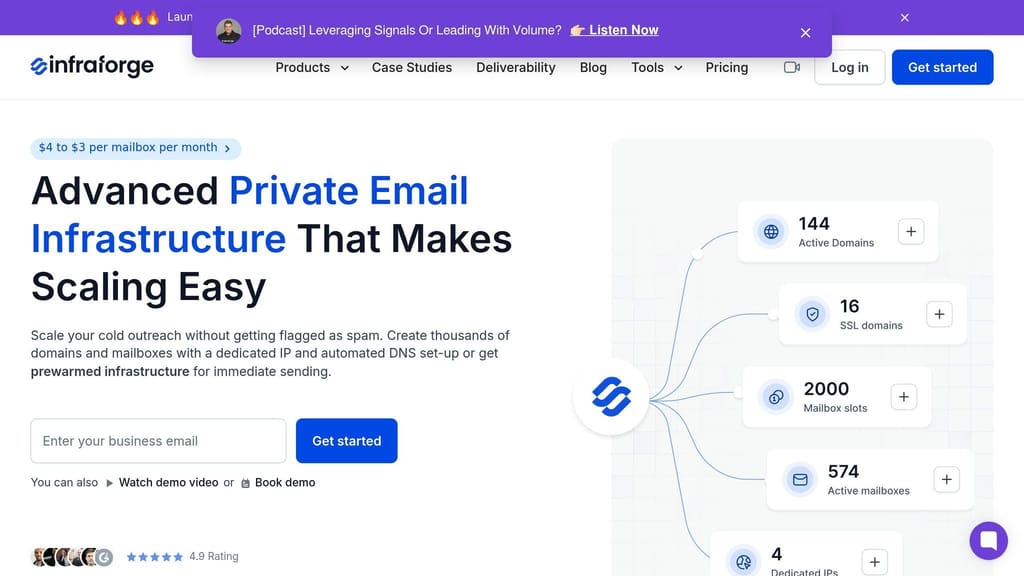
Infraforge is a private email infrastructure platform built for high-volume cold outreach. It runs on its own SMTP setup with dedicated IPs for each domain, so one sender's reputation doesn't get mixed up with everyone else's. That's a big deal if you're sending at scale. Compared with reseller-based options, Infraforge gives teams more control over IP isolation and bulk admin work.
Domain and DNS automation
When you add a domain to Infraforge, it automatically configures SPF, DKIM, DMARC, and custom tracking records. No manual DNS edits. If you're working across lots of domains, bulk DNS updates make it easy to push SPF, DKIM, DMARC, and tracking records in just a few clicks.
Mailbox provisioning at scale
This is where that control starts to matter. As domains grow, inboxes usually need to grow with them. Infraforge uses a capacity-based pricing model, so you pay for provisioned capacity, not only what's active at the moment. Setup for a new domain-mailbox pair is built to take about 5 minutes.
Infraforge supports up to 1 million emails per month, usually spread across 700–1,200 inboxes and 50–100+ domains. Woodpecker scaled to more than 2,500 mailboxes on Infraforge.
Authentication and deliverability controls
Infraforge's dedicated IP setup helps reduce the reputation problems that often show up in shared IP setups. New mailboxes go through a 21-day warmup, while pre-warmed domains and mailboxes can help teams launch faster. The platform is also SOC2-compliant, which can matter a lot for teams in regulated industries.
Best-fit use case and cost
Infraforge is a strong fit for teams that need dedicated IP control, scaling through API or CLI, or agency-style management across many client workspaces. Its Masterbox feature pulls activity from all accounts into one dashboard, which helps agencies manage outreach for multiple clients without bouncing between accounts.
Pricing runs $3–$4 per mailbox per month. At 200 mailboxes, Infraforge costs about $651/month, compared with about $1,680/month for Google Workspace and $1,200/month for Microsoft 365. So if a team wants more control than a managed inbox platform offers, but doesn't want the headache of building the whole setup from scratch, Infraforge sits in that middle ground.
4. Maildoso
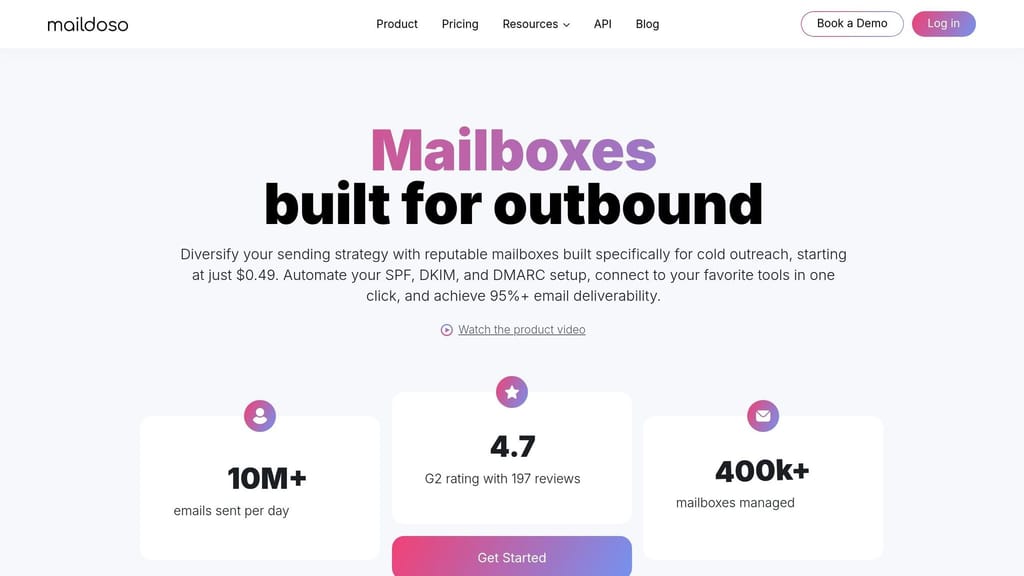
Maildoso sits in the middle of the market. It's not a fully hands-on inbox setup, and it's not a white-glove outreach platform either. Compared with Infraforge, which leans harder into dedicated IP control, Maildoso keeps things managed and puts more weight on fast bulk mailbox setup. It manages 400,000+ mailboxes and handles more than 10 million emails per day.
Domain and DNS automation
When you create a mailbox in Maildoso, SPF, DKIM, DMARC, and MX records are set up automatically. You can register domains inside the dashboard for $12/year or connect domains you already own through the API, so there's no need to handle DNS by hand.
You can also set up domain redirects in a few clicks. That way, if a prospect lands on a secondary domain, they're sent to your main company site instead of hitting a dead end.
Mailbox provisioning at scale
Maildoso offers two mailbox types:
- Proprietary SMTP mailboxes starting at $0.49/month
- Google Workspace mailboxes starting at $3.00/month
SMTP mailboxes usually take about 5 minutes to set up. Google Workspace mailboxes can take up to 2 hours.
Volume pricing looks like this:
| Mailboxes | Monthly Cost | Per Mailbox |
|---|---|---|
| 30 | $75 | $2.50 |
| 300 | $225 | $0.75 |
| 1,000 | $499 | $0.50 |
Authentication and deliverability controls
Maildoso includes daily inbox placement monitoring, automatic IP rotation for SMTP mailboxes, and self-healing logic that pauses burned-out mailboxes for 14 days so reputation has time to recover.
Its AI warmup network uses behavior-based warmup and supports up to 100 warmup emails per day per mailbox on Google and Outlook. In practitioner testing, Maildoso's Google Workspace mailboxes hit 92–95% inbox placement.
There is a trade-off, though. SMTP mailboxes run on shared IP pools, which means neighbor risk comes with the speed of bulk setup. At higher sending volume, that shared-IP setup can become a problem. To protect reputation, Maildoso recommends capping usage at 8 mailboxes per domain for SMTP and 5 per domain for Google Workspace.
Best-fit use case and cost
Maildoso is a strong fit for agencies and outbound B2B teams running 50 to 400+ mailboxes. It has native one-click sync with Instantly, Smartlead, and Saleshandy, which makes rollout a lot easier when you're dealing with mailbox volume.
It also has a 4.7/5 G2 rating based on 197 reviews. Users often point to setup speed and API flexibility as strong points. The main downsides are 24–72 hour support delays and shared-IP risk when volume gets high.
If you want the inbox providers underneath the managed layer, the next tools move into that part of the stack.
5. Google Workspace
Google Workspace is a common starting point for cold outreach. The big reason is simple: Gmail has strong trust. That helps when you're building an outreach setup.
But here's the catch. Google Workspace gives you the mailbox layer, not the full outreach machine. If you're running a lean setup, that may be fine. If you're working across a lot of domains and inboxes, it gets manual fast.
Domain and DNS automation
Google Workspace does not handle DNS setup for you out of the box. You still need to configure:
- MX
- SPF
- DKIM
- DMARC
That work is manual for each domain. In practice, that can take about 90 minutes per domain. For 50 domains, you're looking at roughly 12 to 15 hours of setup time.
On its own, Workspace stays pretty hands-on here. Managed platforms usually take this part off your plate.
Mailbox provisioning at scale
Once a team moves past a few inboxes, the Admin Console starts to feel limiting.
Bulk mailbox creation usually means using the Google Workspace Admin SDK or Directory API. So unless you've built scripts for it, or you're using another tool on top, provisioning turns into an ops job.
There's also a cap to watch: user creation is limited to about 50 accounts per superadmin per day.
Authentication and deliverability controls
Google Workspace supports the core email auth records: SPF, DKIM, and DMARC. It also gives you Google Postmaster Tools, which helps you track domain reputation and spam rates.
That said, sending runs on shared IP pools. So you can't isolate reputation with dedicated IPs natively inside Workspace.
Warmup isn't built in either. That's why teams often pair Google Workspace with tools like Smartlead or Instantly.
Best-fit use case and cost
Google Workspace fits small outreach setups well, especially if your target list skews heavily toward Gmail addresses. When planning how many email accounts you need for outreach, consider that each Workspace mailbox has daily sending limits that require spreading volume across multiple accounts.
Pricing for Business Starter is $7 per user per month on annual billing, or $8.40 per user per month on monthly billing. At 100 inboxes, that comes to about $840 per month.
Microsoft 365 follows much the same pattern: strong mailbox infrastructure, but limited native automation for multi-domain outreach.
6. Microsoft 365

Microsoft 365 does a good job hosting mailboxes, but it doesn't do much to automate multi-domain setup. In practice, it often performs better than Google Workspace when your lead lists lean heavily toward Outlook users. That can matter a lot for enterprise outreach.
So the picture is pretty simple: Microsoft 365 is a strong mailbox option, but it isn't a full automation layer for multi-domain outreach.
Domain and DNS automation
The downside is setup time. Microsoft 365 still puts domain configuration on the user.
For each domain, you have to manually add:
- MX
- SPF
- DKIM
- DMARC
DKIM adds another step too. You need to publish two CNAME records, then manually turn on DKIM signing in the Microsoft Defender portal.
At small scale, that's annoying. At large scale, it becomes a grind. With 250 domains, setup can take 60+ hours of active work. That's why dedicated infrastructure tools tend to be much faster when you're managing a big domain fleet.
Mailbox provisioning at scale
The Admin Center does support bulk user creation through CSV upload, which helps.
But there's a catch: Authenticated SMTP must be enabled for each mailbox if you want third-party sequencers like Smartlead to send through it. That manual step slows things down.
Bulk creation also tends to top out at around 75 to 100 users per day before review delays start to show up. For agencies managing hundreds of inboxes, that turns into a real bottleneck.
Authentication and deliverability controls
Microsoft 365 supports SPF, DKIM, and DMARC. Microsoft recommends using -all in SPF instead of ~all.
The platform's sending limit is 10,000 recipients per day, but a safer range for cold outreach is usually 1,500 to 3,000 per day. Microsoft also applies a rate limit of 30 messages per minute per mailbox.
In other words, the ceiling looks high on paper, but day-to-day sending still needs a careful hand.
Best-fit use case and cost
As of July 2026, Microsoft 365 Business Basic costs $7 per user per month. At 100 inboxes, that works out to $700 per month for seats alone, before domain costs.
Microsoft 365 makes sense for teams that need compliance-grade audit logs, tight policy controls, or more Outlook-heavy enterprise targets. That's a big reason some teams split sending across Google Workspace vs Microsoft 365 for cold email - to spread reputation risk instead of putting everything in one basket.
If your team wants less manual setup and a lower monthly bill, Zoho Mail is the next option to look at.
7. Zoho Mail
If Microsoft 365 feels like the standard enterprise pick, Zoho Mail is the cheaper option. Mail Lite starts at $1 per user per month and includes IMAP access. That low entry price matters when you're setting up a lot of inboxes.
There is a catch with the free plan. It's web-only and limited to one domain, so most outreach teams will need a paid plan anyway.
Domain and DNS automation
Zoho supports one-click domain verification for Cloudflare and GoDaddy domains. That means MX and SPF records can be set up automatically instead of by hand.
If you use Cloudflare, Zoho can also automate DKIM verification through its Authorize flow. And if your team likes infrastructure as code, a community Terraform provider can manage Zoho domains, mailboxes, and DKIM. That's handy when you need to repeat the same setup across a large batch of outreach domains without doing the same admin work over and over.
Once the domain side is handled, Zoho gives you tools to set up the mailboxes in bulk.
Mailbox provisioning at scale
Zoho supports bulk provisioning through CSV import in the Admin Console. It also has a native CLI for users, groups, domains, and anti-spam settings.
For larger orgs, Enterprise SCIM sync can provision users from Okta or Azure AD, with syncs landing in Zoho within minutes. Zoho also gives you free, unlimited aliases. So one paid seat can hold several sending addresses without adding extra cost. For outreach teams, that's a simple way to stretch each mailbox budget.
Authentication and deliverability controls
Zoho requires region-specific SPF includes, such as include:zoho.eu or include:zoho.in. That's an easy detail to miss, and if you get it wrong, mail auth can break.
Zoho also includes gateway phishing filters and DLP controls, which gives admins a bit more control over mail security and policy.
Best-fit use case and cost
Zoho's deliverability reputation is weaker than Google Workspace or Microsoft 365. So even though the price looks great on paper, you still need to warm up domains for at least two to three weeks before moving into high-volume sending.
The cost difference is hard to ignore. At 100 inboxes, Mail Lite comes to about $100/month. Microsoft 365 at starter pricing lands closer to $700/month.
So where does Zoho fit? It's a good match for teams that need low-cost, IMAP-ready mailboxes at scale. If top-tier deliverability is the main goal, Google Workspace and Microsoft 365 still have the edge. And if your team wants tighter control over DNS and the registrar layer, the next tools cover that side of the stack.
8. Cloudflare
Cloudflare sits at the DNS and registrar layer. It is not a mailbox host.
Domain and DNS automation
Cloudflare's biggest edge is its API. With an API token scoped to Zone:DNS:Edit, third-party tools can push SPF, DKIM, DMARC, and MX records across many domains through the API. Cloudflare also supports Domain Connect, which lets some third-party services set up DNS with less manual work.
Cloudflare domains are usually low-cost.
There is one tradeoff to watch: shared nameserver patterns. Mail providers can group domains by those shared nameserver patterns. If you're running larger outreach programs, it can help to split domains across more than one DNS provider to lower that risk.
Use Cloudflare as the DNS base, then pair it with a mailbox provider.
Mailbox provisioning at scale
Cloudflare does not provision mailboxes. Its Email Routing can auto-create MX, SPF, and DKIM records for forwarding only. That makes it handy for catch-all setups, but it does not handle outbound SMTP.
If you want outbound sending, you still need a mailbox layer on top.
Authentication and deliverability controls
Cloudflare supports SPF, DKIM, DMARC, and DNSSEC. Its DMARC Management tools can help you review authentication reports and spot spoofing attempts.
If you use Cloudflare with an external mail provider, make sure mail-related CNAME records are set to DNS only instead of proxied. Proxied records can break email authentication.
Best-fit use case and cost
Cloudflare cuts DNS overhead, but it does not cut mailbox provisioning overhead. DNS hosting is free, and domain registration is generally low-cost.
If your team wants tight DNS control, Cloudflare is a good fit. If you want faster domain-to-inbox provisioning, use Cloudflare only for DNS and pair it with a mailbox platform.
For domain registration at scale, the next tools cover the registrar layer.
9. Namecheap
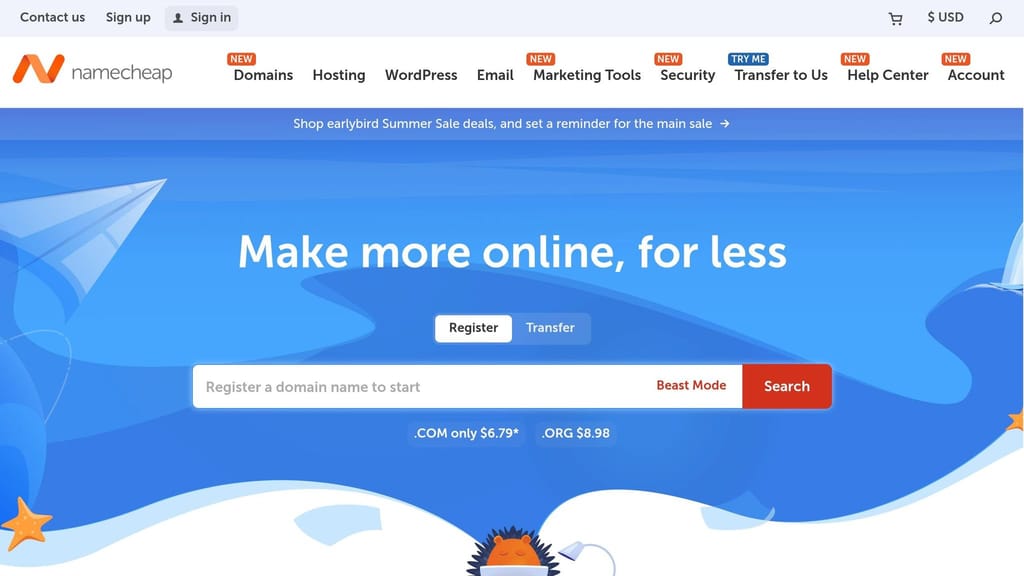
Namecheap is a registrar first. It also gives you optional email hosting through Private Email, so you can buy domains and host mailboxes in one place. That's the main difference from DNS-only tools: Namecheap doesn't just handle domains and records, it can also host the inboxes.
Domain and DNS automation
Namecheap has an API for domain registration and DNS management. There are also community CLI tools for bulk domain listing and DNS updates.
If you use Namecheap's own Private Email service, DKIM records are often set up automatically or shown right after you place the order. If you use Google Workspace or Microsoft 365 instead, you'll still need to add MX, CNAME, and TXT records by hand in the Advanced DNS panel.
DNS changes usually propagate within 30–60 minutes. A lot of teams use Namecheap for domain registration and Cloudflare for DNS. For small teams, that setup keeps registration and basic DNS in one place without much fuss.
Mailbox provisioning at scale
Namecheap can provision mailboxes through Private Email, but mailbox creation is still manual in the dashboard. There's no native API for mailbox provisioning.
That's fine for smaller outreach programs. Once you're managing dozens of inboxes across many domains, though, the manual work starts to pile up. Standard plans are built for small to mid-sized needs, and bigger fleets need custom pricing.
Authentication and deliverability controls
Private Email supports standard email authentication, including DKIM. Namecheap also supports long TXT records for 2,048-bit DKIM keys.
It also includes Jellyfish, a machine-learning spam filter.
Best-fit use case and cost
Namecheap is a solid low-cost pick for small teams buying a handful of domains and mailboxes. Private Email starts at $14.88/year, which is much cheaper than GoDaddy's $35.88/year basic email plan.
The catch is scale. If your outreach team is trying to manage 50+ inboxes across many domains, the manual DNS work adds up fast. GoDaddy serves a similar registrar-plus-email setup, but Namecheap is still the cheaper choice.
10. GoDaddy

GoDaddy can work if you need a basic business email setup tied to your domain. But it isn't built for cold email infrastructure. Unlike Icemail.ai, it doesn't handle bulk domain, DNS, and mailbox setup for you. And compared with Icemail.ai or Zapmail.ai, it leaves a lot of the setup work on your plate.
Domain and DNS automation
For cold outreach, you still need to add SPF, DKIM, and DMARC by hand in GoDaddy's DNS Manager, one domain at a time. There's no bulk DNS setup and no bulk mailbox provisioning for outreach.
That gap shows up fast when you're working across many domains. Manual DNS setup across 50 domains in GoDaddy usually takes 12–15 hours. On outreach tools with automation, the same job can take under 2 hours. So yes, GoDaddy is fine for basic email. For outreach automation, though, it starts to feel slow and manual.
Mailbox provisioning at scale
Mailbox setup is also manual. You buy a plan, connect a domain, and then create each inbox one by one. There's no bulk provisioning option.
That matters if you're sending outreach at volume. Some Professional Email plans allow as few as 100 emails per day. That might be enough for light business use, but it turns into a hard cap for outreach. Once you spread activity across many domains, those limits and the one-by-one setup process can slow your team down in a big way.
Authentication and deliverability controls
GoDaddy supports SPF, DKIM, and DMARC, but none of it is hands-off. All three need manual TXT record setup in the DNS Manager, and DKIM records must also be entered manually.
There's another catch: GoDaddy uses shared IP infrastructure. In plain English, your deliverability can be affected by other users sharing that same pool. If someone else behaves badly, your inbox placement can take a hit too.
Best-fit use case and cost
GoDaddy's first-year pricing looks cheap, which is part of the appeal. But renewal pricing climbs fast. Microsoft 365 through GoDaddy usually costs about $6–$12 per user/month.
For a small team that just wants a branded inbox, that can be fine. For multi-domain outreach, it gets inefficient pretty fast because domain setup, DNS work, and mailbox creation all stay manual.
Setup speed, control, and overhead: how the tools compare
These tools split apart on three things: how fast you can launch, how much control you get, and how much manual work stays on your plate.
Icemail.ai is the least manual option in this group. You get 10-minute onboarding, automated SPF, DKIM, and DMARC, pre-warmed mailboxes, and support for Google Workspace or Microsoft 365 at $2.50 per mailbox/month. Zapmail.ai is the closest match. It also offers pre-warmed mailboxes and tenant access, but it costs more and charges for replacements.
Infraforge gives you stronger isolation. The trade-off is more hands-on DNS control. Maildoso takes more work off the registrar side, but it uses shared IPs, which means sender reputation can be affected by nearby accounts. That's the catch.
Google Workspace, Microsoft 365, and Zoho Mail bring strong mailbox trust. But at scale, you still have to handle DNS and user provisioning yourself. Cloudflare, Namecheap, and GoDaddy help on the DNS and domain buying side, but they don | | --- | --- | --- | | IP Type | Dedicated /29 blocks | Shared /27 pools | | DNS Automation | Cloudflare API-based DNS setup | Auto-provisions on bundled registrar | | Warmup Period | Mandatory 21-day warmup | 14-day fast-track available | | Recovery Process | Manual delisting (5–7 days) | Automated self-healing (14 days) |
Here, Infraforge gives you more separation through dedicated /29 blocks. That can matter a lot if you want tighter control over sending reputation. Maildoso is lighter to run, especially on the registrar side, but shared /27 pools mean you’re not fully in your own lane.
For speed, Icemail.ai leads. For direct tenant control, Zapmail.ai is the next fit. For stronger isolation, Infraforge stands out. For teams watching spend closely, Maildoso is the trade-off.
The conclusion below turns these trade-offs into a final recommendation.
Conclusion
The right stack comes down to team size, technical skill, and how much automation you want. Once you weigh setup time, control, and day-to-day overhead, the list gets short fast.
In most cases, there are four clear paths. Icemail.ai is the fastest premium pick. Zapmail.ai is the main option for teams that want direct tenant access. Infraforge works for teams that want dedicated infrastructure. Maildoso makes sense for teams focused on cost and recovery automation.
One rule is non-negotiable: never send cold outreach from your primary domain. Use a look-alike secondary domain instead, and keep sending volume around 20–30 emails per mailbox per day.
Here’s the shortest decision map:
| Team Scenario | Recommended Stack |
|---|---|
| Small Outbound Team | Icemail.ai or Zapmail.ai |
| Agency | Icemail.ai + Cloudflare/Namecheap/GoDaddy |
| High-Volume SDR Org | Icemail.ai or Maildoso |
| Enterprise | Zapmail.ai, Infraforge, or Google Workspace/Microsoft 365 |
If speed and automation matter most, start with Icemail.ai. If control matters more, go with a DIY stack using Cloudflare, Namecheap, or GoDaddy plus Google Workspace, Microsoft 365, or Zoho Mail.
Frequently asked questions
How much time can automated tools save when setting up multiple email domains compared to manual setup?+
Manual setup of email infrastructure across 50 domains typically takes 12 to 15 hours of active work. Managed automation tools like Icemail.ai and Zapmail.ai can reduce this to just minutes by handling domain buying, DNS configuration, and mailbox provisioning automatically.
What is the main difference between Icemail.ai and Zapmail.ai for email outreach infrastructure?+
Icemail.ai costs $2.50 per mailbox monthly with free unlimited mailbox replacements and is an official Google Workspace partner. Zapmail.ai costs around $4.00 per mailbox monthly with paid replacements and works as a reseller rather than a direct partner, though it still offers strong automation features.
Why would a team choose Infraforge over a fully managed platform like Icemail.ai?+
Infraforge provides dedicated IPs for each domain and private email infrastructure, giving high-volume senders more control over IP isolation and sender reputation. While it requires more hands-on setup than all-in-one platforms, it prevents one sender's reputation from affecting others and costs $3-4 per mailbox monthly at scale.
What are the actual inbox placement rates reported by different email automation platforms?+
Icemail.ai reports 99.2% inbox placement, Zapmail.ai reports around 93%, and Maildoso's Google Workspace mailboxes achieve 92-95% in practitioner testing. These rates reflect both the platform's infrastructure quality and authentication setup.
Can Google Workspace or Microsoft 365 alone handle bulk email domain and mailbox setup for outreach?+
No, both platforms only provide the mailbox layer and require manual DNS configuration for SPF, DKIM, and DMARC records for each domain. Google Workspace also limits user creation to about 50 accounts per superadmin per day, making bulk provisioning across many domains time-intensive without additional automation tools or API integration.
What is the cost difference between using Maildoso's SMTP mailboxes versus Google Workspace mailboxes?+
Maildoso's proprietary SMTP mailboxes start at $0.49 per month and can drop to $0.50 per mailbox at 1,000 mailboxes. Google Workspace mailboxes through Maildoso start at $3.00 per month. The tradeoff is that SMTP mailboxes use shared IP pools with neighbor risk, while Google Workspace provides stronger sender reputation.
Why do some teams use Cloudflare for DNS but not for email hosting?+
Cloudflare provides powerful API-based DNS management for pushing SPF, DKIM, DMARC, and MX records across multiple domains, but it does not host mailboxes or handle outbound SMTP sending. Teams pair Cloudflare's DNS layer with separate mailbox providers like Google Workspace, Microsoft 365, or managed platforms to build complete outreach infrastructure.